
Screenshots




About AFK Remote
AFK is a remote desktop app that connects your iPhone to your Mac — built specifically for AI-assisted development.
Modern coding is about directing AI agents, reviewing their output, and verifying results. AFK lets you do this from anywhere: your couch, your bed, or your favorite coffee shop.
HOW IT WORKS
1. Install the free macOS companion app (AFK Host)
2. Pair your iPhone once
3. Connect anytime over WiFi or cellular
4. Voice-command your AI tools and watch the magic happen
VOICE-FIRST DESIGN
Typing prompts on a phone keyboard is painful. AFK uses push-to-talk voice input optimized for natural language instructions. Just hold, speak your command, and release. Your words go straight to Claude Code, Cursor, or any AI tool you're using.
INSTANT WINDOW SWITCHING
Vibe coding means jumping between apps — terminal, browser, simulator, diff viewer. AFK gives you quick-switch buttons to instantly focus the window you need. No squinting at a shrunken desktop or hunting for tiny window edges.
LOW LATENCY STREAMING
WebRTC peer-to-peer connection means everything feels immediate. Scrolling, tapping, voice — no lag, no stutter. Works great on WiFi and surprisingly well on cellular.
YOUR REAL ENVIRONMENT
This isn't a sandboxed cloud IDE. It's your actual Mac — your configs, your tools, your local databases, your running services. Everything you've set up, accessible from your pocket.
WORKS WITH ANY AI TOOL
• Claude Code
• Cursor
• GitHub Copilot
• Windsurf
• Aider
• VS Code
• Xcode
• Terminal
• Any app on your Mac
FEATURES
• Push-to-talk voice transcription
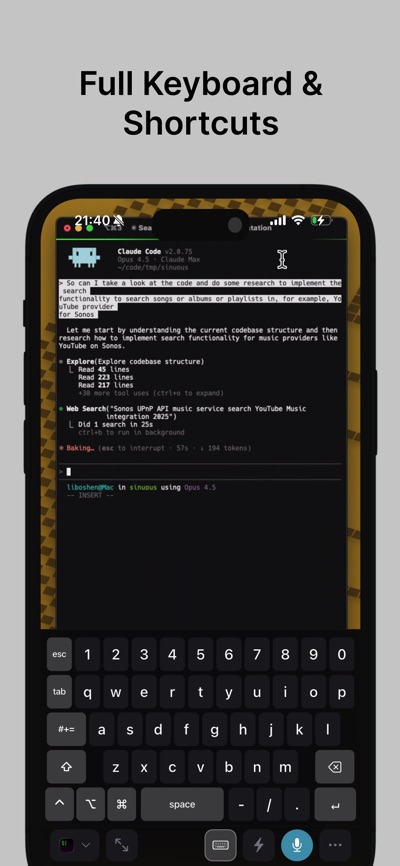
• Touch-optimized virtual keyboard
• Sticky modifier keys (Cmd, Option, Control)
• Customizable shortcut grid
• Smart window management
• Paste from iOS clipboard
• Gesture support
• Secure device pairing
• No account required
REQUIREMENTS
• macOS companion app (AFK Host) - free download from afk.dev
• Works over any network after pairing
PRIVACY
AFK remote access directly and encrypted to your Mac with no servers in between. Device credentials are stored securely.
Perfect for developers who want to stay productive without being chained to their desk. Code review from the couch. Run tests from the kitchen. Ship features from anywhere.
AVALW Coverage
Not yet mentioned in AVALW articles.
Similar apps


 Canva Configurator (BYOD)CanvaThe Configurator app allows Canvanauts to configure internal settings of Canva's iOS app, such as server target and client flags.★ 4.8 27857k



 ChatGPTOpenAIChatGPT is your everyday AI assistant for Windows. Use Chat to ask questions, explore ideas, write, learn, and work through everyday tasks. When you need to go ★ 4.8 11034k

 Remote Tools for Microsoft EdgeMicrosoft CorporationRemote Tools for Microsoft Edge enables developers to debug live web content running on remote Windows desktop, Xbox, and HoloLens devices. This app extends Win★ 4.7 1610k


 TestFlightAppleTestFlight makes it easy to test beta versions of apps and App Clips to provide valuable feedback to developers before they release their apps on the App Store.★ 4.7 791k


 Holy Quran Offline ReadingJedyAppsAl QURAN-القرأن الكريم app to read Quran offline just like an actual Quran book★ 4.4 207k


 Galaxy S9 Plus RingtonesZenTint CreationsDownload The 100 Best Galaxy S9+ Ringtones & Notifications For Free★ 4.6 135k


 Quran Pro - القران الكريمQuanticapps FZ LLERead and listen to the Holy Quran Offline. MP3 recitations & Tafsir★ 4.7 124k


 IGAMES PS2IGames BRThe best PS2 games from your childhood come to life in their mobile version!★ 4.4 56k