
Screenshots


About AI Photo & Video Editor
Turn your ideas into stunning photos and videos with AI Photo & Video Editor.
Create new visuals with AI, transform existing content, remove unwanted objects, change backgrounds, apply creative styles, and edit every detail—all in one easy-to-use app.
AI CREATION
• Generate images from text
• Create videos with AI
• Turn photos into unique visual styles
• Transform your ideas into original content
• Create backgrounds and visual elements
SMART AI EDITING
• Remove unwanted objects
• Replace or remove backgrounds
• Enhance photos automatically
• Use generative fill to edit selected areas
• Restyle and transform your images
PHOTO EDITOR
• Crop, rotate, and resize photos
• Adjust brightness, contrast, color, and more
• Apply filters and creative effects
• Add text, stickers, shapes, and overlays
• Combine multiple elements in one design
VIDEO EDITOR
• Trim and arrange video clips
• Add text, images, music, and effects
• Adjust video size and format
• Create content for social media
• Export and save videos to your device
EASY TO USE
Import a photo or video, choose a tool, and start creating. Whether you need a quick edit or a completely new AI-generated visual, everything is designed to be simple and intuitive.
YOUR CONTENT STAYS YOURS
Your projects and exported files are stored on your device or in a storage location selected by you. Content is sent to external processing services only when you choose to use an AI-powered feature.
Some AI features require credits or an active subscription. Available features and results may vary depending on the selected AI model.
Create, edit, and transform your content with AI Photo & Video Editor.
Terms os Usage: https://team2swift.com/terms-photovideo-editor
Privacy Policy: https://team2swift.com/privacy-photovideo-editor
Contact us: https://www.team2swift.com/support/
AVALW Coverage
Not yet mentioned in AVALW articles.
Similar apps


 YouTubeGoogleGet the official YouTube app on iPhones and iPads. See what the world is watching -- from the hottest music videos to what’s popular in gaming, fashion, beauty,★ 4.7 49315k


 InstagramInstagram, Inc.Little moments lead to big friendships. Share yours on Instagram. — From Meta Connect with friends, find other fans, and see what people around you are up to an★ 4.7 29567k



 Affinity by CanvaCanvaONE APP TO CRAFT IT ALL, FOR NO COST AT ALL. Design. Edit. Lay it out. Affinity gives you vector, pixel, and layout tools, all in the same professional-grade ap★ 4.8 27291k


 Video Editor & Maker - InShotInShot Video EditorAI video editor with music! Edit video with effects, slideshow & slow motion★ 4.8 24760k


 MX PlayerAmazon Mobile LLCPowerful video player with advanced hardware acceleration and subtitle supports★ 4.2 14336k


 VivaVideo - Video Cut & EditorQuVideo Inc. Video Editor & Video Maker AppAI Video Editor: AI Templates, Text to Video, Extract Audio, Auto Caption.★ 4.3 12268k


 YouCut - Video Editor & MakerInShot Video EditorAI Video Editor with Music, Filter, Slideshow, Effect, Merge & Trim Video.★ 4.8 8635k


 Screen Recorder - XRecorderInShot Inc.Record games with audio. Smooth, HD screen capture & Built-in video editor.★ 4.7 7662k
More by this developer


 Screenshot ®SMM service, s.r.o.Screenshot app – The Ultimate Screenshot Tool for Mac. Capture Screenshots in Seconds! Screenshot is a fast and intuitive screenshot tool for Mac. Capture any a★ 4.5 219k


 Office 7: Documents & SheetsSMM service, s.r.o.Office 7: Word, Sheets, PDF: All-in-One Office Suite for Mac Office 7 brings powerful document, spreadsheet, presentation, and PDF tools to your Mac. Whether yo-

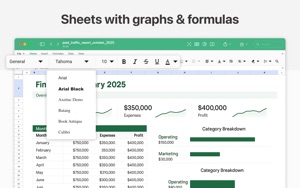

 Spreadsheets ®SMM service, s.r.o.Elevate your productivity with Spreadsheets 7, the ultimate Excel-compatible app for Mac. Packed with all the core features you will love, Spreadsheets 7 takes -


 Signature: Fill and Sign PDFSMM service, s.r.o.Signature App makes it easy to sign, send, and manage your documents in just a few taps. Whether you need to sign a contract, fill out a form, or request a sign★ 4.8 132