
Screenshots


About Aircraft Design Lab
Build your aircraft. Fly your experiment.
Aircraft Design Lab is an offline aircraft design and flight simulation workbench for Apple Silicon Macs. Start with one of 21 editable concepts, or create a design from a fuselage and add wings, tails, engines and landing gear.
SHAPE YOUR DESIGN
Adjust wing geometry, engine placement, battery size, payload and component masses. See changes in center of gravity, rotational inertia and wing loading as you build. Inspect component-linked explanations and preview reversible adjustments when a design has a placement or setup problem.
TAKE IT FLYING
Fly with keyboard controls and optional compatible joystick or gamepad input. Explore a landscape with an airfield, hills and woodland, with daylight, golden-hour and overcast lighting, plus Performance, Balanced and High detail settings. Customize paint, racing bands and carbon-look finishes.
COMPARE YOUR EXPERIMENTS
Save projects and named versions, record flights, run lab tests and compare results. Review which wing halves entered a modeled stall, inspect the current component, and preview an undoable larger-wing experiment. Export your work to portable files.
EXPLORE COMPONENT MODELS
Choose among electric propellers, electric ducted fans, piston engines and turbines. Selected components can use bundled UIUC airfoil measurements and tested propeller maps; other configurations use adjustable estimates. An experimental measured-flight report compares an approximate reference wing with published flight observations and shows its remaining errors; it does not validate complete aircraft.
FREE TO TRY
Building and flying are free. The flight test lab, the Compare view and project file saving are included in a free 14-day trial, then unlocked permanently with a single one-time purchase. No subscription, no account.
The app works offline and requires no account. Aircraft templates are model-scale concepts. Complete aircraft performance is unvalidated, and the simulator is not intended for real aircraft engineering approval, flight training certification or flight safety decisions.
Requires an Apple Silicon Mac running macOS 12 or later. Controller compatibility varies; keyboard flight is included.
AVALW Coverage
Not yet mentioned in AVALW articles.
Similar apps


 Wordscapes - Word GamePeopleFun, Inc.Playing Wordscapes 10 mins a day sharpens your mind and prepares you for your daily life and challenges! This text twist of a word game is tremendous brain chal★ 4.8 1136k


 School Bus Simulator Drive 3DGames2winShow off your driving skills by taking the wheel in the thrilling School Bus Simulator Drive 3D game. Perfect for fans of bus games, bus simulators, and car par★ 4.5 133k


 Stop - Categories Word GameFanateeLove word games and trivia? Try Stop, the smash-hit word puzzle game that's been an App Store Editor's Choice in 18 countries! Stop starts by randomly selecting★ 4.6 106k


 Tractor Game for Build a HouseGoKids!"Trucks building" is colorful game about different types of construction machinery those are constructing huge buildings using their skills. If your kids are fo★ 4.2 74.6k


 Sudoku· Classic Puzzle GamesBlock Puzzle GamesSharpen Your Mind with “Sudoku· Classic Puzzle Games” – The Ultimate Sudoku Experience Dive into the world of numbers and logic with “Sudoku· Classic Puzzle Gam★ 4.7 65.7k


 Chess Prime 3DVinta GamesChess Prime 3D is one of the best designed 3D chess games for the iPad / iPhone. It provides learning support for novice players, a real challenge for the exper★ 4.6 62.5k


 My Town : Beauty Contest PartyMy Town Games LTDCalling all aspiring stylists and fashionistas! If you and your child love fashion, design and hair My Town : Beauty Contest is the perfect app for you. There a★ 4.4 62.5k


 Wordlook - Word Puzzle GamesSuper Lucky Games LLCDOWNLOAD the best word games for your phone or tablet! Wordlook Unlimited is a one of a kind word game for all ages! Wordlook Daily word games starts as an easy★ 4.9 54.4k
More by this developer


 AskNext: Run Better InterviewsDMP ENTERPRISE LLCAskNext keeps you in the conversation. It records and transcribes your interview on your device, tracks the questions you planned to ask, and shows one quiet su-


 JumpTraceDMP ENTERPRISE LLCSee more in every jump. JumpTrace helps equestrians review jumping videos with precise playback controls and evidence-based observation prompts. Import a record-


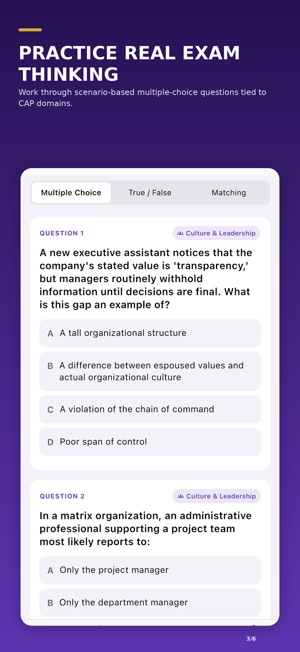
 CAP Admin Exam Study GuideDMP ENTERPRISE LLCPass the CAP by knowing what IAAP actually tests — how leaders motivate and delegate, when a litigation hold overrides the retention schedule, what a quorum per-


 TapInvoice: Invoice MakerDMP ENTERPRISE LLCMost invoicing apps cost $15, $25, even $35 a month. TapInvoice does the job for $2.99. Speak the work you did - TapInvoice turns it into a professional invoice-