
Screenshots


About AlignScan – Document Scanner
AlignScan is a lightweight mobile app for document scanning, OCR text extraction, and complete PDF editing — scan, sign, merge, split, compress, protect, and convert PDFs in one place.
Whether you're submitting homework, organizing contracts and reports, extracting text from images, signing documents, or saving receipts and paper records, AlignScan turns ordinary document photos into clear, polished files.
Why choose AlignScan
• Auto document detection and crop
Detects the useful document area and removes distracting background
• Perspective correction
Fixes tilted, angled, or distorted page shots for a cleaner result
• Image enhancement
Reduces shadows, improves brightness, and makes text easier to read
• OCR text extraction
Extract text from document photos or imported images, then copy it or save it as a TXT file
• Sign PDFs
Draw, type, or stamp a signature and place it anywhere on the page
• Merge, split & compress PDFs
Combine multiple files, split a PDF into separate pages, or shrink file size for easier sharing
• Protect & convert PDFs
Encrypt PDFs with a password, or convert to Word, Excel, image, or text
• A4-style page layout
Centers and formats pages neatly for a more professional look
• JPG and PDF export
Export single images or combine pages into PDF files
• Privacy-friendly local processing
Core scan, OCR, and formatting steps are handled on device
Great for
• Students scanning homework, notes, and test papers
• Professionals capturing contracts, reports, invoices, and meeting notes
• Users extracting text from printed documents, forms, receipts, and images
• Anyone needing to sign, merge, split, compress, protect, or convert PDFs
• Everyday users saving receipts, forms, certificates, and printed records
• Mobile work scenarios where documents need to be scanned quickly
• Multi-page files that need to be combined and archived
How it works
Scan a document
Point your camera at any document — AlignScan auto-crops, corrects perspective, enhances, and formats the page for you.
Extract text with OCR
Take a photo or import an image, then copy the recognized text or save it as a TXT file.
Edit PDFs
Sign, merge, split, compress, protect with a password, or convert PDFs to Word, Excel, image, or text.
Export
Preview and export your pages as JPG or PDF files.
With AlignScan, your document photos look straighter, cleaner, and more professional. Extract useful text from images, and handle all your PDF editing needs in one app.
Try AlignScan free with 5 complimentary saves. Choose a monthly or yearly subscription, or unlock everything with a one-time lifetime purchase. Subscriptions auto-renew; cancel anytime in your App Store account settings.
Your scans stay private with on-device processing. AlignScan only accesses the camera, photos, and local storage when needed for scanning, importing, OCR recognition, and exporting files.
Terms of Use (EULA): https://www.apple.com/legal/internet-services/itunes/dev/stdeula/
Privacy Policy: https://www.aitoolsoft.com/privacy-policy.html
Support: support@aitoolsoft.com
AVALW Coverage
Not yet mentioned in AVALW articles.
Similar apps


 Booking.com for BusinessBooking.comManage your business travel with the Booking.com for Business app! Book trips and manage expenses in just a few minutes. - Book your whole business trip in one ★ 4.8 6450k


 ADP Mobile SolutionsADP, IncADP Mobile Solutions provides you with an easy and convenient way to access payroll, time & attendance, benefits, and other vital HR information for you and you★ 4.7 4460k


 Indeed Job SearchIndeed Inc.Discover your next job opportunity on Indeed, the free job search app designed to connect you with better work anytime, anywhere. Forget the other job search ap★ 4.8 4078k


 Microsoft TeamsMicrosoft CorporationWhether you’re connecting with your community for an upcoming activity or working with teammates on a project, Microsoft Teams helps bring people together so th★ 4.8 3378k


 Zoom WorkplaceZoom Communications, Inc.Zoom Workplace helps you streamline your day and collaborate effortlessly with the power of AI. Zoom Workplace brings video meetings, chat, phone, appointment s★ 4.7 3244k


 DoorDash - DasherDoorDash, Inc.Enjoy the freedom to be your own boss and earn money on your schedule. Plus, get 100% of your tips, always. * CASH AFTER EVERY DASH * Get paid right after every★ 4.7 2464k


 Duo MobileDuo Security LLCDuo Mobile works with Duo Security's two-factor authentication service to make logins more secure. The application generates passcodes for login and can receive★ 4.9 2306k


 Naukri: Job Search Appinfoedge.comSearch jobs, apply fast, and get noticed by 5 lakh+ recruiters hiring in India★ 4.5 2024k
More by this developer

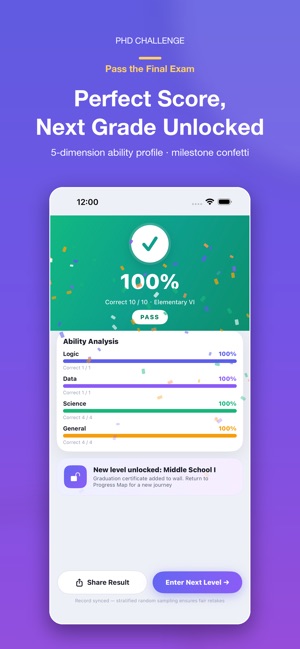

 PhD Challenge智慧 吴PhD Challenge is a quiz game that takes you from elementary school all the way to a PhD. · 18 academic levels — Elementary, Middle School, High School, Undergra-


 SleepAura: Sleep Sounds & Calm智慧 吴Fall asleep faster, stay asleep longer, and wake up rested. SleepAura turns your iPhone into a pocket sound sanctuary. Blend 38 immersive, studio-quality sounds-


 ClipSave: Copy & Sync智慧 吴O ClipSave é um histórico da área de transferência para iPhone, iPad e Mac. Guarde textos, ligações e informações temporárias importantes. Com a mesma conta App★ 1.0 1


 LuckySpin Decision Wheel智慧 吴LuckySpin Spin Wheel is an all-in-one random decision maker designed to make everyday choices simple, fair, and fun. Whether you are choosing what to eat, assig-