
Screenshots


About AppRelay Remote
Stop walking back to your desk to kick off a build. Ship from the couch.
AppRelay Remote is the mobile companion to AppRelay Server for desktop — a remote control that commands your Mac or PC to build, run, test, and ship your app projects. The Mac does the work; your phone drives it.
Pair once over your local Wi-Fi and your whole AppRelay workspace comes with you: every project, every lane, every release channel, right on your iPhone or iPad.
WHAT YOU CAN DO
• Trigger builds, runs, and test suites on your Mac with a tap
• Cut a release — ship a lane to its distribution channel without touching your desk
• Watch live, streaming log output as each build runs, with a Stop button when you need it
• Browse every project as a card: toolchain, lanes, version, and source-control status at a glance
• Edit the full project configuration — general settings, lanes, servers, toolchains, test suites — and save it back to your Mac
• Bump or set version and build numbers
• Edit .env / dotenv files on disk, remotely
• Manage your Mac's AppRelay license: activate a key, check status, or move the seat
BUILT FOR iPHONE AND iPAD
On iPhone you get a fast, single-column flow. On iPad you get the same two-column sidebar-and-detail layout as the Mac app — it even re-skins live when you change the desktop theme.
SECURE BY DESIGN
• Discovers Macs on your network automatically over Bonjour
• Pair with a one-time token shown on your Mac — each device gets its own credential
• All traffic runs over TLS, pinned to your Mac on first connection
• Your Mac stays in control: block or disconnect any device at any time
• Secrets never leave your Mac — the phone sees credential labels only, never their values
REQUIRES THE MAC APP
AppRelay Remote needs AppRelay for macOS running on the same network. Get it at apprelay.io/download. Free to pair; Pro features are managed on the Mac.
AppRelay Remote needs the desktop app, which is **not** on the Mac App Store — it ships directly from the website (Sparkle-updated, notarized DMG).
**Download:** https://apprelay.io/download
**Requirement:** macOS 13 (Ventura) or later.
**Enable the server:** open AppRelay → **Relay Monitor** → **Start**. This starts a local HTTPS server, advertises it over Bonjour (`_apprelay._tcp`), and shows the address + a pairing token.
**Pair:** on the same Wi-Fi, open AppRelay Remote, pick the Mac under "Discovered Macs" (or enter host/port manually), and enter the pairing token.
**Security:** self-signed TLS pinned trust-on-first-use; each device gets its own token; the Mac can block/disconnect any device from Relay Monitor.
AVALW Coverage
Not yet mentioned in AVALW articles.
Similar apps


 Canva Configurator (BYOD)CanvaThe Configurator app allows Canvanauts to configure internal settings of Canva's iOS app, such as server target and client flags.★ 4.8 27857k
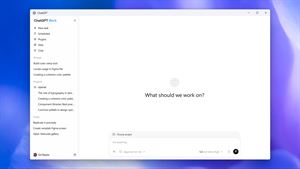

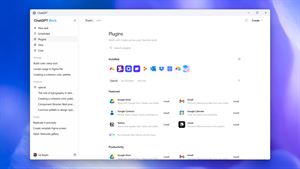
 ChatGPTOpenAIChatGPT is your everyday AI assistant for Windows. Use Chat to ask questions, explore ideas, write, learn, and work through everyday tasks. When you need to go ★ 4.8 11034k
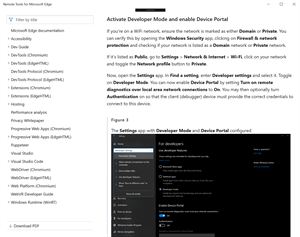
 Remote Tools for Microsoft EdgeMicrosoft CorporationRemote Tools for Microsoft Edge enables developers to debug live web content running on remote Windows desktop, Xbox, and HoloLens devices. This app extends Win★ 4.7 1610k


 TestFlightAppleTestFlight makes it easy to test beta versions of apps and App Clips to provide valuable feedback to developers before they release their apps on the App Store.★ 4.7 791k


 Holy Quran Offline ReadingJedyAppsAl QURAN-القرأن الكريم app to read Quran offline just like an actual Quran book★ 4.4 207k


 Galaxy S9 Plus RingtonesZenTint CreationsDownload The 100 Best Galaxy S9+ Ringtones & Notifications For Free★ 4.6 135k


 Quran Pro - القران الكريمQuanticapps FZ LLERead and listen to the Holy Quran Offline. MP3 recitations & Tafsir★ 4.7 124k


 IGAMES PS2IGames BRThe best PS2 games from your childhood come to life in their mobile version!★ 4.4 56k
More by this developer


 StickrMeWrights Creative Services, L.L.C.Easily add fun stickrs and other cool objects to your photos and share them instantly! Drag and drop over 3,700 stickrs and objects on to your Stickr Canvas, an★ 4.6 5


 RiskDash - Property AssessmentWrights Creative Services, L.L.C.RiskDash turns complex property risk into a clear letter grade — and tells you exactly how to improve it. Assess fire, flood, seismic, crime, environmental, haz★ 5.0 1


 ShootSmart Photographer ToolsWrights Creative Services, L.L.C.With over 90 tools, calculators, simulators, guides and more, ShootSmart is your complete photographers toolkit! Whether you're an amateur photographer capturin★ 5.0 3


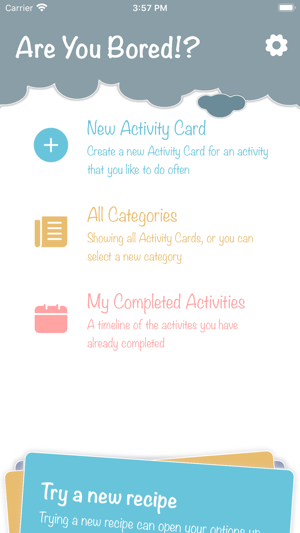
 The Are You Bored!? AppWrights Creative Services, L.L.C.Stop scrolling. Start doing. Swipe through 300+ activity cards and turn your boredom into something worth remembering. Are You Bored!? is a swipeable activity d★ 4.5 8