
Screenshots
About AutoKey - Auto Clicker & Key Combo Auto
AutoKey – Fast & Smart Automation Assistant
AutoKey is a professional automation tool designed to boost your productivity and eliminate repetitive manual actions.
Whether you're an office user processing large spreadsheets, a gamer seeking stable skill combos, a shopper joining limited-time deals, or someone who frequently refreshes and clicks during daily tasks, Auto Clicker helps you work faster, easier, and more efficiently.
The software combines keyboard auto-repeat, action recording, mouse auto-clicking, scheduled execution, automation macros, and hotkey triggers into one powerful solution—fully automating repetitive workflows so you can focus on what matters.
🔧 Key Features
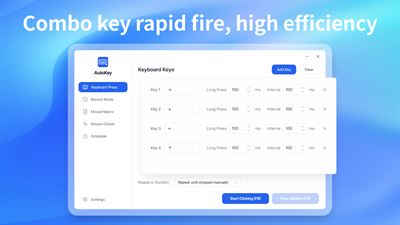
⌨️ One-Click Keyboard Auto-Repeat
Customize key loops, trigger speed, and execution intervals with long-term stability.
Perfect for game skill rotations, automated shortcuts, batch text input, and time-sensitive operations—dramatically improving typing efficiency.
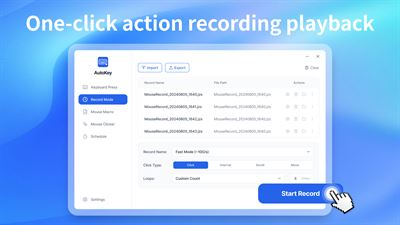
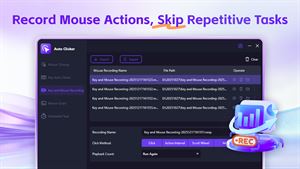
🎥 Action Recording & Playback
Record precise mouse movements, click positions, and timing intervals, then replay them instantly.
Automate complex multi-step workflows and complete repetitive tasks effortlessly.
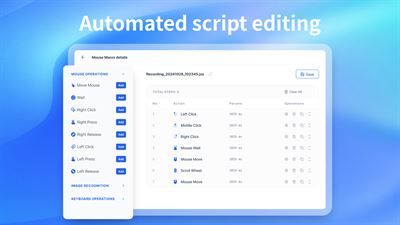
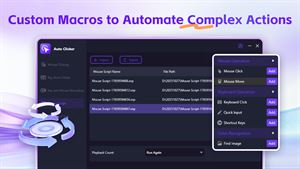
🎯 Custom Automation Scripts
Create flexible automation flows using clicks, keystrokes, delays, loops, and hotkey triggers.
Run preset tasks with a single click to unlock powerful, personalized automation.
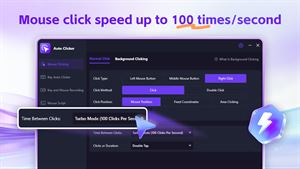
🖱️ High-Speed Mouse Auto-Clicking
Adjust click speed, intervals, and repeat counts with precision.
Supports continuous clicking at a fixed position or the current cursor location—ideal for forms, games, and web interactions.
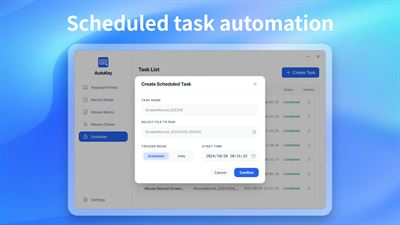
⏰ Scheduled Automatic Execution
Built-in timing controls let you define start times, intervals, and click counts for unattended operation.
Easily handle check-ins, refresh cycles, voting, and flash-sale participation—saving valuable time and effort.
💡 Common Use Cases
Office Productivity – Automate spreadsheet entry, data input, and repetitive formatting tasks.
Gaming Assistance – Maintain consistent skill combos and sustained clicking with less strain.
Flash Sales & Deals – Combine high-speed clicking with scheduled starts for millisecond-level response.
Everyday Tasks – Refresh pages, like, check in, or repeat clicks with a single action.
✅ Why Choose Auto Clicker?
All-in-One Functionality – Mouse clicking, keyboard repeat, scheduling, recording, and macros in one lightweight tool.
Simple & Intuitive – Clean interface and easy setup—ready to use in seconds, even for beginners.
Safe & Lightweight – No ads, minimal resource usage, no system file changes, and no data collection. Fully compatible with Windows 10 & 11 for stable performance.
🚀 Download Auto Clicker today and turn repetitive clicking into effortless automation—work smarter, save time, and stay in control.
⚠️This version is a free edition with limited usage for certain features. Users can use the key auto-click (key repeat) feature for free up to 3 times and create 1 recording or mouse script file. Upgrading to a membership unlocks unlimited access to all features. If you are satisfied with this product, you can purchase in-app services to experience the full functionality. You may choose a monthly, quarterly, or yearly subscription, and the fee will be charged to your Microsoft account at renewal. You can also purchase a lifetime membership with a one-time payment for permanent access.
AVALW Coverage
Not yet mentioned in AVALW articles.
Similar apps


 Phone by GoogleGoogle LLCReliable phone calls with spam protection, caller ID and more helpful features★ 4.4 52440k


 Google Play servicesGoogle LLCGoogle Play services - Google services for Android apps★ 4.3 44573k



 Call of Duty®: Modern Warfare® 4 (Windows)Activision Publishing Inc.War erupts on the Korean Peninsula as North Korea launches a full-scale invasion that threatens to destabilize the world in Call of Duty®: Modern Warfare® 4. A ★ 4.3 16579k


 gov.brServiços e Informações do BrasilGov.br is a means of user access to digital public services.★ 4.6 14047k


 MyTelkomsel – Buy InternetTelkomselBuy credit, internet quota, streaming, game voucher & get cashback with e-wallet★ 3.8 12353k


 myIM3: Data Plan & Buy PackageIndosat Ooredoo HutchisonCheck balance & quota, detect & block spam, exchange IMPoin only on myIM3★ 4.4 11302k


 Files by GoogleGoogle LLCClean up your phone, find files, play media, and share files offline★ 4.5 9097k


 CNH do BrasilServiços e Informações do BrasilDigital driver's license and vehicle registration certificate, first driver's license, traffic violation and vehicle information.★ 4.9 8390k
More by this developer
 Auto Clicker - Auto Mouse Clicker & Fast ClickingWuhan Yousigan Technology Co., LtdAuto Clicker – Fast & Multi-Functional Clicking Tool Auto Clicker is a comprehensive automatic clicking tool. Whether you’re filling spreadsheets at work, perfo★ 4.0 23
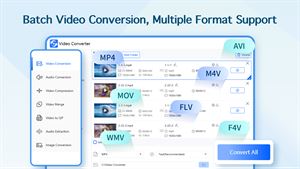
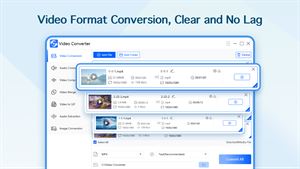
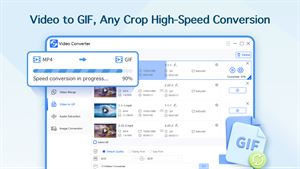
 Video Converter - MP4 MOV & AVI ConversionWuhan Yousigan Technology Co., LtdVideo Converter – All-in-One Media Format Toolkit Convert, Compress, Edit, and Extract – Your Ultimate Desktop Solution for Video, Audio, and Image Processing V★ 3.8 15
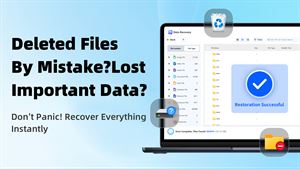
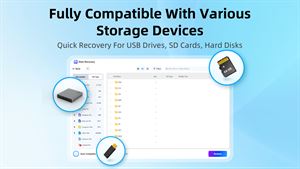
 Data Recovery - Hard Drive & USB File RecoveryWuhan Yousigan Technology Co., LtdData Recovery is a powerful and user-friendly tool designed to recover important files lost due to accidental deletion, formatting, crashes, or other reasons. W★ 3.5 34


 CADViewerWuhan Yousigan Technology Co., Ltd扫描王全能宝是一款OCR文字识别软件,使用手机就可以实现文字识别、手写识别、文件扫描、证件扫描、表格识别等功能,识别后的文字可以进行在线编辑调整、翻译,并且可以导出为word、txt、PDF、图片等多种格式,是您的移动多功能扫描仪。 【核心功能】 • 多格式图纸预览:支持 DWG、DXF、DWF、PDF、STEP、ST★ 4.6 105