
Screenshots
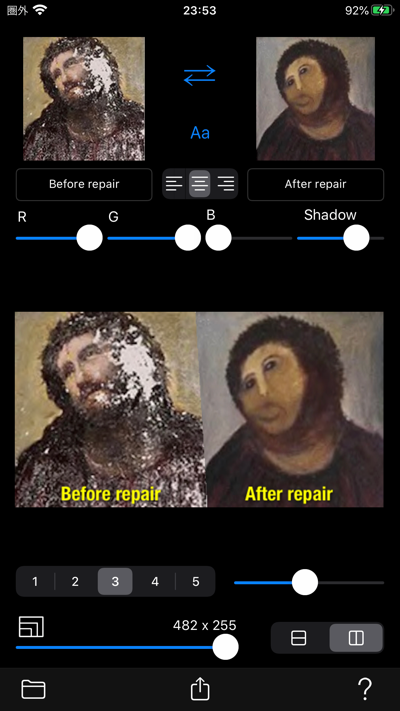


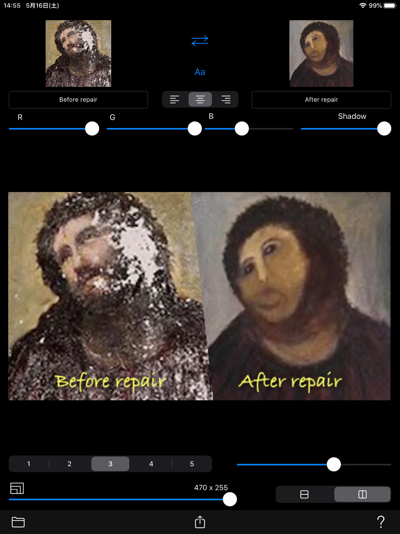

About Before->After
Before photo and after photo are arranged side by side. Create a composite photo that allows you to compare the difference in those photos.
You can put a title on each photo.
You can also set the title font, color, shadow, size, and position.
Composite images can be placed on the left or right or top and bottom.
In addition, you can set the border type and border length for Photo 1 and Photo 2.
[Source]
- Camera
- Camera roll
【Settings】
- Select photo 1
- Select photo 2
- Swap photos
- Title font (Select font)
- Title text (text field: typing)
- Title alignment (left / center / right)
- Title color (RGB color slider control)
- Title shadow (slider control)
- Title size (gesture: pinch in / pinch out)
- Title position (gesture: pan)
- Border type (none / gradation / ray / triangle / zigzag)
- Border length (slider control)
- Arrangement of composite photos (pile / side by side)
- Save resolution: 5-100% of original resolution
[Output]
- Save to camera roll: Composite photo
- Composite photo sharing: AirDrop, LINE, Facebook, Dropbox, Instagram, ...
AVALW Coverage
Not yet mentioned in AVALW articles.
Similar apps


 YouTubeGoogleGet the official YouTube app on iPhones and iPads. See what the world is watching -- from the hottest music videos to what’s popular in gaming, fashion, beauty,★ 4.7 49315k


 InstagramInstagram, Inc.Little moments lead to big friendships. Share yours on Instagram. — From Meta Connect with friends, find other fans, and see what people around you are up to an★ 4.7 29567k



 Affinity by CanvaCanvaONE APP TO CRAFT IT ALL, FOR NO COST AT ALL. Design. Edit. Lay it out. Affinity gives you vector, pixel, and layout tools, all in the same professional-grade ap★ 4.8 27291k


 Video Editor & Maker - InShotInShot Video EditorAI video editor with music! Edit video with effects, slideshow & slow motion★ 4.8 24760k


 MX PlayerAmazon Mobile LLCPowerful video player with advanced hardware acceleration and subtitle supports★ 4.2 14336k


 VivaVideo - Video Cut & EditorQuVideo Inc. Video Editor & Video Maker AppAI Video Editor: AI Templates, Text to Video, Extract Audio, Auto Caption.★ 4.3 12268k


 YouCut - Video Editor & MakerInShot Video EditorAI Video Editor with Music, Filter, Slideshow, Effect, Merge & Trim Video.★ 4.8 8635k


 Screen Recorder - XRecorderInShot Inc.Record games with audio. Smooth, HD screen capture & Built-in video editor.★ 4.7 7662k
More by this developer


 Gold Lens ProMasanori KatsutaGolden Radiance. Transform your everyday photos into breathtaking Masterpieces of Luxurious Gold & Celestial Sparkles. ● Introduction Give your favorite photos -


 Message ShowerMasanori Katsuta■ Sprinkle the one and only "message" you really want to convey on the photos you take ■ Scatter messages of various sizes on the photo with the push of a butto-

 Touchless RecorderMasanori Katsuta●●● Recording start/stop without touching the iPhone screen ●●● ※ Compatible with iPhone only (Not a universal app) ※ Recording will not start unless the iPhone-


 Fogged LensMasanori Katsuta'Fogged Lens' is an interactive art app that recreates a nostalgic and evocative space, like a window sill on a rainy day, within your digital device. Select yo-