
Screenshots

About Branches - Git in the Menu bar
Branches brings your Git history to the macOS menu bar.
Keep an eye on your repositories without opening a full Git client. Branches provides a compact, visual view of branches, merges, and commits directly from your menu bar, making it easy to understand what's happening across your projects at a glance.
Whether you're working on a feature branch, reviewing a merge, or simply checking what changed since yesterday, Branches turns complex Git history into an easy-to-follow visual timeline.
FEATURES
• Visual Git Graph
View branches, merges, and commit history in a clear graphical timeline.
• Menu Bar Convenience
Access your repositories instantly from the macOS menu bar without interrupting your workflow.
• Multiple Repositories
Switch between projects with a single click and keep track of all your active repositories.
• Branch Tracking
See active branches, feature work, release branches, and merge points in context.
• Commit Details
Browse commit messages, authors, dates, and references directly from the graph.
• Designed for Developers
Built with a native macOS experience in mind, featuring smooth scrolling, keyboard navigation, and support for dark mode.
• Scales with Your History
Explore small personal projects or large repositories with extensive branching and merge activity.
PERFECT FOR
• Swift and Xcode developers
• Open source contributors
• Indie developers
• Development teams
• Anyone who prefers visual Git history over command-line output
Branches helps you understand your repository's story—one branch at a time.
AVALW Coverage
Not yet mentioned in AVALW articles.
Similar apps
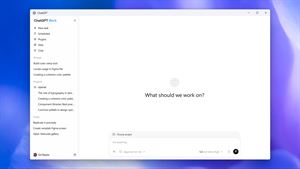

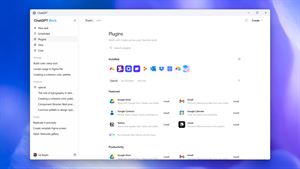
 ChatGPTOpenAIChatGPT is your everyday AI assistant for Windows. Use Chat to ask questions, explore ideas, write, learn, and work through everyday tasks. When you need to go ★ 4.8 11034k
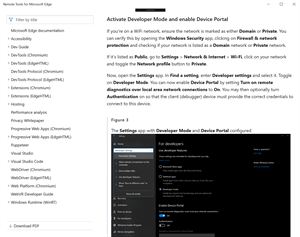
 Remote Tools for Microsoft EdgeMicrosoft CorporationRemote Tools for Microsoft Edge enables developers to debug live web content running on remote Windows desktop, Xbox, and HoloLens devices. This app extends Win★ 4.7 1610k


 TestFlightAppleTestFlight makes it easy to test beta versions of apps and App Clips to provide valuable feedback to developers before they release their apps on the App Store.★ 4.7 791k


 Holy Quran Offline ReadingJedyAppsAl QURAN-القرأن الكريم app to read Quran offline just like an actual Quran book★ 4.4 207k


 Galaxy S9 Plus RingtonesZenTint CreationsDownload The 100 Best Galaxy S9+ Ringtones & Notifications For Free★ 4.6 135k


 Quran Pro - القران الكريمQuanticapps FZ LLERead and listen to the Holy Quran Offline. MP3 recitations & Tafsir★ 4.7 124k


 Gamers GLTool with Game TunerTrilokia Inc.Tune your game graphics with our GFX optimizer for optimal gaming experience★ 4.5 45.1k


 NextVPN: Fast & Secure ProxySurf Safe Network LtdUltra-Fast Global Servers. Zero Buffering. No Registration Required. NextVPN is a next-generation high-speed tunnel powered by advanced V2Ray and Xray protocols★ 4.7 45k
More by this developer


 SourceCleanerHolger KruppSourceCleaner is a macOS app that helps you find and clean up likely unused Swift code in real projects, without losing control of your source. It scans your pr-


 Game CollectorHolger KruppGame Collector lets you manage your game collection across your apple devices. Manage different copies of games, mark them as played or completed. Find other ga-

 AutoRun - Run Apps.Holger KruppAutoRun: Your Automated App Launcher for macOS Simplify your workflow with AutoRun, the ultimate app scheduling tool for macOS! Whether you're managing daily ta-


 StateTransfer - a REST clientHolger KruppStateTransfer lets you test your REST APIs in a simple way. Define your Endpoint, HTTP methods, Header, Parameters and body and send the request. Optional Authe-