
Screenshots




About BYOT Coding Agent
BYOT is a native client for OpenCode, the open-source coding agent. Connect to the OpenCode server running on your own computer and drive coding sessions from your iPhone or iPad.
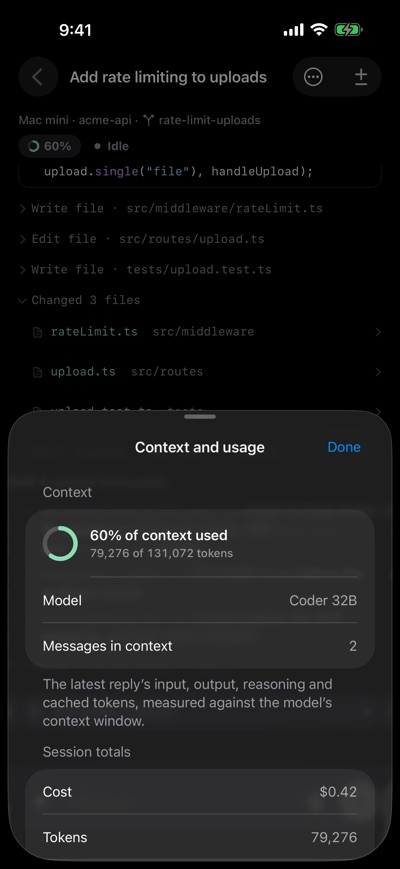
Browse projects and sessions, send prompts with photos or files, and watch assistant text, reasoning, and tool activity stream live. Inspect tool inputs, progress, output, and errors. Answer permission requests and questions from your server, queue follow-up prompts, and choose models from your server's catalog. Review session diffs when your server supports them.
Switch between saved servers, group sessions by project or browse them in one list, and find sessions by title, project, or path. Unsent text and attachments stay on this iPhone across session changes and app relaunches. Choose System, Light, or Dark appearance.
With the optional BYOT companion running on your computer, get notifications for approvals, questions, completed turns, and errors. Enable the computer queue to keep accepted prompts running in order while BYOT is closed. Your computer must remain awake and the companion connected. Work that has not finished uploading needs BYOT to reconnect; uncertain delivery requires your review.
BYOT supports OpenCode 1 and OpenCode 2 beta servers with automatic protocol detection. Available features depend on the server version; some OpenCode 2 beta servers do not expose per-session diffs.
Your server does the work. BYOT renders its responses and sends your instructions over HTTPS. There is no BYOT account or sign-up, and no tracking. Anonymous usage data is off until you turn it on, and it never includes your prompts, code, server addresses, or project names. Server passwords are stored in the iOS Keychain. In direct mode, prompts and attachments go to your configured server and the model providers you enable there. Optional notifications and the computer queue use the BYOT relay for device registration, delivery, and encrypted queued content. See the privacy policy for storage and retention details.
Requires an OpenCode server you operate, reachable over HTTPS, for example through Tailscale. Notifications and the computer queue also require the BYOT companion. BYOT is an independent client and is not affiliated with the OpenCode project.
AVALW Coverage
Not yet mentioned in AVALW articles.
Similar apps
 ChatGPTDeveloper Tools★ 4.8 11034k
 Remote Tools for Microsoft EdgeDeveloper Tools★ 4.7 1610k
 TestFlightDeveloper Tools★ 4.7 791k
 Holy Quran Offline ReadingDeveloper Tools★ 4.4 207k
 Galaxy S9 Plus RingtonesDeveloper Tools★ 4.6 135k
 Quran Pro - القران الكريمDeveloper Tools★ 4.7 124k
 Gamers GLTool with Game TunerDeveloper Tools★ 4.5 45.1k
 NextVPN: Fast & Secure ProxyDeveloper Tools★ 4.7 45k


