
Screenshots


About CADD-AI: Golf Strategy & GPS
CADD-AI helps you choose where to aim using your distances and dispersion. Compare targets before the round, check GPS yardages on the course, and log shots as you play.
Plan your strategy
Compare Optimal, Aggressive and Safe targets to understand your options. CADD-AI models your shot pattern, wind, elevation, course conditions and the shots that follow to estimate the scoring outcomes of different targets.
Record your round
Place shots on the course map, record lies and penalties, and return to saved rounds to review your play. The course workspace brings your map, yardages and round entry together.
Review your performance
Explore recorded rounds and strokes-gained results, choose a time period, and compare your performance with your selected peer group.
Prepare with your team
Coaches can organize teams and rosters, invite players, manage events and review team performance. Linked players use their own Dispersion profile for planning.
Print tournament packets
Set your course, tees, pins and conditions, then generate hole overviews, pin sheets and reference pages for pre-round preparation. Study course views and green slopes before you play.
Keep yardages close
Check GPS distances on the course. On supported devices, Live Activities keep yardages available on your Lock Screen and in the Dynamic Island.
Practice your decisions
Choose a target on a real hole in Aim Lab and compare it with CADD-AI's recommendation. Full Round simulations show a range of modeled scores for your profile.
Build a profile with your distances and dispersion, launch data or strokes-gained data. You can also connect a DECADE account to import supported performance data.
Tournament mode hides recommendations and adjusted distances. Check your event's rules before using distance-measuring devices or preparation materials in competition.
AVALW Coverage
Not yet mentioned in AVALW articles.
Similar apps


 ESPN: Live Sports & ScoresDisneyAll of ESPN. All in One Place. Introducing our brand-new streaming offering that gives you everything ESPN has to offer in one place. Get ESPN, ESPN2, ESPNU, SE★ 4.6 4169k
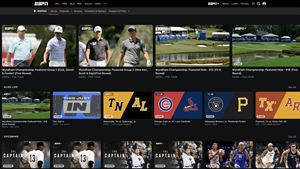
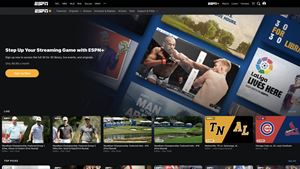
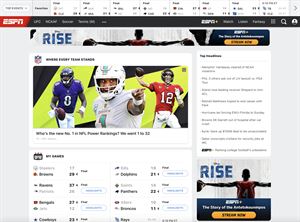
 ESPNDisneyWatch thousands of live events and shows from the ESPN networks plus get scores, on-demand news, highlights, and expert analysis. Subscribe to the ESPN+ streami★ 4.6 4169k


 Cricbuzz - Live Cricket ScoresCricbuzz.comThe world's No.1 cricket app, now featuring live streaming of IPL, World Cup etc★ 4.0 3177k


 FanDuel Sportsbook & CasinoFanDuel, Inc.Play every game and live every moment with FanDuel! Sportsbook: Bet on NFL, NBA, MLB, and more with real-time odds, live in-game markets, and same game parlays.★ 4.8 2303k


 365Scores: Live Sports Scores365Scores LTDLive Scores, News, Fixtures, Stats & Results for Soccer, Football, NBA and more★ 4.5 2211k


 ESPN Fantasy Sports & MoreDisneyWith the #1 fantasy sports app, fantasy sports are always in-season. Play ESPN Fantasy Football, Fantasy Men's Basketball, Fantasy Women's Basketball, Baseball ★ 4.8 2124k


 OneFootball Live Soccer scoresOnefootball GmbHLive scores, news & standings for Premier League and UEFA Champions League.★ 4.6 1630k


 ZeppZepp, Inc.Personal Digital Health Management Platform★ 4.4 1423k