
Screenshots

About CCT
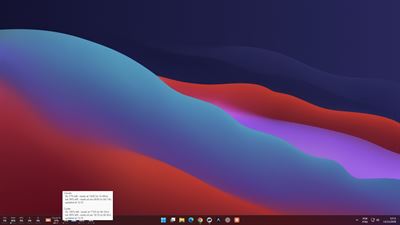
Personal account or work account? CCT shows which Claude Code and Codex account you are on, how much of its quota is left, and lets you switch between your saved Claude Code accounts in three clicks, right from the Windows taskbar.
CCT is a small strip on your taskbar with:
- Claude Code usage: 5-hour and weekly limits, % used and local reset times.
- Codex usage: 5-hour and weekly limits of the current Codex CLI login.
- A short account label of your choice (for example P for personal, W for work), so you always know which account is active.
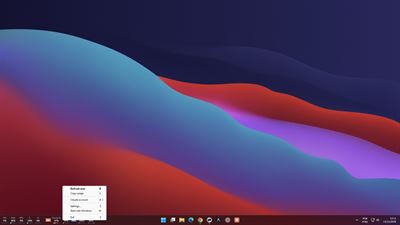
- A Claude account menu: save your paid Claude Code logins and switch between them by hand. CCT never switches on its own.
- CPU, RAM, GPU and per-disk activity.
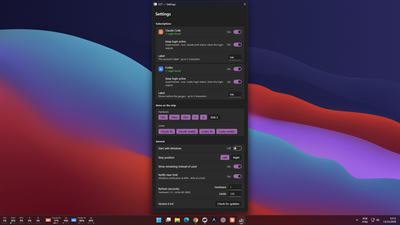
- Optional notifications when usage crosses 80% or 95%.
Honest numbers: an expired login or an unreachable service shows "—" and the reason, never a fake 0%.
Private by design: no telemetry and no account. CCT only talks to the providers' own usage endpoints, plus GitHub when you click "Check for updates". Saved logins are encrypted for your Windows user with DPAPI.
Requirements: the Claude Code CLI (claude) and/or the Codex CLI (codex), logged in on this PC. CCT reuses their existing login. Logins made only in the Claude desktop app are not supported.
Free and open source (MIT): https://github.com/chiarorosa/claude-codex-taskbar
CCT is an independent project. It is not affiliated with, endorsed by or sponsored by Anthropic or OpenAI. Claude and Claude Code are trademarks of Anthropic; Codex and OpenAI are trademarks of OpenAI.
AVALW Coverage
Not yet mentioned in AVALW articles.
Similar apps



 ChatGPTOpenAIChatGPT is your everyday AI assistant for Windows. Use Chat to ask questions, explore ideas, write, learn, and work through everyday tasks. When you need to go ★ 4.8 11034k

 Remote Tools for Microsoft EdgeMicrosoft CorporationRemote Tools for Microsoft Edge enables developers to debug live web content running on remote Windows desktop, Xbox, and HoloLens devices. This app extends Win★ 4.7 1610k


 TestFlightAppleTestFlight makes it easy to test beta versions of apps and App Clips to provide valuable feedback to developers before they release their apps on the App Store.★ 4.7 791k


 Holy Quran Offline ReadingJedyAppsAl QURAN-القرأن الكريم app to read Quran offline just like an actual Quran book★ 4.4 207k


 Galaxy S9 Plus RingtonesZenTint CreationsDownload The 100 Best Galaxy S9+ Ringtones & Notifications For Free★ 4.6 135k


 Quran Pro - القران الكريمQuanticapps FZ LLERead and listen to the Holy Quran Offline. MP3 recitations & Tafsir★ 4.7 124k


 Gamers GLTool with Game TunerTrilokia Inc.Tune your game graphics with our GFX optimizer for optimal gaming experience★ 4.5 45.1k


 NextVPN: Fast & Secure ProxySurf Safe Network LtdUltra-Fast Global Servers. Zero Buffering. No Registration Required. NextVPN is a next-generation high-speed tunnel powered by advanced V2Ray and Xray protocols★ 4.7 45k