
Screenshots


About Contact & File Transfer Wizard
Finding the right App to transfer your large number of files from your mobile device to another phone should not be hard. We have designed Contact & File Transfer Wizard prioritizing simplicity and efficiency. You can transfer photos, Videos to your newly purchased device easily and as fast as your internet connection would allow.
Here are some feature we built into our App:
- No need for complicated network or Wifi connection setup
- Reliable file transfers.
- Reliable contact transfers.
- Photos and Videos automatically show in your photos app on the destination phone
- Optimized for ease of use and short self explaining UI
In case of any issue please contact the Developer directly using "Contact Developer" on this page also make sure you are:
- Granting app permission to external storage
- Using WiFi not Data
To transfer files choose the Send Photos/Video/Files and select files using one of the tools on your phone (some of the tools don't allow "Select All" so look for one that does, usually photos app does), then tap next to get Reference ID.
To transfer your contacts (phone number and names only) choose Send Contacts and select the contacts you want to send to the other device, then tap next to see the reference number. use that number to receive contacts on the other phone.
On the destination phone enter the reference ID to start the transfer process.
AVALW Coverage
Not yet mentioned in AVALW articles.
Similar apps


 Phone by GoogleGoogle LLCReliable phone calls with spam protection, caller ID and more helpful features★ 4.4 52440k


 Google Play servicesGoogle LLCGoogle Play services - Google services for Android apps★ 4.3 44573k



 Call of Duty®: Modern Warfare® 4 (Windows)Activision Publishing Inc.War erupts on the Korean Peninsula as North Korea launches a full-scale invasion that threatens to destabilize the world in Call of Duty®: Modern Warfare® 4. A ★ 4.3 16579k


 gov.brServiços e Informações do BrasilGov.br is a means of user access to digital public services.★ 4.6 14047k


 MyTelkomsel – Buy InternetTelkomselBuy credit, internet quota, streaming, game voucher & get cashback with e-wallet★ 3.8 12353k


 myIM3: Data Plan & Buy PackageIndosat Ooredoo HutchisonCheck balance & quota, detect & block spam, exchange IMPoin only on myIM3★ 4.4 11302k


 Files by GoogleGoogle LLCClean up your phone, find files, play media, and share files offline★ 4.5 9097k


 CNH do BrasilServiços e Informações do BrasilDigital driver's license and vehicle registration certificate, first driver's license, traffic violation and vehicle information.★ 4.9 8390k
More by this developer


 Bakery Delight - Delicious Match 3 PuzzleCyberValue LLCBakery Delight is a fun and new match-3 style game developed by CyberValue Collect cookies and achieve goals to advance in an amazing cookies world. Learn how t★ 5.0 1
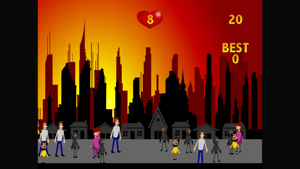


 Shoot The Terrorists - Tap to kill enemy terrorist unitsCyberValue LLC- Tap to shoot action game - Prevent the terrorists from passing to the other side - Avoid shooting at any unarmed civilians★ 5.0 2


 Microbe Wars - Viruses,Bacteria,Blood Cells Deadly Bio ClashCyberValue LLCDelve into Amazing world of Microbic wars as they happen in the body - Use white cells to defend red cells and eliminate microbe attacks - Hours of game play wi★ 3.8 5


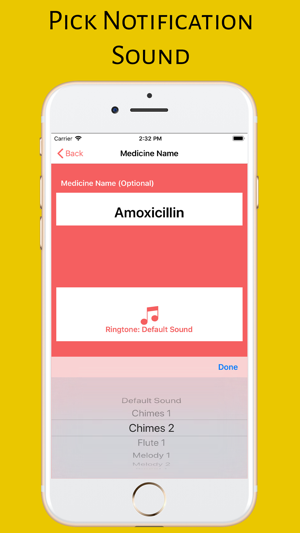
 Easy Pill ReminderCyberValue LLCEasy Pill Reminder is an app designed to remind you of time to take pills whether it's your nutrition supplements or vitamins, or your birth control pill, it ha★ 1.0 2