
Screenshots


About Create 3D Digital Designs
Create 3D Digital Designs used to edit or view objects 3D. App compatible with models in STL, OBJ and 3DS format. You can export your work ready to print in 3D (STL format, OBJ format) or to keep working on it later (SCENE format).
HOW TO USE THE APP:
Add geometric shapes (from the right panel) to the plataform to create your own object. Also you can import STL, OBJ and 3DS models to the plataform. Later, export the object as STL, OBJ file (for 3D printing) or as a SCENE file (to keep working on it later).
HOW TO CUT OBJECTS:
1) Add object A to the plaform.
2) Add object B to the platform.
3) Select object B.
4) Select the material 'Hollow' (from the right panel).
5) Export the work as a STL, OBJ file (the object B will erase every object, partially or entirely, that is within it's space). Depending of how complex are the objects, the device may take a few minutes to perform the task.
HOW TO FUSION OBJECTS:
1) Add object A to the plaform.
2) Add object B to the platform.
3) Select object B.
4) Select any material (except 'Hollow') from the right panel.
5) Export the work as a STL file or OBJ file.
HOW TO MOVE AROUND THE PLATFORM:
One finger to rotate, two fingers to zoom in and out and three fingers to move the camera.
AVALW Coverage
Not yet mentioned in AVALW articles.
Similar apps


 Phone by GoogleGoogle LLCReliable phone calls with spam protection, caller ID and more helpful features★ 4.4 52440k


 Google Play servicesGoogle LLCGoogle Play services - Google services for Android apps★ 4.3 44573k



 Call of Duty®: Modern Warfare® 4 (Windows)Activision Publishing Inc.War erupts on the Korean Peninsula as North Korea launches a full-scale invasion that threatens to destabilize the world in Call of Duty®: Modern Warfare® 4. A ★ 4.3 16579k


 gov.brServiços e Informações do BrasilGov.br is a means of user access to digital public services.★ 4.6 14047k


 MyTelkomsel – Buy InternetTelkomselBuy credit, internet quota, streaming, game voucher & get cashback with e-wallet★ 3.8 12353k


 myIM3: Data Plan & Buy PackageIndosat Ooredoo HutchisonCheck balance & quota, detect & block spam, exchange IMPoin only on myIM3★ 4.4 11302k


 Files by GoogleGoogle LLCClean up your phone, find files, play media, and share files offline★ 4.5 9097k


 CNH do BrasilServiços e Informações do BrasilDigital driver's license and vehicle registration certificate, first driver's license, traffic violation and vehicle information.★ 4.9 8390k
More by this developer


 Cards SolitaireTuan TranSpider Solitaire is a classic card game that has been enjoyed by gamers who love playing cards and introducing them to friends. The game is attractive and attra-

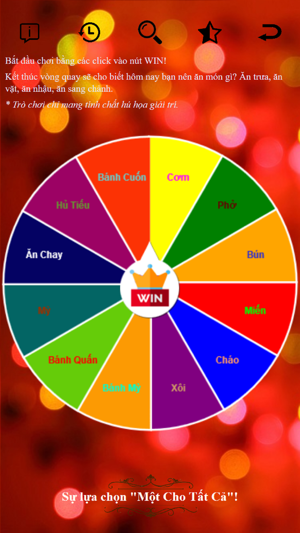

 Ăn gì? - Ở đâu? - Chọn mónTuan TranĂn gì? Ở đâu? Uống gì? Ở đâu? những câu hỏi sau những giờ trưa tan sở, mặc dù xung quanh quá nhiều địa điểm ăn uống: bún, miến, cháo, phở hay cơm... nhưng bạn v-

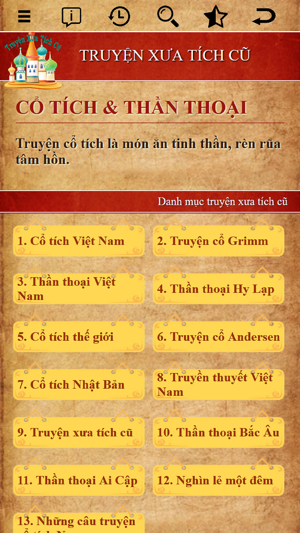

 Truyện Xưa Tích CũTuan TranTruyện xưa tích cũ đưa người đọc trở về những câu truyện cổ tích, thế giới thần thoại hoặc những nhân vật truyền thuyết và được sống lại những ký ức tuổi thơ bê★ 1.0 1


 QRcode Scanner - Scan & createTuan TranQR code scanner is a smart and completely free QR code or barcode scanner software.It is both a QR code scanner and QR code scanner and barcode scanner. QR code-