
Screenshots


About Ctrl-V Terminal Mobile
Ctrl-V Terminal Mobile is the companion to Ctrl-V Terminal, the SSH client for Windows, macOS and Linux.
Pick up a Claude Code session when you are away from your desk. Ctrl-V Terminal Mobile shows what Claude is asking and lets you type a line back. No terminal on a touchscreen: tmux on your server already is one, and the app reads it over SSH.
WHAT IT DOES
• Every tmux session on your servers, with the one waiting for you on top
• Read a session's screen and answer: text, Enter, Escape, arrows, Page Up and Page Down
• Send a screenshot into the conversation
• Resume saved Claude Code conversations
• Start and end tmux sessions from your phone
• A plain SSH terminal for servers without tmux
PAIRING IN ONE SCAN
With Ctrl-V Terminal on your computer, pairing is one QR code: a key per server, restricted to tmux on that server, expiring on its own. Without the desktop app you add a server by hand, or with a small script on the server.
PRIVATE BY DESIGN
Your keys never leave the Keychain of your phone. Each action is a short SSH connection; nothing stays open and nothing goes through our servers. No analytics, no tracking. The app locks with Face ID.
GOOD TO KNOW
• Works with any SSH server that has tmux. Claude Code is optional: it is also a remote for other long-running sessions.
• To reach your server away from home, a VPN such as Tailscale is recommended; the app tells you when an address only works on your own Wi-Fi.
• Host keys: ed25519 and ecdsa, no ssh-rsa.
AVALW Coverage
Not yet mentioned in AVALW articles.
Similar apps


 Canva Configurator (BYOD)CanvaThe Configurator app allows Canvanauts to configure internal settings of Canva's iOS app, such as server target and client flags.★ 4.8 27857k
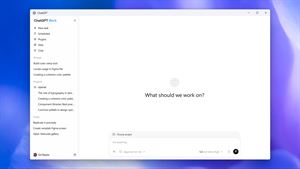

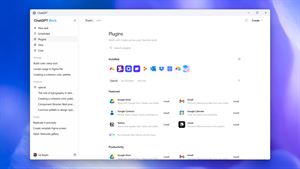
 ChatGPTOpenAIChatGPT is your everyday AI assistant for Windows. Use Chat to ask questions, explore ideas, write, learn, and work through everyday tasks. When you need to go ★ 4.8 11034k
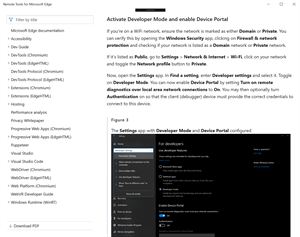
 Remote Tools for Microsoft EdgeMicrosoft CorporationRemote Tools for Microsoft Edge enables developers to debug live web content running on remote Windows desktop, Xbox, and HoloLens devices. This app extends Win★ 4.7 1610k


 TestFlightAppleTestFlight makes it easy to test beta versions of apps and App Clips to provide valuable feedback to developers before they release their apps on the App Store.★ 4.7 791k


 Holy Quran Offline ReadingJedyAppsAl QURAN-القرأن الكريم app to read Quran offline just like an actual Quran book★ 4.4 207k


 Galaxy S9 Plus RingtonesZenTint CreationsDownload The 100 Best Galaxy S9+ Ringtones & Notifications For Free★ 4.6 135k


 Quran Pro - القران الكريمQuanticapps FZ LLERead and listen to the Holy Quran Offline. MP3 recitations & Tafsir★ 4.7 124k


 IGAMES PS2IGames BRThe best PS2 games from your childhood come to life in their mobile version!★ 4.4 56k
More by this developer


 NoTraQRJean-Marc ZohlandtNoTraQR lets you create QR codes instantly, without giving away your data. No account needed, no analytics, no third-party trackers — just fast, clean QR code g-


 Bonnie – Smart Bill SplitterJean-Marc ZohlandtBonnie keeps track of who paid what on trips, dinners, weekends away and in shared houses, and works out the fewest payments to settle up. It is free, with no a-


 MedStreak: Medication ReminderJean-Marc ZohlandtMedStreak reminds you to take your medication and turns consistency into a streak: a run of days on which you took every scheduled dose. REMINDERS THAT DON'T GI-


 Talkmi – Translation KeyboardJean-Marc ZohlandtTalkmi is a keyboard you add next to your own. Type in your own language, tap Translate, and your message appears translated — right inside WhatsApp, with no co-