
Screenshots


About Cyclone Fingers
Hiragana fall from the top of the screen. When one reaches its key, type it with flick input — the same gesture Japanese phones use. That's the whole game.
HOW JAPANESE FLICK INPUT WORKS
Ten keys, one per kana row. Tap a key for the A-column sound; flick left, up, right or down for the other four vowels. Tap KA for KA, flick it up for KU. If you already type Japanese on a phone, your thumb knows this. If you're learning, this is the fastest way to drill it.
THE KEY LIGHTS UP WHEN IT'S TIME
Kana fall in three lanes that line up with the keypad. When one reaches its own key, that key lights up — that's your window. Too early or too late doesn't count. Pressing a key for a kana that isn't falling costs you nothing.
THREE DIFFICULTIES
- EASY: slow enough to learn the layout
- NORMAL: a real pace
- HARD: starts high and keeps climbing
Every kana you clear raises the level. They fall faster and arrive closer together. Missed kana and mistimed flicks drain your health; run out and the run ends. Continue picks up from the level you reached.
INCLUDED
- 10 music tracks
- 6 backgrounds, chosen at random each run
High scores save automatically. No account needed.
Note: this game is played entirely with Japanese hiragana. It doubles as flick-input practice for anyone learning to type Japanese.
AVALW Coverage
Not yet mentioned in AVALW articles.
Similar apps


 MONOPOLY GO!Scopely, Inc.Hit GO! Roll the dice! Earn MONOPOLY money, interact with your friends, family members and fellow Tycoons from around the world as you explore the expanding uni★ 4.8 3850k


 Trivia Crack: Brain Quiz GamesEtermaxAI-Powered Quiz Creator from Trivia Crack Introducing AI-Powered Quiz Creator, a brand new quiz experience within Trivia Crack that takes trivia gaming to the n★ 4.6 749k


 UNO!™Mattel Game Studios HK LimitedUNO!™ is now mobile! Take the classic card game from the kitchen table anywhere! Now with new rules, world series tournaments, modes of play, and much more. Whe★ 4.7 656k


 Coloring MatchSUPERSONIC STUDIOS LTDMix colors, match the target, and paint 3D objects in Color Match! Test your eye for color as you blend paints on paper and try to recreate the exact shade of e★ 4.5 507k


 Gymnastics Superstar Gold GirlCoco Play~~> All your hard work has finally paid off - you’ve made it to the competition! Now’s your chance to represent your country with pride! ~~> Work on your amazin★ 4.7 394k


 Monster High™ Beauty SalonCrazy LabsOh, My, Ghoul!!! Clawdeen Wolf™, the trendiest monsterista from “Monster High” just opened her very own beauty salon - and she needs YOUR spooktacular touch! He★ 4.6 394k


 Yahtzee® with Buddies DiceScopely, Inc.Are you ready to master your dice rolling skills and challenge your friends and family to some friendly competition? Whether you spell it Yatze, Yatzy, Yatzi or★ 4.5 262k


 Hearts - Card Game ClassicFiogonia GamesEnjoy the essence of the classic Hearts card game, specially conceived for your iPhone and iPad. This will be your best ever experience on a Hearts game! With b★ 4.6 244k
More by this developer


 iFXLosscutRateZelda, Inc.FX(外国為替証拠金取引)における、ロスカットレートを算出するためのアプリです。 このアプリを使えば、為替レートがどのくらいになると、損切りをするべきかを、厳密に計算する事が出来ます。 このアプリを使って、損切りを徹底し、負けない投資家を目指しましょう!-


 MSLoanSimulatorZelda, Inc.住宅ローン、クレジットカードローンなどを組む際の、 返済額の目安を計算するアプリです。 借入額と年間の利息、借入期間を入力すると、 毎月の返済額と利息をシミュレーションする事が出来ます。 注意:あくまで概算となります。 正確な金額については、各社にお問い合わせ下さい。-
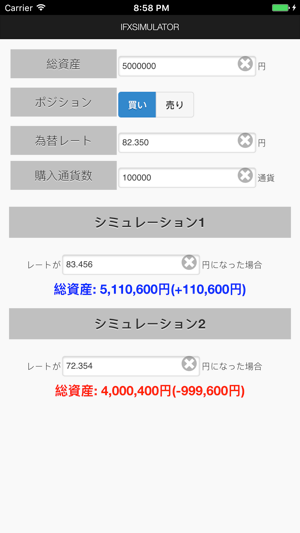


 iFXSimulatorZelda, Inc.iFXSimulatorは、FX(外国為替証拠金取引)において、 為替レートがどのくらい動けば、どのくらいの損益になるかを計算するアプリです。 買い、売りの、両方のポジションから算出する事が出来ます。 決済注文に、指値、逆指値を入れる際の参考としてご利用下さい。-

 Realestate Calc for JapanZelda, Inc.This app is a initial cost calculator for rental houses, apartments and offices in Japan. Note: the app interface is in Japanese only.-