
Screenshots
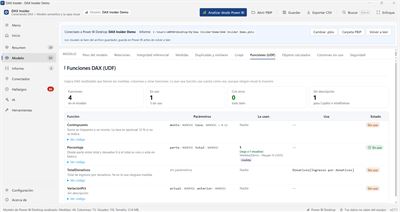
About DAX Insider
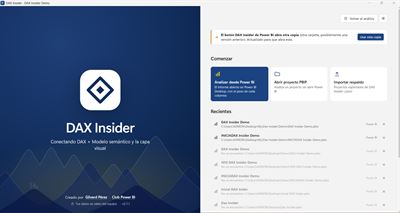
DAX Insider connects the three layers of a Power BI report — DAX, the semantic model and the visual layer — to answer what the editor doesn't tell you: which measure each visual uses, which columns nobody uses, what breaks if you delete something, and how much each table weighs.
Open it from the Power BI Desktop ribbon (External Tools) or from a PBIP folder and get, in seconds:
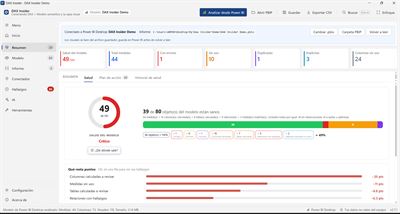
• A 0–100 health score and an action plan ranked by impact and effort.
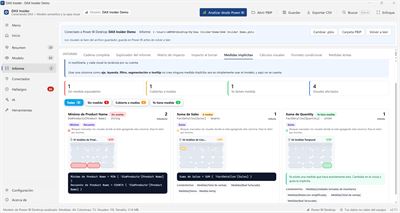
• Findings with severity and explanation: unused, duplicate or broken measures, unused columns, implicit measures, risky relationships, referential integrity and slow measures.
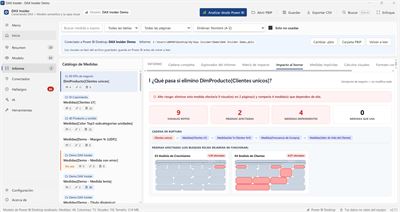
• Full lineage for every measure: what it depends on, which visuals and pages show it, and what breaks if you delete it.
• Model size (VertiPaq) by table and column.
• DAX user-defined functions (UDF): who calls them, what they use, and which ones are unused.
• Fixes applied directly to the model, always with preview, automatic backup and Undo.
• Ready-to-use AI prompts and an MCP server to work with Claude and other assistants.
Everything runs on your PC: DAX Insider never sends your model or your data to the internet. Available in English and Spanish.
Connected mode requires Power BI Desktop.
AVALW Coverage
Not yet mentioned in AVALW articles.
Similar apps


 Canva Configurator (BYOD)CanvaThe Configurator app allows Canvanauts to configure internal settings of Canva's iOS app, such as server target and client flags.★ 4.8 27857k



 ChatGPTOpenAIChatGPT is your everyday AI assistant for Windows. Use Chat to ask questions, explore ideas, write, learn, and work through everyday tasks. When you need to go ★ 4.8 11034k

 Remote Tools for Microsoft EdgeMicrosoft CorporationRemote Tools for Microsoft Edge enables developers to debug live web content running on remote Windows desktop, Xbox, and HoloLens devices. This app extends Win★ 4.7 1610k


 TestFlightAppleTestFlight makes it easy to test beta versions of apps and App Clips to provide valuable feedback to developers before they release their apps on the App Store.★ 4.7 791k


 Holy Quran Offline ReadingJedyAppsAl QURAN-القرأن الكريم app to read Quran offline just like an actual Quran book★ 4.4 207k


 Galaxy S9 Plus RingtonesZenTint CreationsDownload The 100 Best Galaxy S9+ Ringtones & Notifications For Free★ 4.6 135k


 Quran Pro - القران الكريمQuanticapps FZ LLERead and listen to the Holy Quran Offline. MP3 recitations & Tafsir★ 4.7 124k


 IGAMES PS2IGames BRThe best PS2 games from your childhood come to life in their mobile version!★ 4.4 56k