
Screenshots


About e-Wonders
eWonders is an app for creating interactive multimedia presentations using image and audio resources from your device or internet. It is a great alternative to programming language and
a excellent tool for teaching the basic concept of software development. The presentations created from eWonders are referred as wonders, and they can be published through eWonders on iOS devices or web pages on the internet.
After eWonders app is launched, it will display four buttons allowing the user to select four different segments of the apps. These four segments are Play, Build, Library, and Option. The Play segment is for user to play a selected Wonder. The build segment provides the environment to create a new Wonder. The library segment is used to manage image resources and Wonders for playing and building Wonders. Lastly, the option segment is for interacting with device and online community. A user can switch among segments anytime while using the eWonders app. While in the process of creating a Wonder, the user can press the Play button to play a saved scene, the Library button to get more resources, or the Options button to send a message.
Building a Wonder is an easy and fun process using the eWonders app. A Wonders is composed of many scenes, and each scene is made up of a background image and several item objects. This can be done easily in the build environment by tabbing a background image and dragging items from the resource list. After all the item objects are properly placed on the main stage, their user interactions can be configured by tabbing on the items and selecting the properties presented by the navigation view windows. Upon completion of configuring the scene and all of its items, the user can save the scene and starting a new one. As the user repeat this process scene by scene and linking them into a story, a Wonder is created. eWonders is bundled with two wonders, Play Sample and Build Sample, and they provide a great introduction to usage of eWonders.
AVALW Coverage
Not yet mentioned in AVALW articles.
Similar apps
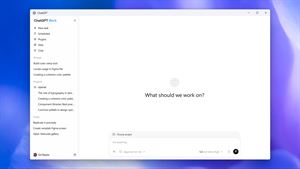
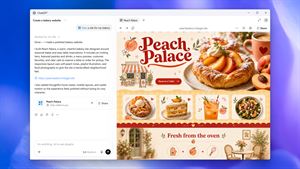
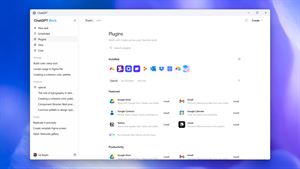
 ChatGPTOpenAIChatGPT is your everyday AI assistant for Windows. Use Chat to ask questions, explore ideas, write, learn, and work through everyday tasks. When you need to go ★ 4.8 11034k
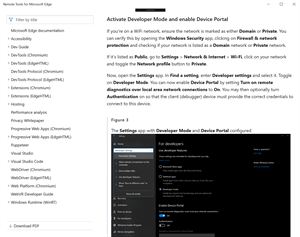
 Remote Tools for Microsoft EdgeMicrosoft CorporationRemote Tools for Microsoft Edge enables developers to debug live web content running on remote Windows desktop, Xbox, and HoloLens devices. This app extends Win★ 4.7 1610k


 TestFlightAppleTestFlight makes it easy to test beta versions of apps and App Clips to provide valuable feedback to developers before they release their apps on the App Store.★ 4.7 791k


 Holy Quran Offline ReadingJedyAppsAl QURAN-القرأن الكريم app to read Quran offline just like an actual Quran book★ 4.4 207k


 Galaxy S9 Plus RingtonesZenTint CreationsDownload The 100 Best Galaxy S9+ Ringtones & Notifications For Free★ 4.6 135k


 Quran Pro - القران الكريمQuanticapps FZ LLERead and listen to the Holy Quran Offline. MP3 recitations & Tafsir★ 4.7 124k


 Gamers GLTool with Game TunerTrilokia Inc.Tune your game graphics with our GFX optimizer for optimal gaming experience★ 4.5 45.1k


 NextVPN: Fast & Secure ProxySurf Safe Network LtdUltra-Fast Global Servers. Zero Buffering. No Registration Required. NextVPN is a next-generation high-speed tunnel powered by advanced V2Ray and Xray protocols★ 4.7 45k