
Screenshots
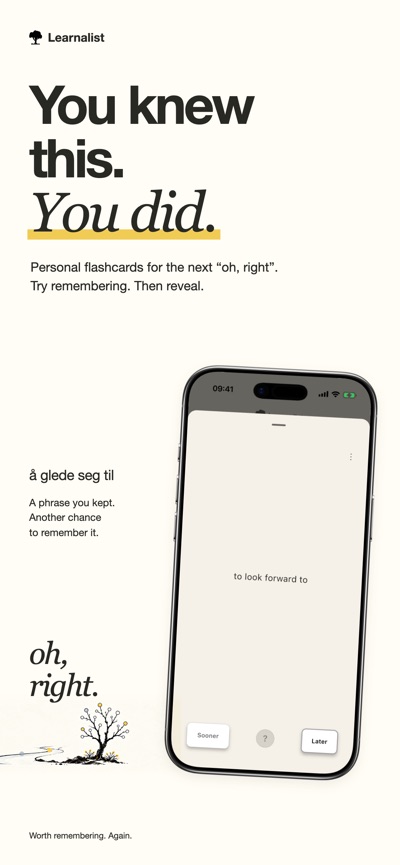
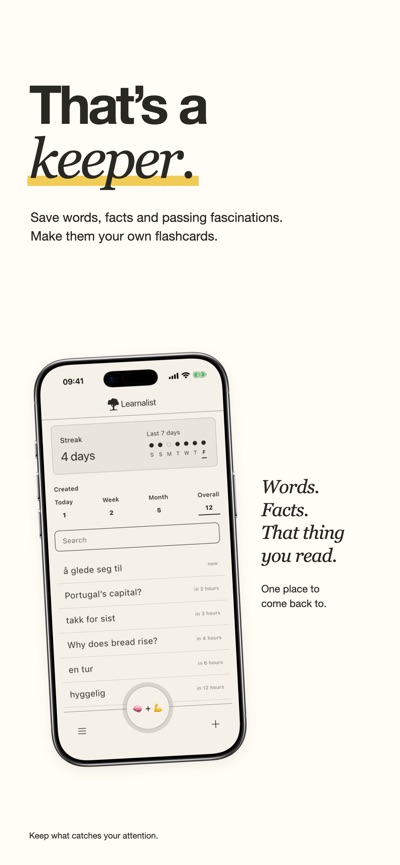


About Flashcards by Learnalist
Make flashcards from the words, facts and ideas you want to remember.
A phrase from a conversation. A definition for your course. Something you understood yesterday and would rather not forget tomorrow.
Save it in Learnalist, add a meaning or answer, and give yourself another chance to recall it.
YOUR MATERIAL, YOUR WAY
Add words, phrases, facts and images, whether you’re learning a language, studying a subject or following your curiosity. New image notes are stored with your Learnalist account.
TRY REMEMBERING BEFORE YOU LOOK
Read the prompt, try recalling the answer, then reveal it. Choose Sooner or Later to help decide when the note returns. Learnalist uses spaced repetition to spread practice over time.
A DIFFERENT WAY TO PRACTISE
Draw an answer with Doodle Recall, put a phrase back together with Unjumble, or gather a temporary selection of notes in Collection for Word search or Matching pairs.
KEEP A LITTLE LEARNING CLOSE
Add a Home Screen widget to see a note ready to revisit, or keep an eye on your streak and today’s activity.
LOOK BACK AT YOUR PRACTICE
Explore the days you added notes and reviewed them. See your activity, streaks and milestones, then tap into a day to revisit its notes. Activity reflects the notes and review history currently available.
MAKE IT YOURS
Choose your colours and backgrounds. Search your notes, explore linked ideas, and share selected notes as images, videos or PDFs. Optional reminders help you return when you’re ready.
START FREE
Create your first 200 notes free, with every feature included. When you need more, Annual Access unlocks unlimited note creation for one year. It does not renew automatically.
Start with one thing you’d like to remember.
AVALW Coverage
Not yet mentioned in AVALW articles.
Similar apps



 Duolingo - Language LessonsDuolingo Inc.Learn a new language with the world’s most-downloaded education app! Duolingo is the fun, free app for learning 40+ languages through quick, bite-sized lessons.★ 4.7 5492k


 Duolingo: Language LessonsDuolingoLearn a new language, chess & more with the world's most downloaded education app! Duolingo is the fun, free app for learning 40+ languages through quick, bite-★ 4.7 5492k


 Read Along by GoogleGoogle LLCLearn to read with the magic of your voice and a friendly reading buddy★ 4.6 5287k


 Brainly: AI Homework HelperBrainlyQuick Math Helper & Science Solutions | Get Homework Answers for School Doubts★ 4.5 4470k


 Gauth: AI Study CompanionGauthTech Pte. Ltd.Ask anything, get right answer★ 4.8 2111k


 Remind: School CommunicationParentSquareRemind is a communication platform that helps every student succeed. Whether you're in the classroom, at home, or anywhere in between, Remind makes it easy to s★ 4.8 1799k


 Memrise: Fun language lessonsMemriseImprove vocabulary & learn to speak English, Spanish, German, Japanese & more!★ 4.4 1571k


 ClassDojoClassDojoClassDojo connects teachers, tutors, kids, and families★ 4.8 1341k
More by this developer


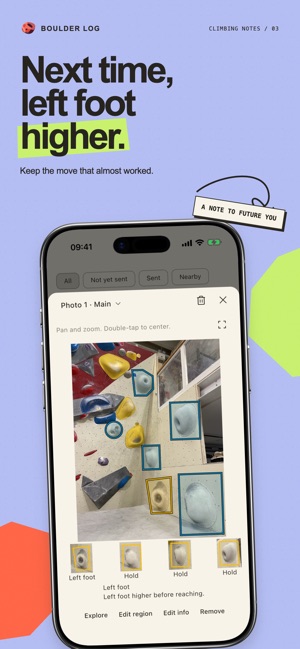
 Boulder LogfreshteapotCan I flash it? It always looks easier from the ground. Boulder Log is an indoor bouldering notebook for your attempts, sends and photo notes. Predict a flash o-


 wordpokefreshteapot"add, forget, remind, remember" Thats the sole aim of "wordpoke". It will poke you when the time comes to refresh a word / phrase or sentence. - Reminders: Remi-


 The Humble PlankfreshteapotBuild a simple daily plank habit with a clean timer, reminders, maps, and progress history. Humble Plank helps you get started quickly, whether you want to plan-


 HabitPress: Habit TrackerfreshteapotBuild habits that stick without clutter. HabitPress is a private habit tracker for iPhone with quick check-ins, flexible counters, stats, streaks, reminders, an-