
Screenshots



About For Isaiah
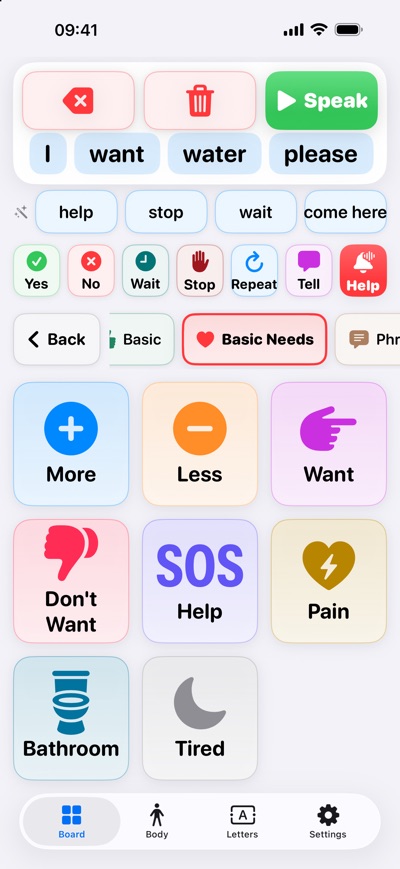
For Isaiah is a free AAC (augmentative and alternative communication) app for people who understand everything but can't answer with their voice. Tap a picture, a phrase, or a letter, and For Isaiah says it out loud.
It was built for one young man, Isaiah, and shaped alongside his family and care team so it works for people with limited movement, low vision, or color blindness. It is shared freely for other families or individuals in need.
BUILT FOR EVERY WAY OF REACHING THE SCREEN
• Large buttons in three sizes, with a consistent layout and no hidden gestures
• Works with iOS Head Tracking, Eye Tracking, Switch Control, Dwell Control, and Voice Control
• Keyboard hotkeys: connect a hardware keyboard and one key speaks a whole phrase, on any screen
• A built-in Accessibility Setup guide walks through turning each method on
• High-Contrast Colors mode, light and dark appearance, and Reduce Motion support
SAY WHAT YOU MEAN
• Word Board: picture buttons in categories like Basic Needs, Feelings, People, Places, Food & Drink, and more
• Jump to any category in one tap, and keep building the same sentence across categories
• Quick phrases always on screen: Yes, No, Wait, Stop, Repeat, and Tell
• Next-word suggestions and a row of recently used words
• Letters: a big letter board with word prediction, for anything that isn't on a button
• Words light up as they're spoken, so listeners can follow along
Body
• Body & Pain: a 0 to 10 pain scale and a body map
• Tap Back, then 6, to say "My back hurts. My pain is 6 out of ten."
SIMPLE MODE
• Four giant buttons, Yes, No, Help, and Pain, for tired days or new users
• Change their words, colors, and icons to suit the person
HELP BUTTON
• One tap fills the screen with a loud chime, a spoken call for help, and a flashing red screen (a steady red when Reduce Motion is on)
• It plays even with the silent switch on, and cancels itself after 60 seconds
• The alert plays on this device only. It does not phone or message anyone.
MAKE IT THEIRS
• Edit any button's word, what it says, and its emoji
• Record a family member's voice for a button
• Add photos of the people in their life
• Create custom phrases
• Choose any installed iOS voice, and adjust the speaking rate and pitch
• Optional auto-speak after a pause, and clear the sentence after speaking
• A Communication Card explains to visitors and new staff how to talk with the user
• Lock Settings so a stray tap can't change anything
EYE RESPONSE TESTS
For caregivers who want to keep notes over time, simple on-screen tests show how the eyes follow a moving target and how far they move in each direction. They use the front TrueDepth camera on iPhone and iPad models with Face ID. Turn off iOS Head Tracking or Eye Tracking before running a test, since only one can use the camera at a time. The setup guide explains how. These tests are not a medical or diagnostic tool.
PRIVATE BY DESIGN
• No account, no sign-in, no ads, no analytics, no tracking
• Everything stays on your device and works without an internet connection
• Camera frames are processed on-device and never saved or sent anywhere
• Recordings and photos you add stay on your device
For Isaiah is free, with no in-app purchases. Feedback is always welcome: tap Settings > About.
AVALW Coverage
Not yet mentioned in AVALW articles.
Similar apps


 Zedge™ Wallpapers & RingtonesZedgeDiscover millions of background wallpapers & ringtones or make your own with AI.★ 4.7 17993k


 Zillow Real Estate & RentalsZillow.comFind your new home to buy or rent with expert real estate tools and millions of listings right at your fingertips. Seamlessly save, search, and share home listi★ 4.8 7238k


 Android AutoGoogle LLCControl maps, media and messaging, with Gemini while you drive★ 4.1 6304k


 Amazon AlexaAMZN Mobile LLCUse the Amazon Alexa app to manage Alexa-enabled devices, control music playback, view shopping lists on the go, keep track of upcoming reminders, check on acti★ 4.5 5906k


 PinterestPinterest, Inc.Pinterest is a place of endless possibilities. You can: - Discover everyday inspiration - Shop styles you love - Try and learn something new Create boards, save★ 4.8 5789k


 Parallel Space - app cloningLBE TechRun multiple accounts of the same app on a single device★ 4.1 5115k


 Microsoft SwiftKey AI KeyboardSwiftKeyAI-powered Copilot. Personalized keyboard with gifs, stickers & themes★ 4.3 4602k



 World of Tanks Blitz – Daylight AssaultWargaming Group LimitedCharge into battle with the explosive energy of daylight! This bright World of Tanks Blitz theme brings 5 high-resolution wallpapers packed with sun-scorched de★ 4.1 4525k
More by this developer


 MyRate+Christopher Van HooseMyRate+ is the time, pay and invoicing app for people who get paid by the hour or the day — freelancers, film and event crew, contractors and consultants. Log y★ 5.0 5


 GenR8Christopher Van HooseKEY FEATURES: * 28+ Professional Test Patterns - SMPTE color bars, calibration grids, convergence patterns, HDR test signals, luma stepping, IRE patterns, and m★ 4.9 9


 CairnOSChristopher Van HooseCAIRN is a companion app for MeshCore LoRa mesh radios. Pair your radio over Bluetooth or WiFi and send messages through a community-built network of radios and★ 5.0 11
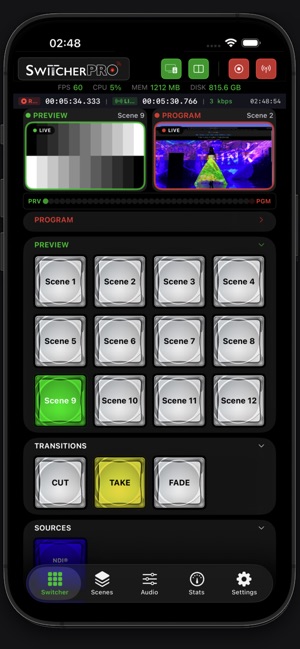
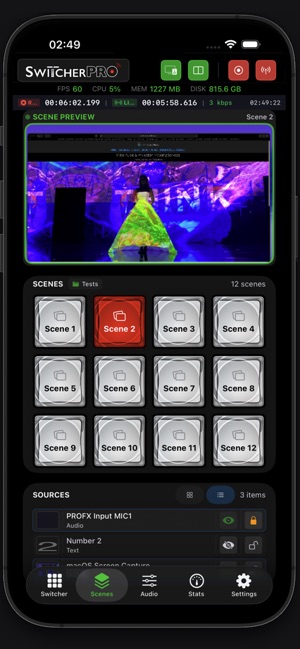

 Switcher ProChristopher Van HooseSwitcher Pro turns your iPhone, iPad, and Apple Watch into a professional remote control for OBS Studio. Switch scenes, control audio, start and stop streaming ★ 5.0 1