
Screenshots


About Framepress: Screenshot Maker
Create polished, localized App Store screenshots on your Mac.
Framepress turns Simulator and device captures into complete screenshot sets for iPhone, iPad, and Mac. Add captions, backgrounds, layouts, and device frames, then export every required size or upload the finished set directly to App Store Connect.
BUILD AND STYLE
• Drop in PNG, JPEG, HEIC, or TIFF screenshots
• Detect the matching device family automatically
• Start with a preset or adjust backgrounds, gradients, typography, layout, frames, strokes, and shadows
• Preview every change as you work
LOCALIZE THE WHOLE SET
• Manage captions and localized images in one project
• Translate empty captions with AI, or exchange translations through CSV with Pro
• Group localized screenshot folders and match language variants
• Keep each screen, language, and device family organized
AGENT ACCESS (Beta)
• let a local AI agent edit your open project: captions, languages, screens, screenshots, devices.
• Framepress writes a checkpoint first, then shows every change. You keep or revert.
EXPORT FOR THE APP STORE
• Render exact App Store screenshot sizes for iPhone, iPad, and Mac
• Export clean PNG files with configurable folders and filenames
• Use a fastlane-compatible deliver layout
• Review missing images and captions before export
• Upload directly to an editable App Store Connect version with Pro
MADE FOR REPEAT RELEASES
Framepress is a native, document-based Mac app. Save a .framepress project with its screenshots, captions, languages, and styling, then reopen it when your next release is ready.
Framepress is free for small projects. The first three screens per device family export without a watermark in two languages. A one-time Pro upgrade unlocks watermark-free export for every screen and language, CSV translation workflows, bring-your-own-key AI translation, and direct App Store Connect upload.
AVALW Coverage
Not yet mentioned in AVALW articles.
Similar apps


 Canva Configurator (BYOD)CanvaThe Configurator app allows Canvanauts to configure internal settings of Canva's iOS app, such as server target and client flags.★ 4.8 27857k

 ChatGPTOpenAIChatGPT is your everyday AI assistant for Windows. Use Chat to ask questions, explore ideas, write, learn, and work through everyday tasks. When you need to go ★ 4.8 11034k
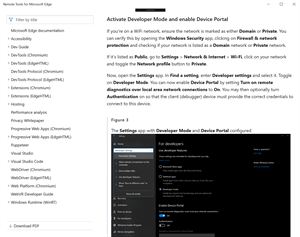
 Remote Tools for Microsoft EdgeMicrosoft CorporationRemote Tools for Microsoft Edge enables developers to debug live web content running on remote Windows desktop, Xbox, and HoloLens devices. This app extends Win★ 4.7 1610k


 TestFlightAppleTestFlight makes it easy to test beta versions of apps and App Clips to provide valuable feedback to developers before they release their apps on the App Store.★ 4.7 791k


 Holy Quran Offline ReadingJedyAppsAl QURAN-القرأن الكريم app to read Quran offline just like an actual Quran book★ 4.4 207k


 Galaxy S9 Plus RingtonesZenTint CreationsDownload The 100 Best Galaxy S9+ Ringtones & Notifications For Free★ 4.6 135k


 Quran Pro - القران الكريمQuanticapps FZ LLERead and listen to the Holy Quran Offline. MP3 recitations & Tafsir★ 4.7 124k


 IGAMES PS2IGames BRThe best PS2 games from your childhood come to life in their mobile version!★ 4.4 56k
More by this developer


 STROBE Remote — Auto BPMFOUTURESTROBE Remote is the iPhone controller for STROBE on Apple TV, which is a BPM synced visualiser that acts like a party light. Auto BPM from the microphone The i-


 Dream PotionsFOUTUREDream Potions: Work through your dreams in various ways to learn about their meaning and yourself. == How It Works == The app works with a collection of profess★ 5.0 2


 Signal & Frequency GeneratorFOUTURESignal & Frequency Generator is a precise tool for generating audio signals on iPhone and iPad. The app supports single tones, dual tones, MultiTone signals, no-


 Rewrite Pro: AI Text EditorFOUTUREAI-powered text editing tools. Create, edit, and optimize your text quickly using advanced AI technology (OpenAI API / ChatGPT). Perfect for any iPhone running -