
Screenshots


About Fullshot: Screenshot Stitcher
Took five screenshots to keep one conversation, receipt or web page? Fullshot joins them into a single tall image you can check, save and share in one go.
HOW IT WORKS
1. Take screenshots while you scroll, leaving some overlap between them.
2. Open Fullshot and pick them.
3. Fullshot finds where each screenshot overlaps the next and stitches them into one seamless image.
MADE FOR SCREENSHOTS
• Lines screenshots up automatically, pixel by pixel; no dragging or trimming
• Keeps the top and bottom bars of the app once, not on every screenshot
• Works with chats, web pages, articles, lists, receipts and settings screens
• Handles chat wallpapers and see-through bars
• Joins up to 20 screenshots at a time, in the order you took them
• Very long results are split into parts so every app can open them
• Option to keep or remove the status bar
CHECK EVERY JOIN
Every place two screenshots were joined is marked with a number. Pinch out to see the whole image at once, or tap a mark to zoom right into that join and step to the next one. A rail shows where you are in a long image. If some screenshots don't overlap with the rest, Fullshot shows which ones were left out instead of dropping them silently.
SAVE, SHARE, TIDY UP
Save the stitched image to Photos and open it there in one tap, or share it as a PNG, a smaller JPEG or a PDF, with the size shown before you choose. After saving, Fullshot can offer to delete the original screenshots, always through the iOS confirmation, and they stay in Recently Deleted for 30 days.
LIGHT AND DARK
A calm paper look that follows your iPhone's light or dark appearance.
PRIVATE BY DESIGN
Your screenshots are stitched on your iPhone and never uploaded. No account, no ads, no watermark. Fullshot sends only anonymous crash reports and anonymous counts of which features are used, never your photos or what they show.
Fullshot needs access to your photos to read the screenshots you pick. Screenshots stored only in iCloud are downloaded by Photos when you pick them.
AVALW Coverage
Not yet mentioned in AVALW articles.
Similar apps


 YouTubeGoogleGet the official YouTube app on iPhones and iPads. See what the world is watching -- from the hottest music videos to what’s popular in gaming, fashion, beauty,★ 4.7 49315k


 InstagramInstagram, Inc.Little moments lead to big friendships. Share yours on Instagram. — From Meta Connect with friends, find other fans, and see what people around you are up to an★ 4.7 29567k



 Affinity by CanvaCanvaONE APP TO CRAFT IT ALL, FOR NO COST AT ALL. Design. Edit. Lay it out. Affinity gives you vector, pixel, and layout tools, all in the same professional-grade ap★ 4.8 27291k


 Video Editor & Maker - InShotInShot Video EditorAI video editor with music! Edit video with effects, slideshow & slow motion★ 4.8 24760k


 MX PlayerAmazon Mobile LLCPowerful video player with advanced hardware acceleration and subtitle supports★ 4.2 14336k


 VivaVideo - Video Cut & EditorQuVideo Inc. Video Editor & Video Maker AppAI Video Editor: AI Templates, Text to Video, Extract Audio, Auto Caption.★ 4.3 12268k


 YouCut - Video Editor & MakerInShot Video EditorAI Video Editor with Music, Filter, Slideshow, Effect, Merge & Trim Video.★ 4.8 8635k


 Screen Recorder - XRecorderInShot Inc.Record games with audio. Smooth, HD screen capture & Built-in video editor.★ 4.7 7662k
More by this developer


 SteadyBP: Blood Pressure Logkasula rajeshSteadyBP is a simple blood pressure log for iPhone, iPad and Apple Watch. Your cuff takes the reading; SteadyBP keeps it, shows its range and turns your reading-


 Calcwise: EMI Loan Calculatorkasula rajeshCalcwise puts your everyday money maths in one app: loan EMI, mortgage, car loan, SIP, fixed deposit, savings, retirement and more. Every calculator opens with -

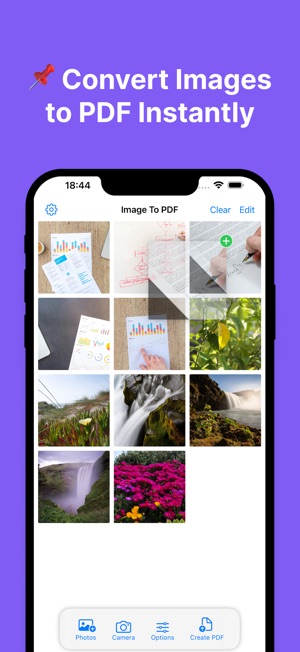

 Photo & Image to PDF Converterkasula rajeshConvert JPG, PNG, and photos to PDF instantly with this simple and powerful Image to PDF Converter. Whether you need to save documents, receipts, or notes as PD★ 5.0 1


 World Clock & Time Converterkasula rajeshStay Connected Across Time Zones with World Clock & Time Converter Stay connected with the world effortlessly using World Clock & Time Converter, the ultimate a★ 4.8 523