
Screenshots



About GIF Maker - Video & Photo
Turn videos, photos, and Live Photos into GIF animations.
Everything runs on your device. No internet required, and no ads.
■ Video to GIF
Pick a video from your library and trim the start and end.
Preview the selected range before you convert.
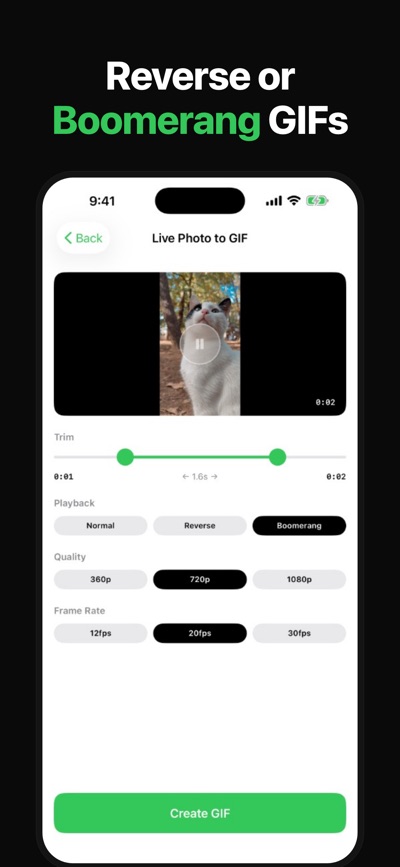
Choose normal, reverse, or boomerang playback (reverse and boomerang require Pro).
Choose 12, 20, or 30 fps, and 360p, 720p, or 1080p.
The free version converts up to 30 seconds per video. Pro has no length limit.
■ Live Photo to GIF
Turn a Live Photo into a GIF (normal playback is available within the free limits).
Reverse and boomerang are also supported (Pro).
■ Photos to GIF
Select multiple photos and combine them into one GIF.
Set how long each frame shows, from 0.2 to 1.0 seconds.
The free version allows up to 20 photos per GIF. Pro allows up to 50.
■ Save and share
Preview the finished GIF, then save it to Photos or share it with another app.
■ Unlocked with Pro
• No video length limit (free: up to 30 seconds)
• Up to 50 photos per GIF (free: up to 20)
• 1080px output (free: up to 720px)
• Reverse and boomerang export
Buy Pro once in the app, and it stays unlocked for later conversions.
AVALW Coverage
Not yet mentioned in AVALW articles.
Similar apps


 YouTubeGoogleGet the official YouTube app on iPhones and iPads. See what the world is watching -- from the hottest music videos to what’s popular in gaming, fashion, beauty,★ 4.7 49315k


 InstagramInstagram, Inc.Little moments lead to big friendships. Share yours on Instagram. — From Meta Connect with friends, find other fans, and see what people around you are up to an★ 4.7 29567k



 Affinity by CanvaCanvaONE APP TO CRAFT IT ALL, FOR NO COST AT ALL. Design. Edit. Lay it out. Affinity gives you vector, pixel, and layout tools, all in the same professional-grade ap★ 4.8 27291k


 Video Editor & Maker - InShotInShot Video EditorAI video editor with music! Edit video with effects, slideshow & slow motion★ 4.8 24760k


 MX PlayerAmazon Mobile LLCPowerful video player with advanced hardware acceleration and subtitle supports★ 4.2 14336k


 VivaVideo - Video Cut & EditorQuVideo Inc. Video Editor & Video Maker AppAI Video Editor: AI Templates, Text to Video, Extract Audio, Auto Caption.★ 4.3 12268k


 YouCut - Video Editor & MakerInShot Video EditorAI Video Editor with Music, Filter, Slideshow, Effect, Merge & Trim Video.★ 4.8 8635k


 Screen Recorder - XRecorderInShot Inc.Record games with audio. Smooth, HD screen capture & Built-in video editor.★ 4.7 7662k
More by this developer


 Video Filters: Photo to ArtSAYAKA KAMIYATurn the world around you and photos and videos from your library into paintings. Paintlit is an art camera and photo editor that brings an artistic touch to ev-


 CATZILLA RUN: Cat Ball SmashSAYAKA KAMIYARoll a cute cat ball. Smash an entire city. Become a giant cat ball tearing through a miniature city. Crush buildings, houses, cars, street props, and anything -


 Video Merge: Combine ClipsSAYAKA KAMIYACombine multiple video clips into one. That's it. No internet required — works completely offline with no ads. ■ Features • Pick multiple videos from your photo-


 Photo Compressor - Pick a SizeSAYAKA KAMIYAA simple app for shrinking your photos' file size — just pick photos and go. Built for anyone whose Camera Roll keeps filling up with huge photos. Pick a qualit-