
Screenshots


About Image Producer
Image Producer is a layered image editor for Mac and iPad.
Every picture is built from layers. Each tool works on the layer you select, so you can change one part of a picture without touching the rest. Turn layers on and off, reorder them, rename them, and merge them when you are done.
Tools
Move and Transform: position, scale, rotate, and crop a layer.
Paint Bucket, Pen, and Eraser for drawing and cleanup.
Eyedropper and Color Palette for picking and saving colors.
Text and Symbol for adding words and shapes.
Mask and Magic Lasso for selecting part of a layer.
Remove Background to cut a subject out of a photo.
Camera to bring in a new picture.
Image Playground to create a new layer from a description, or restyle the selected layer.
Zoom for close work.
Layer effects
Give any layer a glow, a gradient, a green-screen key, or a blend mode, and set its opacity. Each effect has a slider, so you can see the result as you adjust it.
History
Image Producer saves your work by itself. The History tab lists every step, so you can go back to any earlier point and keep it, or delete a step you don't want.
Canvas sizes
Start from a preset for the job you have in mind: App Store screenshots, wallpapers, social media banners and posts, web ads, letter and tabloid paper, architectural sheets, movie posters, signs and flyers, invitations, greeting cards, business cards, envelopes, and photo prints.
Print and export
Print PDF with bleed, crop marks, and registration marks, in RGB or CMYK.
Web folder with PNG files at 1x, 2x, and 3x.
A single image in PNG, JPEG, TIFF, or PDF.
A PDF with each layer on its own page.
Your projects are saved in iCloud Drive, so the same file opens on your Mac and your iPad.
Image Playground requires a device with Apple Intelligence turned on.
AVALW Coverage
Not yet mentioned in AVALW articles.
Similar apps


 YouTubeGoogleGet the official YouTube app on iPhones and iPads. See what the world is watching -- from the hottest music videos to what’s popular in gaming, fashion, beauty,★ 4.7 49315k


 InstagramInstagram, Inc.Little moments lead to big friendships. Share yours on Instagram. — From Meta Connect with friends, find other fans, and see what people around you are up to an★ 4.7 29567k



 Affinity by CanvaCanvaONE APP TO CRAFT IT ALL, FOR NO COST AT ALL. Design. Edit. Lay it out. Affinity gives you vector, pixel, and layout tools, all in the same professional-grade ap★ 4.8 27291k


 Video Editor & Maker - InShotInShot Video EditorAI video editor with music! Edit video with effects, slideshow & slow motion★ 4.8 24760k


 MX PlayerAmazon Mobile LLCPowerful video player with advanced hardware acceleration and subtitle supports★ 4.2 14336k


 VivaVideo - Video Cut & EditorQuVideo Inc. Video Editor & Video Maker AppAI Video Editor: AI Templates, Text to Video, Extract Audio, Auto Caption.★ 4.3 12268k


 YouCut - Video Editor & MakerInShot Video EditorAI Video Editor with Music, Filter, Slideshow, Effect, Merge & Trim Video.★ 4.8 8635k


 Screen Recorder - XRecorderInShot Inc.Record games with audio. Smooth, HD screen capture & Built-in video editor.★ 4.7 7662k
More by this developer


 PhototizerMichael FluhartyPhototizer digitizes a stack of photographic prints and puts every one in your camera roll. Point the camera at a print, capture it, and move to the next one. S-


 CryoTunes PlayerMichael FluhartyCryoTunes Player is a modern Apple Music player made for iPhone Duo, iPhone, and iPad. Album art fills your screen, and your player and stations sit on cards in★ 5.0 2


 Transcription KeeperMichael FluhartyTranscription Keeper turns what you say into text you can keep and share. KNOWS WHO SAID WHAT In Meeting mode, tell it how many people are talking. Your transcr★ 5.0 1
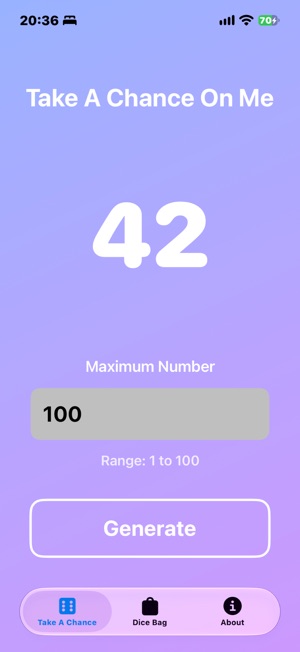

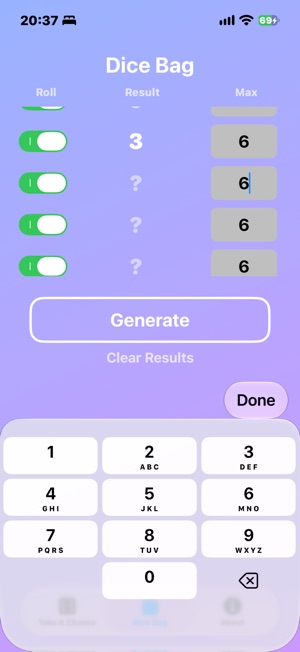
 TakeAChanceOnMeMichael FluhartyNeed a random number? Take a chance on me. Whether you're running a raffle, playing a game, making a decision, or just need luck on your side, this app delivers★ 5.0 6