
Screenshots


About InvoicesFlow Pro: Invoices
TInvoicesFlow Pro is the all-in-one business toolkit built for freelancers, contractors, self-employed professionals, and small business owners. Create polished PDF invoices, scan receipts, track IRS Schedule C expenses, and log business mileage automatically — all privately from your iPhone.
PROFESSIONAL INVOICING & PAYMENTS
• Create and email custom PDF invoices in seconds
• Choose from clean Classic and Modern PDF themes (Navy, Teal, Copper)
• Add your company logo, custom invoice number prefixes, and email signature
• Record partial or full payments and track live balances (Pending, Partial, Paid, Void)
• Automatic draft saving protects your work if interrupted
IRS SCHEDULE C EXPENSE TRACKING & RECEIPT SCANNER
• Track business expenses across 18 IRS Schedule C tax categories
• Scan paper receipts with your camera or attach photos from your library
• Smart IRS $75+ receipt reminders and dedicated business meal logging
• Manage vendors, job clients, and reusable expense descriptions
AUTOMATIC GPS MILEAGE TRACKING & ODOMETER LOGS
• Hands-free background GPS mileage tracking (Pro) detects and logs your drives automatically
• Review and classify pending trips as Business or Personal with one tap
• Built-in official IRS standard mileage rates for accurate tax deduction calculations
• Track multiple vehicles and annual January/December odometer readings
TAX-READY PDF & CSV REPORTS
• IRS Schedule C Business Tax Summary (PDF & CSV)
• Expense Summaries by Category, Vendor, and Client
• IRS-ready Business Mileage Trip Logs and Monthly/Yearly Revenue Reports
• Manage multiple businesses and filter reports per company or across all businesses (Pro)
PRIVATE BY DESIGN — NO MONTHLY SUBSCRIPTIONS
• Your financial data stays on your device and syncs privately via your personal iCloud account
• Optional Face ID / Touch ID lock keeps your business records private
• No account registration required and no recurring monthly subscription — upgrade to Pro with a single one-time purchase.
AVALW Coverage
Not yet mentioned in AVALW articles.
Similar apps


 Pulse by McDonaldsMcDonald'sConfident, on-track shifts★ 4.8 7885k


 Booking.com for BusinessBooking.comManage your business travel with the Booking.com for Business app! Book trips and manage expenses in just a few minutes. - Book your whole business trip in one ★ 4.8 6450k


 ADP Mobile SolutionsADP, IncADP Mobile Solutions provides you with an easy and convenient way to access payroll, time & attendance, benefits, and other vital HR information for you and you★ 4.7 4460k


 Indeed Job SearchIndeed Inc.Discover your next job opportunity on Indeed, the free job search app designed to connect you with better work anytime, anywhere. Forget the other job search ap★ 4.8 4078k


 Microsoft TeamsMicrosoft CorporationWhether you’re connecting with your community for an upcoming activity or working with teammates on a project, Microsoft Teams helps bring people together so th★ 4.8 3378k


 Zoom WorkplaceZoom Communications, Inc.Zoom Workplace helps you streamline your day and collaborate effortlessly with the power of AI. Zoom Workplace brings video meetings, chat, phone, appointment s★ 4.7 3244k


 DoorDash - DasherDoorDash, Inc.Enjoy the freedom to be your own boss and earn money on your schedule. Plus, get 100% of your tips, always. * CASH AFTER EVERY DASH * Get paid right after every★ 4.7 2464k


 Duo MobileDuo Security LLCDuo Mobile works with Duo Security's two-factor authentication service to make logins more secure. The application generates passcodes for login and can receive★ 4.9 2306k
More by this developer


 IslandCue: Eye-Lock PrompterLuis Enrique LopezYour viewers can tell when you're reading. The eyes drift left to right, drop to the bottom of the screen, and the take feels like a script instead of a convers-


 Ciudadanía USA — Examen CívicoLuis Enrique LopezPass your U.S. naturalization interview (Form N-400) with a modern, step-by-step civics prep app guided in Spanish. Includes the Official 2008 (100 questions) a★ 5.0 2
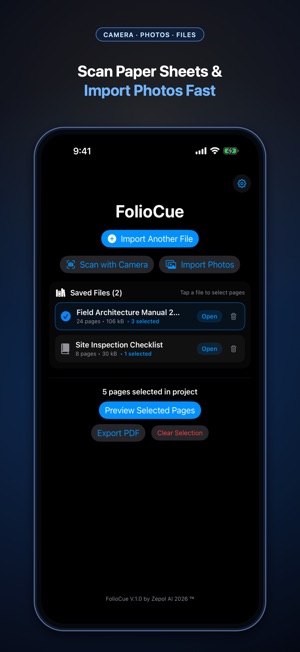


 FolioCue: PDF StudioLuis Enrique LopezFolioCue: PDF Studio lets you extract exact PDF pages, scan physical documents, crop, rotate, reorder, and assemble clean, share-ready PDFs — 100% on your iPhon-