
Screenshots


About iScreenBar
iScreenBar seamlessly integrates lighting control, allowing brightness, color temperature, and lighting scenes to adapt automatically to the way you work. Create a more focused, comfortable, and personalized desktop environment.
Key Features
Brightness & Color Temperature Control
•Easily adjust brightness and color temperature to create your ideal workspace lighting.
Customized Lighting Scenes
•Create and save your own favorite lighting presets and switch between them with a single click.
Pro Sync App Integration
•Assign custom lighting settings to different apps to automatically adjust your lighting as you switch between them.
Automatic Video Call Mode
•Detects built in camera activity and automatically adjusts to an optimal lighting setup for video calls and online meetings.
Smart Integration
•Automatically turns the light on when the computer wakes, always keeping your lighting in sync with your workflow.
Compatibility
•iScreenBar is compatible with the M1, M3, and M4 desktop designs and will not work with laptops or desktop models without built in displays.
AVALW Coverage
Not yet mentioned in AVALW articles.
Similar apps


 Phone by GoogleGoogle LLCReliable phone calls with spam protection, caller ID and more helpful features★ 4.4 52440k


 Google Play servicesGoogle LLCGoogle Play services - Google services for Android apps★ 4.3 44573k



 Call of Duty®: Modern Warfare® 4 (Windows)Activision Publishing Inc.War erupts on the Korean Peninsula as North Korea launches a full-scale invasion that threatens to destabilize the world in Call of Duty®: Modern Warfare® 4. A ★ 4.3 16579k


 gov.brServiços e Informações do BrasilGov.br is a means of user access to digital public services.★ 4.6 14047k


 MyTelkomsel – Buy InternetTelkomselBuy credit, internet quota, streaming, game voucher & get cashback with e-wallet★ 3.8 12353k


 myIM3: Data Plan & Buy PackageIndosat Ooredoo HutchisonCheck balance & quota, detect & block spam, exchange IMPoin only on myIM3★ 4.4 11302k


 Files by GoogleGoogle LLCClean up your phone, find files, play media, and share files offline★ 4.5 9097k


 CNH do BrasilServiços e Informações do BrasilDigital driver's license and vehicle registration certificate, first driver's license, traffic violation and vehicle information.★ 4.9 8390k
More by this developer


 treVolo UBenQtreVolo U Bluetooth speaker is meticulously designed for home environments, delivering an exceptional audio experience. Our professional tuning technology focus-


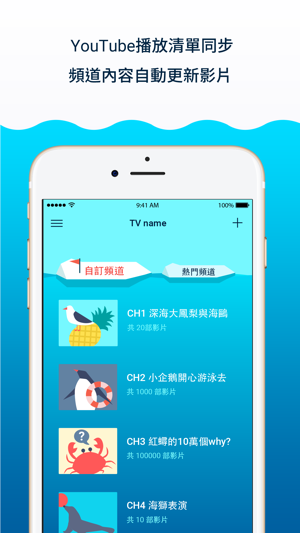
 BenQ Kids TVBenQBenQ Kids TV collects the most popular YouTube Kids contents and integrates all the playlists into channel list. The mobile version needs to pair with TV before-


 X-SignBenQBenQ’s Digital Signage and X-Sign software let store operators attract customers more effectively with eye-catching visuals and interactive content. Content cre★ 3.0 2


 BenQ Video TrayBenQBenQ Video Tray collects popular YouTube videos and sorted by Internet Famous, Music, News, Cooking, Travel, Fashion, Parenting, Movie, Entertainment, and Hobby-