
Screenshots


About iSelfieCam
iSelfieCam is a camera built for one job: taking better photos and videos of yourself.
The best camera on your iPhone is on the back, where you cannot see the screen. iSelfieCam is designed around that. It gives you ways to frame the shot and press the shutter without looking, so you can use the main camera for your selfies and group photos.
BIG SHUTTER
With the back camera, the lower half of the screen becomes one giant shutter button. Reach around the phone and press anywhere on it. You feel a tap the moment your finger lands, and hear a loud click when the photo is taken.
FRAME YOURSELF WITHOUT LOOKING
Put the focus square where you want to be in the picture. iSelfieCam finds you and buzzes twice when you are in it. It can then take the photo by itself, or keep the shutter locked until you are in place.
HANDS-FREE SHUTTER
- Palm shutter: hold up an open hand to start the countdown.
- Smile shutter: smile at the camera and it counts down for you.
- Volume buttons: press either one to take the photo.
- Voice guidance: "Move to your left", "Step back", "Perfect. Hold still."
One button on the camera screen turns all of your hands-free helpers on or off.
DUAL: BOTH CAMERAS AT ONCE
DUAL mode joins the back and front cameras in one picture: the place and you, side by side or you in a corner. Hold the shutter to film both as one video.
A COUNTDOWN YOU CAN HEAR
The self-timer ticks faster and faster as the shot gets close. Take one photo, a series of three or five, or a burst of ten.
PHOTO AND VIDEO
- Ultra wide, wide and telephoto lenses, with smooth zoom between them
- Portrait photos with a blurred background
- Video up to 4K, with playback in the app
- Looks for photos and videos: black and white, noir, warm, cool, faded, vivid
- Photo-booth strip: four shots joined into one picture
- Tap to focus, and drag to make the picture brighter or darker
- Flash on the back camera, and a bright screen flash on the front camera
- Square, 4:3 and 16:9, in HEIF or JPEG, at the resolution you choose
- Grid and a horizon line that shows when the camera is level
SEE IT, THEN KEEP IT OR NOT
Each photo is shown right after you take it and saved to your Photos library after three seconds, or deleted with one tap before it is ever saved. Your recent shots stay on a film strip in the corner, ready to look at again.
PRO MODE
One tap switches from the simple camera to Pro:
- Best-shot picker: a series is rated for sharp faces, open eyes and smiles
- Interval shooting and exposure bracketing
- Full-body and group framing
- Apple ProRAW, on iPhones that support it
- Focus and exposure lock, white balance, ISO and shutter speed
- Histogram, exposure set for faces, and a warning when you are backlit or it is too dark
- 60 fps video, stabilisation and a microphone meter
- Photo title: write a short caption on the photo as you take it
- Compare two shots side by side, and keep everything in an iSelfieCam album
- A "Take a selfie" shortcut for Siri and the Shortcuts app
WORKS WITH iDISPLAY
iSelfieCam is compatible with iDisplay devices. An iDisplay is a small screen that faces you and shows what the camera sees, so you can frame yourself from where you stand. Take the photo, set the timer, zoom and change the flash from the iDisplay itself, then look at the result and keep it, delete it or take another. It mirrors video recording too. Pairing takes one tap. iSelfieCam works fully without an iDisplay.
PRIVATE BY DESIGN
Everything happens on your iPhone. Face, hand and smile detection and the voice guidance need no internet connection. Your photos go to your own Photos library and nowhere else. No account, no ads, no tracking.
FREE AND PRO
iSelfieCam is free to use for 10 photos or videos a day. A single purchase unlocks Pro mode and unlimited shooting. No subscription.
iSelfieCam is developed by BlueInstinct SL. For app development or sponsorship, write to info@blueinstinct.com.
AVALW Coverage
Not yet mentioned in AVALW articles.
Similar apps


 YouTubeGoogleGet the official YouTube app on iPhones and iPads. See what the world is watching -- from the hottest music videos to what’s popular in gaming, fashion, beauty,★ 4.7 49315k


 InstagramInstagram, Inc.Little moments lead to big friendships. Share yours on Instagram. — From Meta Connect with friends, find other fans, and see what people around you are up to an★ 4.7 29567k



 Affinity by CanvaCanvaONE APP TO CRAFT IT ALL, FOR NO COST AT ALL. Design. Edit. Lay it out. Affinity gives you vector, pixel, and layout tools, all in the same professional-grade ap★ 4.8 27291k


 Video Editor & Maker - InShotInShot Video EditorAI video editor with music! Edit video with effects, slideshow & slow motion★ 4.8 24760k


 MX PlayerAmazon Mobile LLCPowerful video player with advanced hardware acceleration and subtitle supports★ 4.2 14336k


 VivaVideo - Video Cut & EditorQuVideo Inc. Video Editor & Video Maker AppAI Video Editor: AI Templates, Text to Video, Extract Audio, Auto Caption.★ 4.3 12268k


 YouCut - Video Editor & MakerInShot Video EditorAI Video Editor with Music, Filter, Slideshow, Effect, Merge & Trim Video.★ 4.8 8635k


 Screen Recorder - XRecorderInShot Inc.Record games with audio. Smooth, HD screen capture & Built-in video editor.★ 4.7 7662k
More by this developer


 Spanish Learn and PlayBlueinstinct App SolutionsLearn Spanish from your very first word to confident conversation with Spanish Learn and Play. One app takes you through all four CEFR levels, A1 Beginner to B2-


 Trade Trainer BTCBlueinstinct App SolutionsFOR EDUCATION ONLY. Trade Trainer BTC is a learning simulator, not a trading app. It never places trades, connects to an exchange or handles your money, and not-


 GestionVLC - Property MgmtBlueinstinct App SolutionsGestionVLC is a technology-enabled property management app for homeowners in Valencia, Spain. Built by BlueInstinct, it connects property managers, staff, and o-
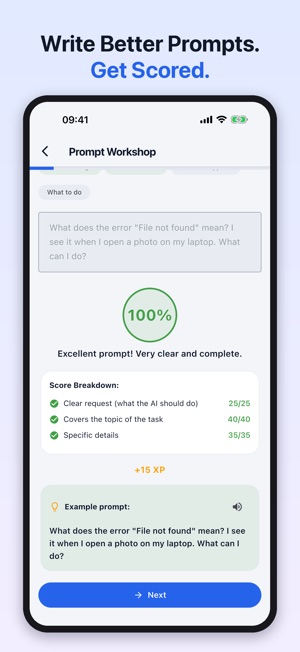


 PromptFluent - - Learn AIBlueinstinct App SolutionsPromptFluent is the app that teaches you the language of AI. Master prompt engineering, technical vocabulary, and professional communication for ChatGPT, Claude-