
Screenshots


About Jyrog
Jyrog is a journal arranged as shelves.
Your Shelves & Portfolios is the opening screen. Every volume sits in one row and slides sideways. A volume has a name, an optional theme, a cover, and its pages. Open one to read the thread, pick the cover photograph, or keep a weekly reminder at 10:00 AM. Custom schedule (1 Credit) sets a different interval and time for that volume.
Write, the center control, composes a page. Add a page name, the prose, Take Photo, Import from Photos, and Record Voice Memo. Review Visibility & Save spends 1 Entry Credit when that page is sealed for the first time. The choices are Private, Salons, and Plaza. Plaza publishes a snapshot of the page after a photograph is attached and the community guidelines are accepted.
Timeline lays sealed pages on a calendar. Salons groups Salons and Plaza pages by the volume they belong to. The Plaza tab is the feed of snapshots: open a card to read it, and use Report when one should be flagged. Publish to Plaza can also send a sealed page that already has a photograph.
The figure in the header is the Entry Credit balance. Entry Credits shows nine Jyrog Coins packs. Credits from those packs pay for sealing a new page and for unlocking a custom reminder on one volume. Share Page PDF and Export Volume PDF turn a page, or a whole volume, into a PDF.
AVALW Coverage
Not yet mentioned in AVALW articles.
Similar apps


 Facebook LiteMeta Platforms, Inc.This version of Facebook uses less data and works in all network conditions.★ 4.5 39312k



 InstagramInstagramBringing you closer to the people and things you love. – Instagram from Meta. Connect with friends, share what you're up to or see what's new from others all ov★ 4.7 29567k
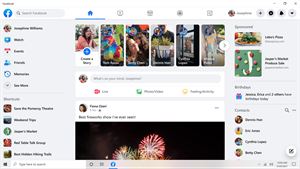
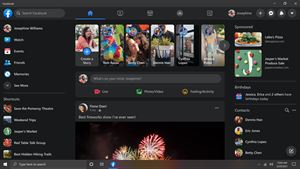

 FacebookMetaThe Facebook app helps you connect with friends, family and communities of people who share your interests. Connecting with your friends and family, as well as ★ 4.5 28646k

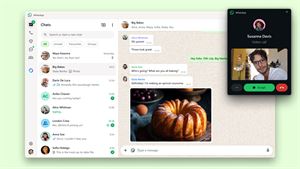

 WhatsAppWhatsApp Inc.WhatsApp from Meta is a 100% free messaging app. It’s used by over 2B people in more than 180 countries. It’s simple, reliable, and private, so you can easily k★ 4.7 18728k


 WhatsApp MessengerWhatsApp Inc.WhatsApp from Meta is a free messaging and calling app used by over 2 billion people across 180+ countries. It's super simple, reliable and private, making it p★ 4.7 18728k


 MessengerMeta Platforms, Inc.Messenger is a free messaging app that helps you connect with anyone, anywhere. Stay in touch with your friends and family, explore your interests with people l★ 4.7 13738k


 VK: music, video, messengerVKLSocial network: text messaging, live chatting, calls. Music and video, messenger★ 2.9 9217k


 Hago- Party, Chat & GamesHAGOHago: Voice Chat Rooms, Live Streams & Social Games to Meet Friends Online.★ 4.2 6378k