
Screenshots


About Learning & Assessment Software
The Learning And Assessment Software combines the author engine, content engine, assessment and learning engine in to one to create centralized question database and lessons which can be populated and edited by various authors. Assessment and learning engine can be used by candidates to login and take exams, or to import the lessons and learn. Paper Pen Exam Engine can be used by candidates to take offline exams and submit the answer sheets for correction by examiner. LAAS also includes Collab engine which uses Jitsi Collab Software to allow administrators to start a video conference meeting with all the students.
Main features of Learning And Assessment Software
1. Take exam in learn mode which provides interactive learning environment where candidate can go through each question and view flash cards and correct answers for each question, Exam mode which simulates actual exam environment and candidate needs to answer exam created by instructor in a given time without any help from flash cards or, Review mode which can be used to view saved exams with answers selected by candidate along with correct answer and detailed explanation for each question.
2. Set display features like preferred font size, light/dark theme, full screen mode according to your convenience while taking the exam.
3. If exam administrator has allowed students can pause the exam timer, bookmark questions to visit them later
4. At end of each exam candidate is given a score calculation, along with topic wise analysis (how much score is obtained in each topic) and time analysis (shows how much time was spent on each question) of the exam.
5. Students can export the exam results (questions, answer options, answers selected and explanation) to a pdf document at the end of the exam
6. All online exams can be monitored by administrator using geolocation of the student taking the exam and using image casting feature.
7. Customize the application to display your own institute logo.
8. Import any number of offline questions papers (as paper pen exam)
9. Candidate login before exam is taken, and to view results.
10. Viewing the corrected answer sheet from saved exam results.
Uploading the answer sheet after taking the exam.
Viewing the corrected answer sheet from saved exam results.
AVALW Coverage
Not yet mentioned in AVALW articles.
Similar apps



 Duolingo - Language LessonsDuolingo Inc.Learn a new language with the world’s most-downloaded education app! Duolingo is the fun, free app for learning 40+ languages through quick, bite-sized lessons.★ 4.7 5492k


 Duolingo: Language LessonsDuolingoLearn a new language, chess & more with the world's most downloaded education app! Duolingo is the fun, free app for learning 40+ languages through quick, bite-★ 4.7 5492k


 Read Along by GoogleGoogle LLCLearn to read with the magic of your voice and a friendly reading buddy★ 4.6 5287k


 Brainly: AI Homework HelperBrainlyQuick Math Helper & Science Solutions | Get Homework Answers for School Doubts★ 4.5 4470k


 Gauth: AI Study CompanionGauthTech Pte. Ltd.Ask anything, get right answer★ 4.8 2111k


 Remind: School CommunicationParentSquareRemind is a communication platform that helps every student succeed. Whether you're in the classroom, at home, or anywhere in between, Remind makes it easy to s★ 4.8 1799k


 Memrise: Fun language lessonsMemriseImprove vocabulary & learn to speak English, Spanish, German, Japanese & more!★ 4.4 1571k


 ClassDojoClassDojoClassDojo connects teachers, tutors, kids, and families★ 4.8 1341k
More by this developer


 SimExam Exam EngineAnand Software and Training Pvt LydThe Exam Engine works in conjunction with author module. The author module enables inputting the required questions and answers by the author(s). The exam engin★ 1.0 1


 Sim-Ex ExamSim CCST CyberSecAnand Software and Training Pvt LydSim-Ex Exam Sim for CCST Cybersecurity provides over 200 practice exam questions from the latest CCST® Cybersecurity certification exam syllabus from Cisco® Sup-


 Aplus Core 1 Exam SimAnand Software and Training Pvt LydA+™ Core 1 exam simulator provides 300+ practice questions from latest syllabus of A+™ certification exam 220-1101 offered by CompTIA®. Question types supported-
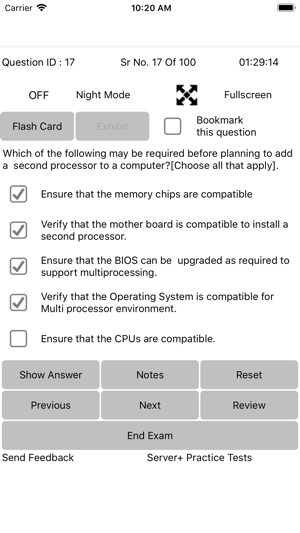


 Exam Sim For Server+ SK0-005Anand Software and Training Pvt LydServer+ Exam Simulator consist of 200+ questions from latest syllabus for Server+ SK0-005 certification exam offered by CompTIA®. Question types supported are: -