
Screenshots



About LineProof: Internet Monitor
Your internet keeps dropping and your provider says they see nothing? LineProof writes down every drop with its date and time, shows whether your own router or the line past it failed, and turns it into a report and a letter you can send to your provider.
HOW IT WORKS
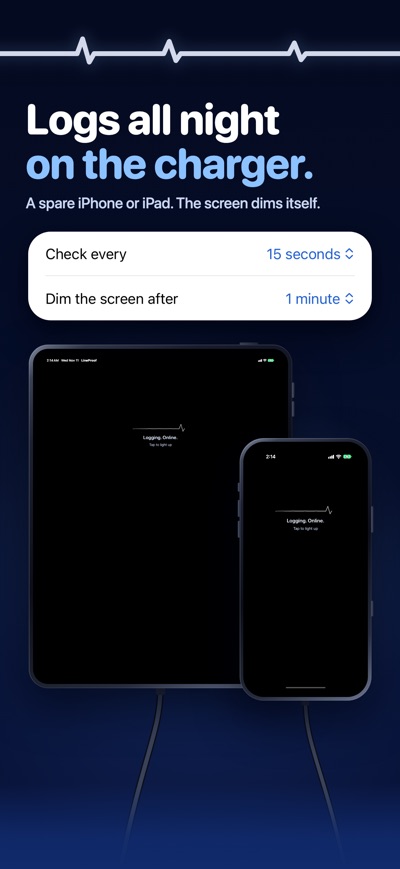
Put a spare iPhone or iPad on the charger near your router and leave LineProof open. Every 15 seconds (you choose 10 to 30) it quietly checks whether the internet answers, and every 5 seconds during a drop. When the internet does not answer, it checks your router and whether web addresses still work, and notes what failed. When the internet comes back, it notes the end. The screen dims itself while it logs.
WHAT YOU SEE
• Now: online or down, with today's drops and how long you were down.
• Router or line: whether a drop was in your home (Wi-Fi or router) or past your router.
• History: every day at a glance, a week map that shows when the drops happen, and the details of each drop.
• This was me: mark a drop you caused yourself, like a router restart, and it stays out of the letter.
• For the letter: your calls and chats with your provider, with dates and reference numbers, and what you already tried.
• A reminder, if you turn it on, when logging pauses because the app left the screen.
THE FULL REPORT
A one-time in-app purchase adds the documents:
• Your full history: every drop, every day.
• A PDF report: cover page, letter, summary, totals per day, the longest drops, day timelines, every drop and how it was measured.
• A letter in English, Dutch or German, in your name and yours to edit, plus a follow-up letter when it keeps dropping after you called.
• Send it from Mail with the report attached, or share it anywhere. Only you send it.
• Spreadsheet export (CSV).
One payment, no subscription. With Family Sharing it also works on your family's devices.
WITHOUT A PURCHASE
Logging, the live screen, the router or line verdict, the week map and the last 24 hours in full come with the app. A sample report shows exactly what the full report looks like before you buy.
GOOD TO KNOW
• LineProof logs while it is open on screen, because iPhone and iPad pause apps you leave. Keep the device plugged in. Times when it was not logging are marked, so gaps never look like uptime.
• Guided Access keeps the app on screen. The app shows you how to turn it on.
• To check your router, the app asks for access to your local network. Only your router is checked.
• The report is a record of what this device measured, not an official measurement.
YOUR LOG STAYS WITH YOU
No account, no ads, no tracking. The log stays on this device unless you share a report yourself. Each check is a tiny request to a public web address. It carries nothing about you.
Works on iPhone and iPad with iOS 17 or later. In English, Dutch and German. Made by A Brand New Company.
AVALW Coverage
Not yet mentioned in AVALW articles.
Similar apps


 Phone by GoogleGoogle LLCReliable phone calls with spam protection, caller ID and more helpful features★ 4.4 52440k


 Google Play servicesGoogle LLCGoogle Play services - Google services for Android apps★ 4.3 44573k



 Call of Duty®: Modern Warfare® 4 (Windows)Activision Publishing Inc.War erupts on the Korean Peninsula as North Korea launches a full-scale invasion that threatens to destabilize the world in Call of Duty®: Modern Warfare® 4. A ★ 4.3 16579k


 gov.brServiços e Informações do BrasilGov.br is a means of user access to digital public services.★ 4.6 14047k


 MyTelkomsel – Buy InternetTelkomselBuy credit, internet quota, streaming, game voucher & get cashback with e-wallet★ 3.8 12353k


 myIM3: Data Plan & Buy PackageIndosat Ooredoo HutchisonCheck balance & quota, detect & block spam, exchange IMPoin only on myIM3★ 4.4 11302k


 Files by GoogleGoogle LLCClean up your phone, find files, play media, and share files offline★ 4.5 9097k


 CNH do BrasilServiços e Informações do BrasilDigital driver's license and vehicle registration certificate, first driver's license, traffic violation and vehicle information.★ 4.9 8390k
More by this developer


 HomeRules: Parental ControlBartMolkA deal is a deal. HomeRules puts your house rules on your child's iPhone. Bedtime, school, homework and dinner: the apps you pick lock by themselves, even when -


 ThuisKapper.appBartMolkHet is vrijdag rond een uur of 6 en je komt net van je werk maar bent vergeten je haar te laten knippen. Oh ja, en je zou uitgaan met vrienden, wat nu? Geen pro-


 Tikuren: Voice Time TrackerBartMolkYou drove back from a client. Two hours on their roof in the rain. Forgot to start a timer. Again. That is money you already earned and will never bill. Tikuren-


 NutriMate AIBartMolkNutriMate AI is a comprehensive mobile health and nutrition app that leverages artificial intelligence to empower users on their journey to a healthier lifestyl-