
Screenshots


About Littlehood – Live Wallpaper
Your neighborhood, alive.
Littlehood turns any address on Earth into a living, isometric pixel-art wallpaper behind your desktop icons. Type your street, press Build, and watch it come to life: people walking their dogs, kids running to school, cyclists, cars and buses giving way at junctions, boats mooring in the harbor and gulls circling overhead. It's your own little world, there every time you glance at your desktop.
BUILT FROM THE REAL MAP
Littlehood reads OpenStreetMap, the terrain and real building heights, and lays out every street, house, tree, quay and park where it really is. Your street, a summer house, Paris, Manhattan or a village in the Alps. Landmarks mapped in 3D keep their shapes. Thirty of the world's most famous are built by hand.
FOLLOWS THE SUN AND THE SKY
Each place keeps its own clock. Mornings glow, evenings turn golden, and at night windows light up one by one and street lamps pool on the pavement. The weather is the real weather where your place is: rain, snow, fog and the odd thunderstorm.
SEASONS AND HOLIDAYS
Snow in winter, blossom in spring, golden leaves in autumn. Christmas lights, Halloween pumpkins, Easter and Lunar New Year decorations arrive with the calendar, or pick the ones you like and keep them up all year.
MAKE IT YOURS
• Vivid look with painted facades and shop signs, or Natural with the real colors
• Tilt-shift mode for a miniature look, closer in
• Turn the view, zoom in or out, and keep favorite places
• Adjust a building's floors, colors or roof, and mark your own home
• Send a boat or call the coast guard where there's open water
• Live trains and ships in Finland and Norway, from open data
LIGHT ON YOUR MAC
On a MacBook Air M5, Littlehood uses about 4% CPU and 4% GPU while your desktop is in view. That's roughly 1% of your battery time, a few minutes over a full charge. Behind your windows it drops below 1%, and it stops completely when the desktop is covered or the screen sleeps. You can also pause it on battery.
ON ALL YOUR MACS
Your places, changes and settings follow you through iCloud. No account to create.
PRIVATE BY DESIGN
No ads, no tracking, no account. Littlehood only sends anonymous counts of which features are used, and you can turn those off in the menu.
YEARLY OR MONTHLY, FREE FOR 7 DAYS
Pick the yearly or the monthly subscription. Both start with 7 days free to try everything and build up to 10 places, then continue automatically unless you cancel, with up to 50 new places a month. Yearly costs less than half of twelve months. Both work on all your Macs and are shared with your family through Family Sharing.
Subscriptions renew automatically until you cancel. Cancel anytime in your App Store account settings, at least 24 hours before the trial or the current period ends.
Terms of Use: https://www.apple.com/legal/internet-services/itunes/dev/stdeula/
Privacy Policy: https://daviden.se/littlehood/privacy.html
Littlehood lives in your menu bar. It needs macOS 14 Sonoma or later.
Map data © OpenStreetMap contributors. Weather: Apple Weather.
AVALW Coverage
Not yet mentioned in AVALW articles.
Similar apps
 TikTokTikTok Pte. Ltd.TikTok is THE destination for mobile videos. On TikTok, short-form videos are exciting, spontaneous, and genuine. Whether you’re a sports fanatic, a pet enthusi★ 4.0 70099k


 TikTok - Videos, Shop & LIVETikTok Ltd.TikTok is the global discovery platform for videos, streaming on LIVE, shopping, and more. Our mission is to inspire creativity and bring joy. Over a billion pe★ 4.7 18383k


 NetflixNetflix, Inc.Netflix is the leading subscription service for watching TV episodes and movies.★ 4.6 16405k


 Google Play GamesGoogle LLCPlay games instantly, save progress, and earn achievements.★ 3.9 13150k


 Roku Remote (Official)ROKU INCThe official remote app for your Roku® device. Roku Remote (Official) turns your phone into a feature-packed remote control for Roku players and Roku TVs. Enjoy★ 4.7 6245k


 HBO Max: Stream Movies & TVWarnerMedia Global Digital Services, LLCThe most talked about shows and movies featuring the worlds of HBO, the DC Universe, Adult Swim, A24, and beyond. With HBO Max you'll get: • Access to thousands★ 4.9 5760k


 Prime VideoAmazon Mobile LLCWatch movies, TV shows, live programming, and sports★ 4.7 5709k


 WEBTOON: Manga, Comics, ManhwaNAVER WEBTOONThe largest manga, comics, and manhwa community with millions of fans!★ 4.6 4614k
More by this developer


 Littlehood Walk: Pixel TownDavid SvenssonYour neighbourhood, as a little pixel town you can walk around in. Pick any spot on the map, your street, the town you grew up in, a city you love, and Littleho-


 Healthmere: Read Your BodyDavid SvenssonRead your body. Your health data from the Apple Health app, beautifully presented, with a widget of anything you have. BEAUTIFULLY PRESENTED - Three daily score-


 FRAYMIN: Retro Photo FramesDavid SvenssonFRAYMIN turns your photos into something you'd actually want to hang on a wall, or send to someone who matters. Wrap a photo in paper. Add a handwritten note. D-

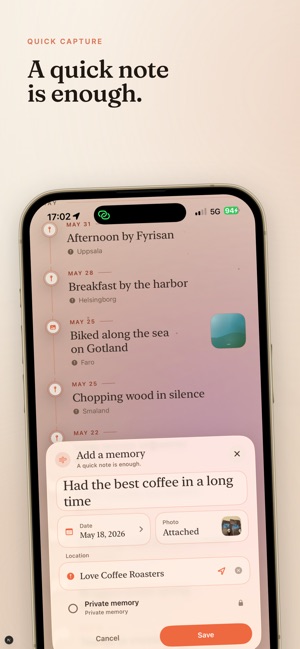

 ÅrsringDavid SvenssonÅrsring is a beautiful memory journal for the moments that mattered first. Most journals ask you to write every day. Årsring asks only for the moments you do no-