
Screenshots


About LiveRec Stream Studio
LiveRec Stream Studio lets you record, live-stream and edit gameplay and presentation videos with nothing but your iPad or iPhone.
CONNECT A CONSOLE OR PC (iPad)
• Bring the HDMI output of a Nintendo Switch (TV mode in the dock) or a PC into a USB-C iPad through a UVC capture device
• Use a capture device or hub with USB PD pass-through to keep your iPad charging during long streams
• See connection diagrams and recommended gear right in the app
PRESENTATIONS AND PRODUCT DEMOS FROM A PC
• Bring in PowerPoint slides or a product or app demo, and add yourself in a camera window
• Add on-screen text and captions to record or stream product videos, webinars and internal briefings
CAMERA WINDOW AND PERSON CUTOUT
• Place the front camera anywhere, at any size and shape
• Virtual backgrounds: keep only the person, blur the background, or replace it with an image or color
• With ISO recording on, you can change the background and camera window after the stream
ANIMATED ON-SCREEN TEXT
• 52 templates in 8 categories: gaming, variety, cute, explainer/news, retro, horror, seasonal, and announcements
• Fine-tune entrance, while-shown and exit motion with easing
• Show or hide with one tap
LIVE STREAMING AND RECORDING
• Stream to YouTube Live over RTMP (1080p, 30/60 fps)
• Live captions put what you say on screen in real time
EDITING
• Cut, split and reorder on the timeline
• 12 transitions and keyframe animation
• Text and captions shown while recording become editable clips
CAPTIONS WITH APPLE INTELLIGENCE
• On-device transcription creates timed captions (audio never leaves your device)
• Fixes recognition errors, removes fillers, and suggests a YouTube title and description
• Export SRT files or burn captions into the video
EASY TO START
• Animated tutorial on first launch
• Tap ? next to tricky settings for an illustrated explanation
NOTES
• External input (capture devices) works on USB-C iPads with iPadOS 17 or later. On iPhone, record and stream with the front camera.
• Apple Intelligence features require a supported device and language.
• Nintendo Switch is a trademark of Nintendo. PowerPoint is a trademark of Microsoft Corporation.
AVALW Coverage
Not yet mentioned in AVALW articles.
Similar apps


 YouTubeGoogleGet the official YouTube app on iPhones and iPads. See what the world is watching -- from the hottest music videos to what’s popular in gaming, fashion, beauty,★ 4.7 49315k


 InstagramInstagram, Inc.Little moments lead to big friendships. Share yours on Instagram. — From Meta Connect with friends, find other fans, and see what people around you are up to an★ 4.7 29567k



 Affinity by CanvaCanvaONE APP TO CRAFT IT ALL, FOR NO COST AT ALL. Design. Edit. Lay it out. Affinity gives you vector, pixel, and layout tools, all in the same professional-grade ap★ 4.8 27291k


 Video Editor & Maker - InShotInShot Video EditorAI video editor with music! Edit video with effects, slideshow & slow motion★ 4.8 24760k


 MX PlayerAmazon Mobile LLCPowerful video player with advanced hardware acceleration and subtitle supports★ 4.2 14336k


 VivaVideo - Video Cut & EditorQuVideo Inc. Video Editor & Video Maker AppAI Video Editor: AI Templates, Text to Video, Extract Audio, Auto Caption.★ 4.3 12268k


 YouCut - Video Editor & MakerInShot Video EditorAI Video Editor with Music, Filter, Slideshow, Effect, Merge & Trim Video.★ 4.8 8635k


 Screen Recorder - XRecorderInShot Inc.Record games with audio. Smooth, HD screen capture & Built-in video editor.★ 4.7 7662k
More by this developer


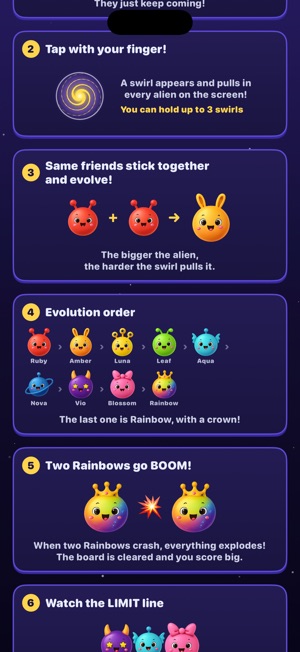
 Cosmic Merge AliensHiromichi Fujiwara■ Pull them in, merge them, BOOM! Aliens keep falling from outer space. You can't drop them, and you can't move them. The only thing you can do is place a swirl-


 Entertainment StockHiromichi FujiwaraEntertainment Stock brings your own videos and music into one place: import them, let the app name and sort them, then edit and play them right on your iPhone. -


 Trip Story AIHiromichi Fujiwara撮りためた動画を、59秒以内の縦型ショート動画に。 Trip Story AI は、カメラロールの動画を選ぶだけで、いいところを切り出してテロップを付け、そのまま投稿できる縦型動画(1080×1920)に仕上げるアプリです。旅行、カフェ、日常のVlog、ペット、やり方紹介など、題材は自由です。 ■ 動画を選ぶだけ カメ-


 Crown Fish SwimingHiromichi Fujiwara■ A little clownfish's journey home A huge tidal whirlpool swept Kuma the clownfish far, far away from home. Alone in a deep, unfamiliar sea, Kuma meets Genjii,-