
Screenshots


About Mirror Buddy - Quick Camera
Mirror Buddy is the fastest way to check your camera before joining a meeting.
Joining Zoom, Google Meet, Microsoft Teams, or any video call only to realize your lighting, angle, or background is not ready? Mirror Buddy gives you instant, one click access to your Mac camera so you can quickly review your appearance and surroundings before you go live.
Instant camera preview:
Open the app and immediately see your webcam feed. No complicated setup. No unnecessary controls. Just a fast and simple camera check designed specifically for meetings, interviews, recordings, and live sessions.
Continuity Camera support:
Use your iPhone as a high quality webcam with Continuity Camera. Mirror Buddy lets you preview your iPhone camera directly on your Mac, giving you better video quality and flexibility before important calls.
Snap and share instantly:
Take a quick snapshot at any time. The image is automatically copied to your clipboard so you can paste it into chat, email, Slack, or messages. You can also save the image locally for later use. This makes it easy to update a profile photo or quickly share a visual update.
Mirror mode:
Flip the camera to see a mirrored view. Adjust your hair, posture, positioning, and framing the way you naturally expect to see yourself.
Why MirrorBuddy:
- Faster than opening Zoom just to test your camera
- Simpler than using Photo Booth
- Lightweight and distraction free
- Designed specifically for Mac users
- Built for remote work and virtual meetings
Mirror Buddy helps you look confident and prepared before every call. Open the app, check your camera, and join your meeting ready.
Privacy Policy: https://sites.google.com/view/mirror-buddy/privacy-policy
Terms of Use: https://sites.google.com/view/mirror-buddy/terms-of-use
Please refer to EULA here: https://www.apple.com/legal/internet-services/itunes/dev/stdeula/
If you have any questions or suggestions, we are always ready to help: wallpapestudio@gmail.com
AVALW Coverage
Not yet mentioned in AVALW articles.
Similar apps


 Phone by GoogleGoogle LLCReliable phone calls with spam protection, caller ID and more helpful features★ 4.4 52440k


 Google Play servicesGoogle LLCGoogle Play services - Google services for Android apps★ 4.3 44573k



 Call of Duty®: Modern Warfare® 4 (Windows)Activision Publishing Inc.War erupts on the Korean Peninsula as North Korea launches a full-scale invasion that threatens to destabilize the world in Call of Duty®: Modern Warfare® 4. A ★ 4.3 16579k


 gov.brServiços e Informações do BrasilGov.br is a means of user access to digital public services.★ 4.6 14047k


 MyTelkomsel – Buy InternetTelkomselBuy credit, internet quota, streaming, game voucher & get cashback with e-wallet★ 3.8 12353k


 myIM3: Data Plan & Buy PackageIndosat Ooredoo HutchisonCheck balance & quota, detect & block spam, exchange IMPoin only on myIM3★ 4.4 11302k


 Files by GoogleGoogle LLCClean up your phone, find files, play media, and share files offline★ 4.5 9097k


 CNH do BrasilServiços e Informações do BrasilDigital driver's license and vehicle registration certificate, first driver's license, traffic violation and vehicle information.★ 4.9 8390k
More by this developer


 Klikki: Keyboard SoundsRavi chandran MYour laptop keyboard barely makes a sound. Klikki gives it one. Most typing-sound apps sell you switches. Klikki gives you somewhere to be - the clatter of a ne-


 Gratify: Daily Journal & DiaryRavi chandran MYour everyday life has stories worth keeping. Journal Joy gives you a space to capture quick moments, write longer diary entries, and return to memories that ma-


 AI Photo Generator - ImageRavi chandran MTurn Your Photos into Stunning AI Creations With AI Photo Generator - Image, you can transform ordinary photos into animated portraits, fun stickers, background-


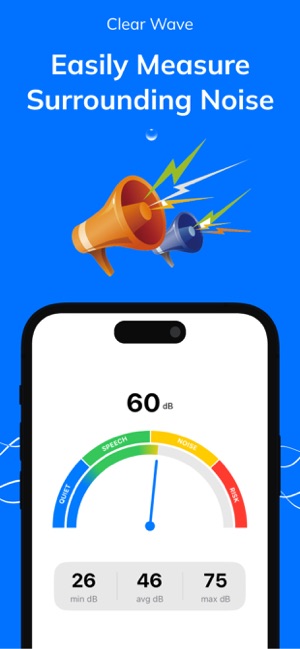
 Clear Wave - Sound Level MeterRavi chandran MBuilt-in Sound Intensity Meter Monitor sound levels directly from your device with the integrated decibel meter. Ideal for checking volume levels in various env-