
Screenshots


About Morse Code Translator & SOS
Turn your iPhone into a real signal light. Flash Morse code from the LED, send a repeating SOS beacon, or hold a steady beam at exactly the brightness you want.
Five modes, one big button.
STEADY
A plain, dependable beam with a brightness slider that runs from a dim night reading light to full output.
SOS
The international distress pattern, keyed correctly and repeating on its own until you stop it.
STROBE
Adjustable from 1 to 20 Hz. Tap the tempo pad in rhythm and the flash locks to the beat of whatever is playing.
SCREEN
Fills the whole display with ivory, amber, ruby, jade, ocean, violet, blackout or daylight white, for when you need colour instead of a beam.
MORSE
Type any message and send it as dots and dashes. The pattern is previewed on screen before it goes out, and the character being keyed is highlighted as it transmits.
FOR PEOPLE WHO ACTUALLY KEY
- Keying speed set in words per minute, from slow enough to learn on up to operator pace
- An audible sidetone so you hear every dot and dash
- Haptic dots and dashes you can feel in the dark or in a quiet room
- The screen washes in step with the LED, so the signal stays readable with the phone face up on a table
LEARN MORSE, BUILT IN
- The full ITU chart of letters and digits
- Flashcards with a streak counter
- A decode drill that shows a pattern and asks you to name the character, with a running score
PRESETS
Save any combination of mode, brightness, speed and colour as a named preset and bring it back with one tap. Rename it, delete it, or share it as a link. Opening that link on another iPhone drops the preset straight into their library.
The app asks for camera access for one reason only: that is the permission iOS requires to drive the flashlight LED. Nothing is recorded, and there is no photo or video capture anywhere in the app.
Beam modes need an iPhone with an LED flash. Screen mode works on any device.
PRO UNLOCK
Morse Code Translator & SOS requires a Pro unlock to signal. Pro opens the complete app: all five modes - Steady, SOS, Strobe, Screen and Morse - with keying speed in words per minute, the audible sidetone and haptic dots and dashes, the built-in ITU chart, flashcards and the decode drill, and the preset library with renaming and sharing. Plans: a weekly subscription, a yearly subscription, or a one-time lifetime purchase. Payment is charged to your Apple ID account at confirmation of purchase. The subscription renews automatically unless it is cancelled at least 24 hours before the end of the current period. Your account is charged for renewal within 24 hours prior to the end of the current period. You can manage your subscription and turn off auto-renewal in your Account Settings after purchase.
Privacy policy: https://pnkl26.web.app/privacy-policy
Terms of use: https://pnkl26.web.app/terms-of-service
AVALW Coverage
Not yet mentioned in AVALW articles.
Similar apps
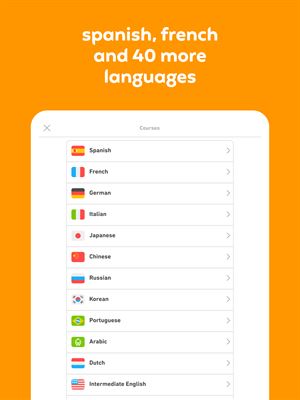
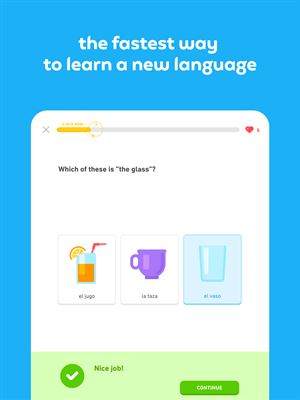
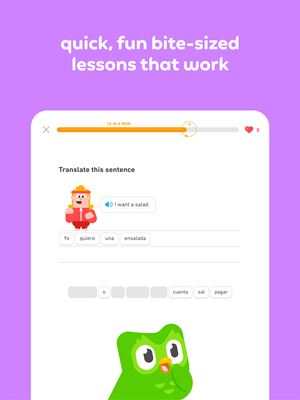
 Duolingo - Language LessonsDuolingo Inc.Learn a new language with the world’s most-downloaded education app! Duolingo is the fun, free app for learning 40+ languages through quick, bite-sized lessons.★ 4.7 5492k


 Duolingo: Language LessonsDuolingoLearn a new language, chess & more with the world's most downloaded education app! Duolingo is the fun, free app for learning 40+ languages through quick, bite-★ 4.7 5492k


 Read Along by GoogleGoogle LLCLearn to read with the magic of your voice and a friendly reading buddy★ 4.6 5287k


 Brainly: AI Homework HelperBrainlyQuick Math Helper & Science Solutions | Get Homework Answers for School Doubts★ 4.5 4470k


 Gauth: AI Study CompanionGauthTech Pte. Ltd.Ask anything, get right answer★ 4.8 2111k


 Remind: School CommunicationParentSquareRemind is a communication platform that helps every student succeed. Whether you're in the classroom, at home, or anywhere in between, Remind makes it easy to s★ 4.8 1799k


 Memrise: Fun language lessonsMemriseImprove vocabulary & learn to speak English, Spanish, German, Japanese & more!★ 4.4 1571k


 ClassDojoClassDojoClassDojo connects teachers, tutors, kids, and families★ 4.8 1341k
More by this developer


 Strider PaceLinh Phan Nhat KhanhStrider is a focused pace calculator and race predictor for runners who want the math out of the way so they can train. Pop in a distance and a time and Strider-


 Coral Reef TripsLinh Phan Nhat KhanhEvery great snorkel trip starts with the right gear and ends with a story worth saving. Coral Reef Trips keeps both — so you never miss a thing above or below t-


 Pufferfish: Sushi Fish GuideLinh Phan Nhat KhanhThe pocket reference every sushi lover needs at the counter. From bluefin tuna to fugu, know the grade, season, and safety story behind every fish. — KEY FEATUR-


 Hubcap: Vintage Wheel GuideLinh Phan Nhat KhanhThe definitive pocket reference for vintage wheel and hubcap collectors — from Baby Moons to BBS three-piece alloys, every iconic style in one place. Covers 20 -