
Screenshots
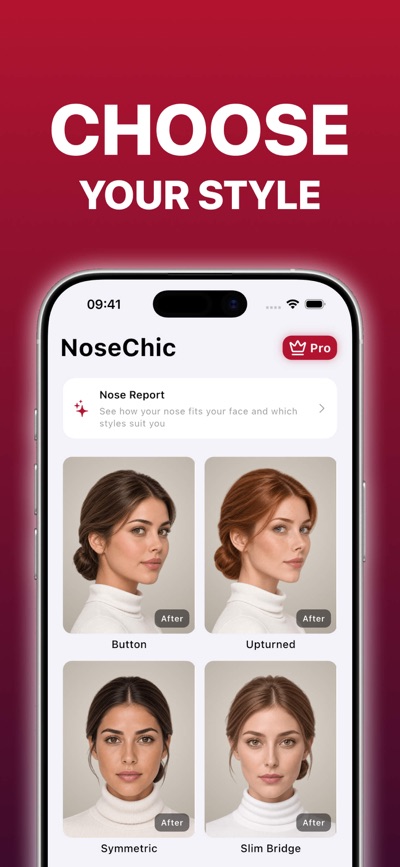
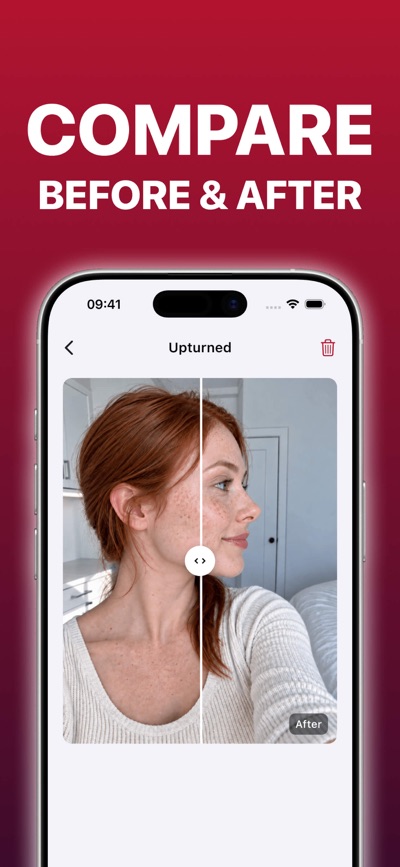


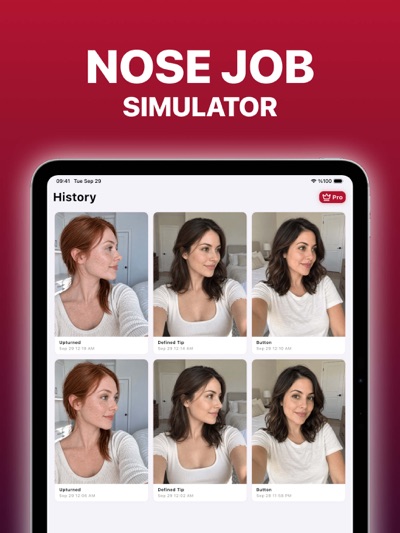
About Nose Job Simulator: NoseChic
NoseChic
Curious how a different nose shape could change your look? NoseChic is an AI rhinoplasty simulator and nose editor that lets you explore realistic nose job simulations on your own photo and get a personalized Nose Report in seconds. Take a clear portrait or side profile photo, or choose one from your gallery. Then preview natural-looking before-and-after results, discover your harmony score, review individual features, and see which nose styles may suit you. Whether you are considering rhinoplasty or plastic surgery, exploring aesthetic options, or simply comparing different looks, NoseChic makes it easy to visualize new possibilities—no complex editing tools required.
- Realistic Nose Job Simulations
Preview AI-powered nose transformations designed to look natural on your face while keeping your unique facial features recognizable.
- Personalized Nose Report
See how your nose fits your face with an AI nose shape analysis. Review your harmony score and ratings for the bridge, tip, length, and symmetry, then explore style suggestions based on your features.
- Curated Nose Styles
Explore a range of nose styles, from subtle refinements to more noticeable transformations, and find the look that feels right for you.
- Before-and-After Comparison
Compare your original photo with the generated result so you can clearly see each transformation, or try another style on the same photo.
- Camera or Gallery Upload
Take a new photo or choose an existing portrait from your gallery. Clear, well-lit photos work best.
- Save, Share, and Revisit
Save your favorite results to your device, keep simulations in your history, or share them with friends.
Why Choose NoseChic?
- See Your New Look in Seconds - Quickly generate realistic nose job simulations
- Simple AI Nose Editor - No sliders or advanced photo editing skills required
- Natural-Looking Results - Explore subtle changes and aesthetic transformations on your own photo
- Great for Visual Exploration - Compare different nose shapes before making bigger beauty decisions
- Easy Sharing - Save your favorite before-and-after results or share them for feedback
How to Use:
1. Choose the nose style you want to try.
2. Take or choose a clear portrait or side profile photo.
3. Generate a realistic nose job simulation.
4. Compare your original photo with the generated simulation.
5. Save your favorite result or share it with friends.
Who’s it for?
- Anyone Curious About a New Look - Explore which nose styles might suit your face
- People Considering Rhinoplasty or Plastic Surgery - Preview visual ideas before speaking with a professional
- Beauty and Selfie Lovers - See how subtle refinements look on your face
- Content Creators - Add polished before-and-after visuals to your content
- Anyone Who Wants a Simple Nose Editor - Try nose transformations without advanced editing skills
Disclaimer:
NoseChic is an AI simulation tool intended for entertainment and visualization purposes only. It does not provide medical advice, professional diagnosis, or guarantee cosmetic procedure outcomes. Please consult a qualified medical professional for advice about rhinoplasty or other cosmetic procedures.
-----------------------------------------------
Privacy Policy
https://cemavci.dev/apps/nose-chic/privacy
Terms of Use
https://cemavci.dev/apps/nose-chic/terms
AVALW Coverage
Not yet mentioned in AVALW articles.
Similar apps


 YouTubeGoogleGet the official YouTube app on iPhones and iPads. See what the world is watching -- from the hottest music videos to what’s popular in gaming, fashion, beauty,★ 4.7 49315k


 InstagramInstagram, Inc.Little moments lead to big friendships. Share yours on Instagram. — From Meta Connect with friends, find other fans, and see what people around you are up to an★ 4.7 29567k



 Affinity by CanvaCanvaONE APP TO CRAFT IT ALL, FOR NO COST AT ALL. Design. Edit. Lay it out. Affinity gives you vector, pixel, and layout tools, all in the same professional-grade ap★ 4.8 27291k


 Video Editor & Maker - InShotInShot Video EditorAI video editor with music! Edit video with effects, slideshow & slow motion★ 4.8 24760k


 MX PlayerAmazon Mobile LLCPowerful video player with advanced hardware acceleration and subtitle supports★ 4.2 14336k


 VivaVideo - Video Cut & EditorQuVideo Inc. Video Editor & Video Maker AppAI Video Editor: AI Templates, Text to Video, Extract Audio, Auto Caption.★ 4.3 12268k


 YouCut - Video Editor & MakerInShot Video EditorAI Video Editor with Music, Filter, Slideshow, Effect, Merge & Trim Video.★ 4.8 8635k


 Screen Recorder - XRecorderInShot Inc.Record games with audio. Smooth, HD screen capture & Built-in video editor.★ 4.7 7662k
More by this developer


 X-Ray Camera: XRaylyCem AvciX-ray camera effect: stylized thermal & night vision photo filters★ 4.7 478


 AI Sound Effects Generator SFXCem AvciText to sound effect: AI SFX generator & sound maker for videos and games-


 Tree Identifier - WoodBotCem AvciWoodBot Want to identify a tree, plant, or wood sample from a photo? WoodBot turns your iPhone into a smart nature and wood identification tool. Snap a picture -

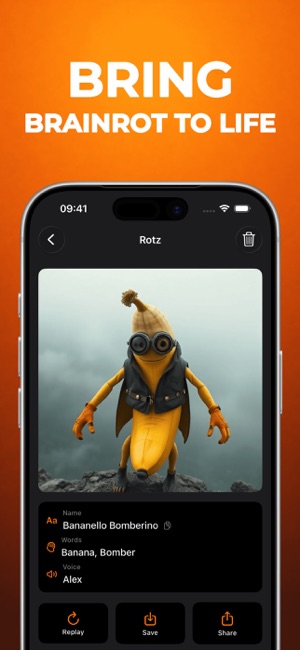

 Italian Brainrot Maker: RotzCem AvciItalian Brainrot Maker: Rotz Generate absurd AI-powered Italian brainrot videos from just two words - Input two words and instantly generate a chaotic, meme-wor★ 4.2 70