
Screenshots


About Orbit: 3D Scanner with LiDAR
Scan rooms and objects with LiDAR, or your face with the Face ID sensor.
Watch the mesh form as you move. Export to STL for 3D printing, or to OBJ, USDZ, and more.
Every scan stays on your device.
SCAN
• Capture rooms, objects, and whole spaces with LiDAR
• Switch to LiDAR Advanced for finer detail
• Capture a point cloud for survey and design work
• Scan your face with the Face ID sensor.
• See a live mesh as you scan, with simple tips that guide you
VIEW IN 3D
• Orbit and zoom around every scan
• See the model at full size in your space with AR
EXPORT AND SHARE
• STL for 3D printing
• OBJ, PLY, GLB, and glTF for 3D software and game engines
• USDZ for AR on iPhone, iPad, Mac, and Apple Vision Pro
• Point clouds as PLY, XYZ, PTS, or LAS
• Floor plan images and turntable videos to share
• Share with AirDrop, Messages, Mail, or Files
PRIVATE BY DESIGN
Orbit processes every scan on your iPhone. Face images and depth are used only to create your 3D scan, without identifying you or uploading face data. Saved scans stay on your iPhone unless you share them. Delete a scan to remove its saved files. There is no account to create.
REQUIREMENTS
The LiDAR modes need an iPhone with a LiDAR Scanner: iPhone 12 Pro, iPhone 12 Pro Max, or a later Pro model. Face mode needs an iPhone with a Face ID sensor.
Privacy Policy: https://optimalapps.ca/privacy
Terms of Use: https://www.apple.com/legal/internet-services/itunes/dev/stdeula/
AVALW Coverage
Not yet mentioned in AVALW articles.
Similar apps


 Phone by GoogleGoogle LLCReliable phone calls with spam protection, caller ID and more helpful features★ 4.4 52440k


 Google Play servicesGoogle LLCGoogle Play services - Google services for Android apps★ 4.3 44573k



 Call of Duty®: Modern Warfare® 4 (Windows)Activision Publishing Inc.War erupts on the Korean Peninsula as North Korea launches a full-scale invasion that threatens to destabilize the world in Call of Duty®: Modern Warfare® 4. A ★ 4.3 16579k


 gov.brServiços e Informações do BrasilGov.br is a means of user access to digital public services.★ 4.6 14047k


 MyTelkomsel – Buy InternetTelkomselBuy credit, internet quota, streaming, game voucher & get cashback with e-wallet★ 3.8 12353k


 myIM3: Data Plan & Buy PackageIndosat Ooredoo HutchisonCheck balance & quota, detect & block spam, exchange IMPoin only on myIM3★ 4.4 11302k


 Files by GoogleGoogle LLCClean up your phone, find files, play media, and share files offline★ 4.5 9097k


 CNH do BrasilServiços e Informações do BrasilDigital driver's license and vehicle registration certificate, first driver's license, traffic violation and vehicle information.★ 4.9 8390k
More by this developer


 Relaydeck: MCP Task InboxAshok PokharelFollow your AI agents' work from anywhere. Relaydeck is a task inbox for AI coding agents. Your agents create tasks, report their progress, and notify you when -


 Marinate: Private CookbookAshok PokharelImport and organize recipes from anywhere in seconds. Marinate helps you save recipes from TikTok, Instagram, YouTube, food blogs, screenshots, handwritten note-


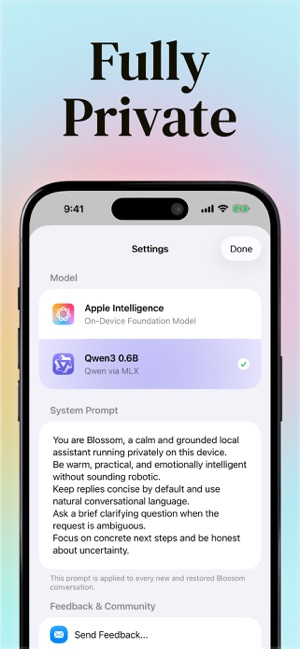
 Blossom - Private AI ChatAshok PokharelYour AI assistant that never phones home. Blossom runs entirely on your iPhone — no servers, no cloud, no data collection. Just you and a powerful AI, completel-


 VaultGPT - Private AI ChatAshok PokharelMost AI apps train on your chats. VaultGPT doesn't. Get fast, private AI answers with end-to-end encryption and on-device storage. No account required. YOUR DAT-