
Screenshots


About PicStitch: Photo to DST PES
PicStitch turns your photos and logos into real, machine-embroiderable stitch files not just a converted image, but an actual digitized design ready for your embroidery machine.
Upload any photo or logo, and PicStitch analyzes the shapes, colors, and details to generate genuine stitch data: satin columns, fill stitches, underlay, and clean thread paths the same techniques a professional digitizer uses, done automatically.
WHY PICSTITCH
Most "photo to embroidery" apps just apply a filter that makes an image look stitched it's still just a picture. PicStitch is different: every design you create is a real, exportable stitch file your embroidery machine can actually sew.
EXPORT FORMATS
- DST (Tajima)
- PES (Brother)
- JEF (Janome, Elna)
- VP3 (Husqvarna Viking, Pfaff)
- EXP (Bernina, Melco)
KEY FEATURES
Real Stitch Generation
Every design includes properly generated satin stitches, fill/tatami stitches, underlay for stability, and pull compensation not a flattened image.
Full Preview Before You Export
See your design as simulated stitches on your choice of fabric background before committing. Zoom and pan to inspect fine details, view your thread color list with exact stitch counts per color, and preview jump stitches.
Custom Size & Hoop Fit
Choose from standard hoop sizes (4×4, 5×7, 6×10) or enter a custom size PicStitch automatically detects and matches your design to the right dimensions.
Fine-Tune Your Design
Adjust fill density, detail level, underlay, and double-layer stitching to match your fabric and design complexity. Remove or replace backgrounds before digitizing.
Stitch Animation
Watch your design "sew" itself stitch-by-stitch in an animated preview before you export a satisfying, realistic look at how your machine will actually build the design.
WHO IT'S FOR
- Home embroidery hobbyists with a Brother, Janome, Singer, or similar machine
- Small embroidery and monogram shop owners
- Etsy and small business sellers who need custom logos digitized quickly
No design skills required. No expensive digitizing software. Just upload, preview, and stitch.
AVALW Coverage
Not yet mentioned in AVALW articles.
Similar apps


 YouTubeGoogleGet the official YouTube app on iPhones and iPads. See what the world is watching -- from the hottest music videos to what’s popular in gaming, fashion, beauty,★ 4.7 49315k


 InstagramInstagram, Inc.Little moments lead to big friendships. Share yours on Instagram. — From Meta Connect with friends, find other fans, and see what people around you are up to an★ 4.7 29567k



 Affinity by CanvaCanvaONE APP TO CRAFT IT ALL, FOR NO COST AT ALL. Design. Edit. Lay it out. Affinity gives you vector, pixel, and layout tools, all in the same professional-grade ap★ 4.8 27291k


 Video Editor & Maker - InShotInShot Video EditorAI video editor with music! Edit video with effects, slideshow & slow motion★ 4.8 24760k


 MX PlayerAmazon Mobile LLCPowerful video player with advanced hardware acceleration and subtitle supports★ 4.2 14336k


 VivaVideo - Video Cut & EditorQuVideo Inc. Video Editor & Video Maker AppAI Video Editor: AI Templates, Text to Video, Extract Audio, Auto Caption.★ 4.3 12268k


 YouCut - Video Editor & MakerInShot Video EditorAI Video Editor with Music, Filter, Slideshow, Effect, Merge & Trim Video.★ 4.8 8635k


 Screen Recorder - XRecorderInShot Inc.Record games with audio. Smooth, HD screen capture & Built-in video editor.★ 4.7 7662k
More by this developer


 StyleAI: Virtual Try-OnMaya PatelStyleAI lets you virtually try on any clothing item in seconds using AI. Just take a photo of yourself and share any garment from Amazon, Zara, or any shopping -


 Roof Framing Calc: 3D MetricMaya PatelThe metric roof framing calculator built for Australian, New Zealand, and UK builders. Enter span, pitch and rafter centres — get rafter length, cut angles, bir-


 Duplicate Cleaner: Photo & AIMaya PatelDuplicate Cleaner: Photo & AI finds duplicate photos, videos and contacts in seconds and helps you free up space on your iPhone. No ads. Your photos stay on you-

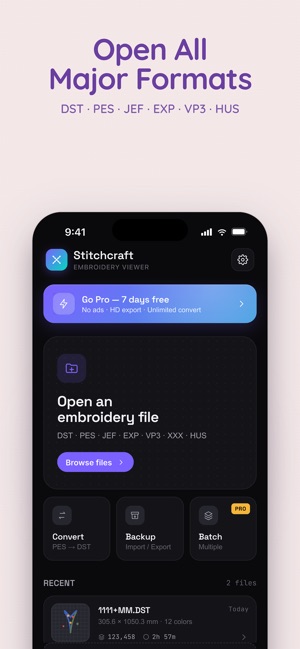

 Embroidery File ViewerMaya PatelEmbroidery File Viewer – PES DST Embroidery File Viewer is a powerful and easy-to-use embroidery viewer for machine embroidery files. Open, preview, and convert★ 3.0 3