
Screenshots


About Pinball Game - Score Attack
Tap the ball to launch and use the left and right sides of the screen to control the flippers. Keep the ball in play and aim for a new high score. Collect coins and visit the shop for extra balls and a flipper upgrade. Compare solo high scores with Game Center.
ONLINE MATCH
Challenge iOS and Android players in 60-second, one-on-one score battles. See both scores and the countdown as you play. Both players use the same equipment, with balls replenished throughout the match. Online matches do not spend your solo coins or balls.
Practice against the computer while waiting for an opponent. When a match is found, practice ends and a fresh match begins. See your opponent’s name and rating before the countdown. Check the shared top-100 win-rate leaderboard; players become eligible after one completed match. Game Center sign-in and an internet connection are required for online play. Solo play does not require sign-in.
Automatic fullscreen ads are not shown. A small banner may appear only on the title screen. Gameplay, online matches and the shop have no banner ads. Optional rewarded videos for extra balls remain available in the shop.
The one-time Remove Ads purchase removes the title-screen banner. Optional rewarded videos remain available after purchase. Restore purchases from Settings → Remove Ads.
Start playing without entering your age or completing setup screens. Age, advertising privacy and optional usage analytics can be changed in Settings. Unknown age receives protective ad settings. Ads that require consent remain unavailable until you choose to complete that consent in Settings. Your exact age is not stored, and analytics stays off without your explicit choice.
Interface languages: English, Japanese, German, French, Spanish, Portuguese, Italian, Korean, Simplified Chinese, Traditional Chinese and Russian.
AVALW Coverage
Not yet mentioned in AVALW articles.
Similar apps


 Ludo King®GametionLudo King is a board game played between friends and family. A fun dice game.★ 4.1 10328k


 MONOPOLY GO!ScopelyRoll the dice & rule the board! Play MONOPOLY GO! with family & friends.★ 4.8 3850k


 Happy Color® – Coloring GamesX-FlowHappy Color® is a relaxing color by number game with over 40,000 FREE high-quality pictures. From nature and fashion to iconic Disney scenes and artworks, there★ 4.8 3424k


 Happy Color®: Color by NumberX-FLOWZen coloring book for adults, paint by number art game and unique Disney pics★ 4.8 3424k


 Parchisi STAR OnlineGameberry LabsPlay Parchisi online with real players. Talk/Chat/Send Emoji on Ludo Board Game★ 4.7 3329k


 Sudoku: Classic Sudoku PuzzleJing WangUltimate sudoku game for beginners and for advanced players Love Sudoku Games or Puzzle Games? Play the ultimate sudoku game to challenge your brain with this n★ 4.7 3081k


 SolitaireMobilityWareSolitaire by MobilityWare is the ORIGINAL maker of Solitaire free for iPad and iPhone. After more than 10 years on the App Store we are STILL improving our card★ 4.7 2066k


 Ludo Club - Fun Dice GameMoonfrogPlay multiplayer Ludo board game with friends, chat & join 200M+ players★ 4.3 1995k
More by this developer


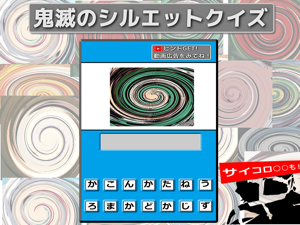
 Silhouette Quiz for Demon SlayTAKAHARU INOUEThe character of the Demon Slayer (Kimetsu no Yaiba) has been swirled. A swirl color silhouette quiz that assigns character names based on color. There are more-


 Wall Free Throw Soccer GameTAKAHARU INOUEDecide soccer ball as the goal of basketball! It is a free throw game using walls. As you clear, the difficulty level will go up! For soccer, basketball, free t-


 Obstacle Ball poolTAKAHARU INOUEball pool Nine Ball (play with friends) and 2types of free games arcade! Game function Touch control with easy operation Queue of strength, ball spin · 9-ball A-


 Spider Climber - Rope SwingTAKAHARU INOUEPlease help the lady on the rooftop. Easy operation, Rope Swing physical game High-rise building fire, a woman seeking help on the rooftop! Please climb a skysc-