
Screenshots


About Pixeroom: Bulk Image Editor
Pixeroom makes bulk product-photo editing fast. Remove backgrounds, auto-center your products, and apply consistent templates across an entire batch — then export everything at once, ready for Shopify, Etsy, Amazon, and other marketplaces.
Built for sellers who process dozens or hundreds of photos at a time, Pixeroom replaces slow, one-by-one editing with a streamlined batch workflow:
• Automatic background removal — no manual masking
• A magnetic eraser for the shots that need a hand — zoom in and brush along an edge, and it clings to what you started on instead of eating into your product
• Auto-centering to keep products consistently framed
• Reusable templates for a uniform, on-brand look across your catalog
• Batch export, so a whole shoot is ready in one pass
• Background removal runs entirely on your device — your photos are never uploaded
• Available on iPhone and Mac
Whether you're a solo seller or run a growing store, Pixeroom cuts editing time down to minutes so you can get your listings live faster.
Look around for free — you'll only need a plan when you import or export.
PIXEROOM PREMIUM
Premium unlocks unlimited exports, unlimited batch sizes, every export format, and unlimited saved templates. There are three ways to get it:
• Monthly — an auto-renewing subscription, starting with a 7-day free trial
• Yearly — an auto-renewing subscription, starting with a 7-day free trial
• Lifetime — a one-time purchase. Pay once and keep Premium forever, with nothing to renew and nothing to cancel.
For the two subscriptions, payment is charged to your Apple Account at purchase confirmation, and the subscription renews automatically unless canceled at least 24 hours before the end of the current period. Manage or cancel anytime in your Apple Account settings. The Lifetime purchase does not renew and is not a subscription.
Terms of Use (EULA): https://www.apple.com/legal/internet-services/itunes/dev/stdeula/
Privacy Policy: https://pixeroom.com/privacy-policy
AVALW Coverage
Not yet mentioned in AVALW articles.
Similar apps


 YouTubeGoogleGet the official YouTube app on iPhones and iPads. See what the world is watching -- from the hottest music videos to what’s popular in gaming, fashion, beauty,★ 4.7 49315k


 InstagramInstagram, Inc.Little moments lead to big friendships. Share yours on Instagram. — From Meta Connect with friends, find other fans, and see what people around you are up to an★ 4.7 29567k



 Affinity by CanvaCanvaONE APP TO CRAFT IT ALL, FOR NO COST AT ALL. Design. Edit. Lay it out. Affinity gives you vector, pixel, and layout tools, all in the same professional-grade ap★ 4.8 27291k


 Video Editor & Maker - InShotInShot Video EditorAI video editor with music! Edit video with effects, slideshow & slow motion★ 4.8 24760k


 MX PlayerAmazon Mobile LLCPowerful video player with advanced hardware acceleration and subtitle supports★ 4.2 14336k


 VivaVideo - Video Cut & EditorQuVideo Inc. Video Editor & Video Maker AppAI Video Editor: AI Templates, Text to Video, Extract Audio, Auto Caption.★ 4.3 12268k


 YouCut - Video Editor & MakerInShot Video EditorAI Video Editor with Music, Filter, Slideshow, Effect, Merge & Trim Video.★ 4.8 8635k


 Screen Recorder - XRecorderInShot Inc.Record games with audio. Smooth, HD screen capture & Built-in video editor.★ 4.7 7662k
More by this developer


 SnapVeed: Image to VideoAmir GelmanForget the timeline. Forget the editing. SnapVeed skips everything you'd normally do in a video editor. Just drop in a photo and a song — SnapVeed instantly bui-

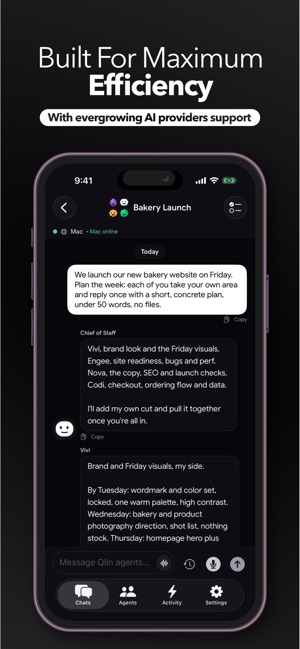

 Qlin: AI Agent Bot Team ChatAmir GelmanQlin is a messaging app for your personal AI workers. Create named agents, chat with them one to one, or put them in a group that works a problem together. Your-


 IMPOLS: Workout & Food TrackerAmir GelmanTrain, eat, sleep and level up, all in one place. IMPOLS brings your workouts, your food and your recovery together, so you can see how they work as one. Log ev-


 MuziTask: Music Task ManagerAmir GelmanMuziTask is the task manager built specifically for musicians and artists who want to turn consistency into their unfair advantage. Most artists don't fail beca-