
Screenshots



About Pocket PDF: Reader & Editor
Make every PDF easier to work with.
Read, annotate, edit and organize your PDFs in one place. From reviewing a document to rearranging pages and preparing a copy to share, Pocket PDF keeps your everyday document tasks close at hand. Import your documents and build an organized library—no account required.
READ WITH FOCUS
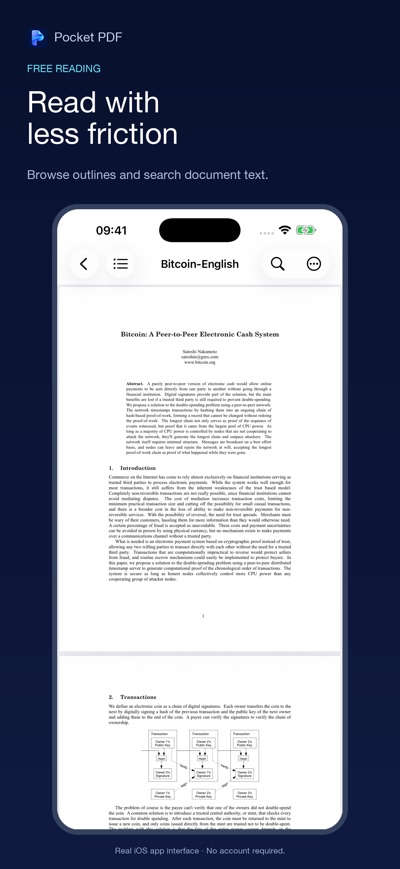
• Navigate with outlines and page thumbnails, or search for text within your PDF.
• Pick up where you left off with your saved reading position.
• Keep frequently used documents within reach with favorites.
• Choose light, dark or system appearance.
CAPTURE YOUR IDEAS
• Highlight key passages, underline details and strike through text.
• Add text notes and draw directly on the page.
• Flatten annotations into a separate copy when you're ready to share.
EDIT AND ORGANIZE
• Edit text in supported PDFs and save your changes.
• Rotate, delete and reorder pages.
• Merge PDFs or extract page ranges into separate documents.
• Combine multiple images into a single PDF.
FIND TEXT IN SCANNED DOCUMENTS
• Recognize text with on-device OCR.
• Search recognized text using a saved OCR index.
MANAGE DOCUMENT ACCESS
• Protect PDFs with a password.
• Use a known password to save a decrypted copy of a protected PDF.
YOUR DOCUMENTS, ON YOUR DEVICE
PDF processing and OCR happen on your device. When you export or share a document, the destination you choose receives the file. Exported copies and system backups are managed separately.
FREE READING, OPTIONAL PRO UPGRADE
PDF reading and annotations are free. Text editing, OCR and document tools require a one-time in-app purchase to unlock Pro. Restore Purchases is supported. Text editing requires a supported text-based PDF.
AVALW Coverage
Not yet mentioned in AVALW articles.
Similar apps


 Phone by GoogleGoogle LLCReliable phone calls with spam protection, caller ID and more helpful features★ 4.4 52440k


 Google Play servicesGoogle LLCGoogle Play services - Google services for Android apps★ 4.3 44573k



 Call of Duty®: Modern Warfare® 4 (Windows)Activision Publishing Inc.War erupts on the Korean Peninsula as North Korea launches a full-scale invasion that threatens to destabilize the world in Call of Duty®: Modern Warfare® 4. A ★ 4.3 16579k


 gov.brServiços e Informações do BrasilGov.br is a means of user access to digital public services.★ 4.6 14047k


 MyTelkomsel – Buy InternetTelkomselBuy credit, internet quota, streaming, game voucher & get cashback with e-wallet★ 3.8 12353k


 myIM3: Data Plan & Buy PackageIndosat Ooredoo HutchisonCheck balance & quota, detect & block spam, exchange IMPoin only on myIM3★ 4.4 11302k


 Files by GoogleGoogle LLCClean up your phone, find files, play media, and share files offline★ 4.5 9097k


 CNH do BrasilServiços e Informações do BrasilDigital driver's license and vehicle registration certificate, first driver's license, traffic violation and vehicle information.★ 4.9 8390k


