
Screenshots


About Pure Audio Video Player
Pure Audio turns the notch on your MacBook into a music and video player. It stays out of your way until you need it: hover over the notch and a translucent glass panel slides open with your track, artwork and controls.
Drop a folder or a few files onto the notch and start playing. No library to import, no account.
A PLAYER THAT LIVES IN THE NOTCH
• Collapsed, it wraps around the camera: artwork on the left, a living glass orb on the right that moves with your music
• Hover to open the full panel: title, artist, format, seek bar, previous, play and next
• Repeat one track or the whole queue, shuffle anytime
• Two-finger swipes on the notch change the volume or skip tracks
• A menu bar icon is always there too — handy on an external display or in full screen
VIDEO RIGHT IN THE NOTCH
• MP4, MOV, M4V and MKV — H.264, HEVC and ProRes, up to 4K
• The notch opens into a small cinema screen; one click makes it bigger or full screen, with subtitles and a choice of audio track
• MKV files are repacked for playback without re-encoding, so picture quality stays exactly the same
• Music and videos share one queue and one set of controls
YOUR OWN FILES, IN FULL QUALITY
• FLAC and ALAC up to 24-bit/192 kHz
• WAV, AIFF, AAC/M4A and MP3
• A gold Hi-Res badge shows when a file is better than CD quality
• Playlists, and your queue, track and position are remembered between launches
BUILT FOR macOS
• Media keys and Control Center work as expected
• Native macOS audio and video frameworks, no extra codecs
• Your files never leave your Mac
FREE AND PRO
• Free: every format, music and video, up to 1 hour a day
• Pro, a one-time purchase: no time limit and equalizer presets
Requires macOS 15 or later. Designed for MacBooks with a notch; on other Macs the player appears as a small capsule at the top of the screen.
AVALW Coverage
Not yet mentioned in AVALW articles.
Similar apps



 Spotify - Music and PodcastsSpotify ABLove music and podcasts? Play your favorite songs, podcasts and albums on Windows with Spotify. Stream the tracks you love instantly, browse the charts or fire ★ 4.8 42460k


 Spotify: Music and PodcastsSpotifyWith the Spotify app, you can explore an extensive library of music and podcasts for free. Curate the best playlists and stream millions of free songs, albums, ★ 4.8 42460k


 Shazam: Identify SongsAppleShazam for Mac takes your music discovery to a whole new level. Name any song in seconds without ever digging your phone out of your pocket! Highlights: * Shaza★ 4.8 12248k


 Pandora: Music & PodcastsPandora Media, LLCCreate stations from your favorite songs, artists or genres, search or browse to find recommended stations for your mood or activity, and discover podcasts that★ 4.8 11330k


 Shazam: Find Music & ConcertsApple"What's that song? Shazam will instantly identify music playing around you or in apps like TikTok, Instagram, YouTube & Snapchat. Discover concerts near you, so★ 4.9 8845k


 Lark Player:Music Player & MP3Lark Player Studio - Music, MP3 & Video PlayerOffline Music Player&MP3 Player with themes, equalizer, lyrics, music play mode★ 4.6 5506k


 Gaana: Music App, MP3 SongsEntertainment Network (India) Ltd.India's Largest Hindi, English, Punjabi Music Streaming & Radio & Podcast App★ 4.2 5134k


 StarMaker: Sing Karaoke SongsSKYWORK AI PTE. LTD.Record karaoke songs with pro audio editors, learn to sing, duet and share music★ 4.3 3945k
More by this developer


 Armorbreak: Tank Battle ArenaIllia SafonovArmorbreak Arena is a top-down tank MOBA. Two teams, two lanes, one goal: break through the enemy defenses and destroy their headquarters. FAST TEAM BATTLES • 4-

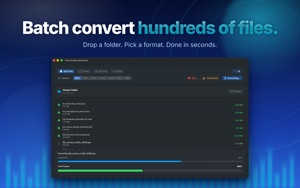

 Pure Audio ConverterIllia SafonovPure Audio Converter is the fastest way to convert audio files on your Mac. Drop a folder, pick a format, click Convert. It just works — completely offline, no -


 Scouts: Discover & ChatIllia SafonovBe the first to find a spot nobody's posted yet. Scouts is a discovery-driven social network for explorers: scout fresh places, be the FIRST to post from one, a-


 WorkPay: Work Hours TrackerIllia SafonovKnow what you earned, and what you're still owed. WorkPay logs your shifts, hours and tips, adds night pay and overtime at your own rates, and shows your real t★ 5.0 1