Screenshots
About RoRoRo — Multi-Instance Launcher & Account Manager
One place to launch Roblox on Windows.
Add your Roblox account once, through Roblox's own login page, and RoRoRo becomes your launcher: every game you play in one Library, one click into a game or a saved private server, a frame-rate cap that sticks, and an alert on your phone if the game drops. Your account shows its Robux, Plus and friends online at a glance, and tells you when it needs attention.
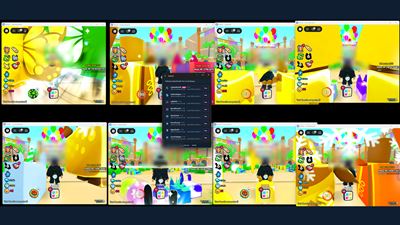
When you want alts, RoRoRo runs several Roblox clients on one PC at the same time, each signed in as a different saved account you own. Launch any of them with one click: into their default game, a saved private server, or any game link you paste.
What you get:
• Multi-instance with one click. Holds the Roblox singleton mutex so additional clients open instead of focusing the first one.
• DPAPI-encrypted account vault. Saved cookies are encrypted with Windows' Data Protection API, tied to your Windows user account — a copy of the vault file moved to another PC will not decrypt. Moving accounts between your own PCs is a deliberate, passphrase-protected export.
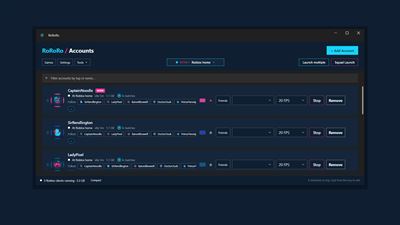
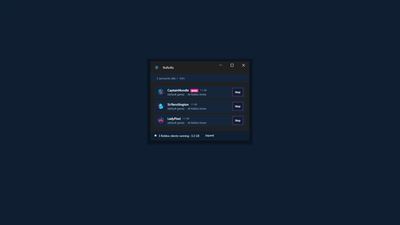
• Live status for every account. See which account is in which game, who is idle and for how long, and per-account frame-rate caps that stick.
• Every account at a glance. Robux, Plus and friends online sit under each account, with a note of your own. Open an account to see its recent games, favourites and private servers, and play any of them in one click.
• Knows when an account needs you. Session expired, needs verification, limited by Roblox: each has its own badge, and one click starts the fix.
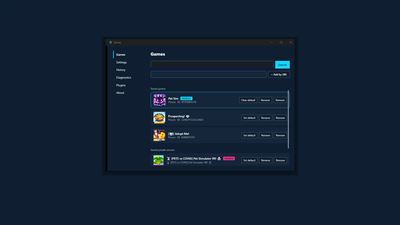
• One Library for every game. Everything you have played, favourited or saved as a private server, in a grid or a list. Search it, filter it, paste a game link, and choose which account plays.
• Squad Launch + Friend Follow. Send every selected account into the same private server, follow a friend into theirs, or land your accounts together in one public server.
• Memory watchdog + Recycle. RoRoRo learns what a Roblox client actually costs in RAM on your machine and warns before you run out. One click closes a heavy client and puts it back in the same server it was in.
• Rejoin if it drops out. Turn it on per account, and an alt whose Roblox window is still open but has fallen out of the game (an idle kick, a failed join) is closed and joined again on its own. At most three times an hour, never your main, and your own Stop always wins.
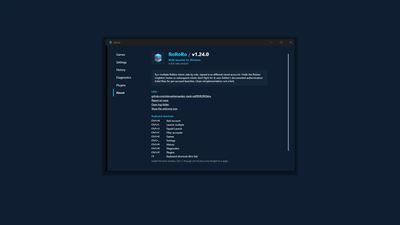
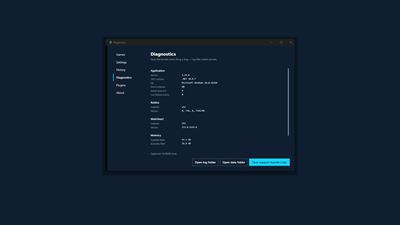
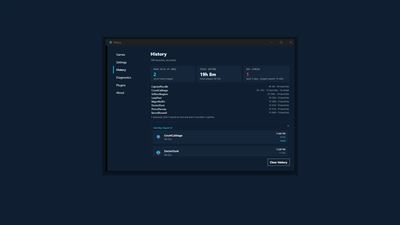
• One tools window. Library, Settings, History, Diagnostics, Plugins, Known Roblox issues and About are pages of one window that sits beside your accounts. Keyboard shortcuts throughout — F1 shows the list.
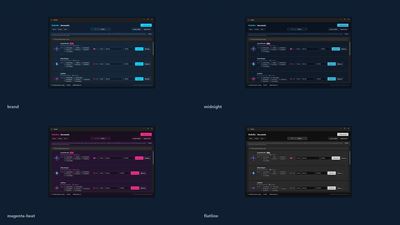
• Themes. Four built-in, including one that carries no meaning in colour alone, plus a builder to make your own from ten colours and share it as a file.
• Optional alerts — desktop, Discord, or your phone. Route each alert to any mix of desktop notifications, a Discord webhook you create, and your phone through Pushover or ntfy. Drops, memory warnings, idle accounts, recycle completions, and an every-two-hours all-good mark while your accounts run. Choose how often each may repeat and what it sounds like. A fresh install makes no alert calls at all — nothing fires until you set a destination up.
• System tray UX. A state-coloured tray icon shows the multi-instance state at a glance; double-click launches your main account.
• Plugin system. Optional plugins run as separate processes and hold no permissions until you grant each one by name.
• Auto-update via Velopack. Remote config tracks the current known-good Roblox version and mutex name, so a Roblox-side rename doesn't break you for long.
• Accessible by measurement. Every control announces its name to assistive tech, and contrast is verified against rendered pixels in every theme.
• Speaks your language. The whole interface — every menu, setting, tooltip and window, and the messages RoRoRo writes as you use it — is translated into French, German, Russian, Portuguese (Brazil), Polish, and Spanish, following your Windows language or your pick in Settings. Switching takes effect instantly, and the picker only offers a language that's fully translated, so you never land on a half-English screen.
Privacy & security:
Your Roblox password is never seen by RoRoRo. Login happens entirely inside Roblox's own page, embedded in a Microsoft Edge WebView2 frame — same HTML, same HTTPS connection your browser would make. RoRoRo captures only the session cookie that Roblox sets after successful login, and encrypts it before writing it to disk. Account facts (Robux, Plus, friends online) are read from Roblox with that account's own session and kept only in the same encrypted vault. No telemetry. No analytics. Nothing about you leaves your machine except the Roblox-side calls during launch — the same calls Roblox.com makes from your browser — and, only if you set them up yourself, alerts to your own Discord webhook or to the phone push service you chose (Pushover or ntfy). RoRoRo also downloads its own signed files from its GitHub releases — updates, the Roblox compatibility settings, and the known Roblox issues list — and sends nothing about you to get them.
Important: trademark and affiliation notice.
"Roblox" and the Roblox logo are trademarks of Roblox Corporation. RoRoRo is an independent third-party tool, not affiliated with, endorsed by, or sponsored by Roblox Corporation. The trademarked term is used solely to describe compatibility with the Roblox platform. RoRoRo launches the official Roblox client unmodified — it does not inject into, hook into, or alter the Roblox process in any way; it only holds a Windows named-mutex before launch so that subsequent client instances see the singleton check as already-claimed.
A 626 Labs product.
AVALW Coverage
Not yet mentioned in AVALW articles.
Similar apps


 Phone by GoogleGoogle LLCReliable phone calls with spam protection, caller ID and more helpful features★ 4.4 52440k


 Google Play servicesGoogle LLCGoogle Play services - Google services for Android apps★ 4.3 44573k



 Call of Duty®: Modern Warfare® 4 (Windows)Activision Publishing Inc.War erupts on the Korean Peninsula as North Korea launches a full-scale invasion that threatens to destabilize the world in Call of Duty®: Modern Warfare® 4. A ★ 4.3 16579k


 gov.brServiços e Informações do BrasilGov.br is a means of user access to digital public services.★ 4.6 14047k


 MyTelkomsel – Buy InternetTelkomselBuy credit, internet quota, streaming, game voucher & get cashback with e-wallet★ 3.8 12353k


 myIM3: Data Plan & Buy PackageIndosat Ooredoo HutchisonCheck balance & quota, detect & block spam, exchange IMPoin only on myIM3★ 4.4 11302k


 Files by GoogleGoogle LLCClean up your phone, find files, play media, and share files offline★ 4.5 9097k


 CNH do BrasilServiços e Informações do BrasilDigital driver's license and vehicle registration certificate, first driver's license, traffic violation and vehicle information.★ 4.9 8390k