
Screenshots


About SafeSpend - Expense Budget
Say goodbye to complicated budget systems and end-of-month scrambling. With SafeSpend, enjoy peace of mind and financial serenity by effortlessly managing your expenses and taking control of your spending.
SafeSpend is a user-friendly expense tracking app designed to help you manage your finances with ease. It provides a simple and intuitive interface that allows you to track your expenses in one place and calculates the amount you should keep in your account to cover upcoming bills, subscriptions, and one-time payments. By subtracting this amount from your available funds, the app determines your "Safe to Spend" balance.
Unlike other budgeting apps, SafeSpend doesn't require your banking details, ensuring the security of your financial information. It also eliminates the need for constant attention and manual transaction categorization, saving you time and effort.
---
TRACK RECURRING EXPENSES
Safely manage expenses that occur on a weekly, monthly, yearly, or custom basis, ensuring you never miss a payment.
WIDGETS!
Display upcoming expenses directly on your phone's home screen with two customizable widgets. Stay informed at a glance without opening the app.
STAY ORGANIZED
Easily add notes to any expense to provide additional details or reminders. Categorize expenses for better organization and analysis.
FILTER BY CATEGORY
Use category filters to focus on specific types of expenses and quickly find the information you need. You can also look ahead into the future, viewing expenses for upcoming months.
---
SafeSpend simplifies budget planning in just a few steps:
1. Add your expenses: Begin by adding all your expenses to the app. You can easily edit or add new expenses at any time, ensuring an up-to-date overview of your financial commitments.
2. Manage payments: Swipe right to mark an expense as paid before its due date or unmark it if you haven't paid it yet. This feature allows you to stay on top of your payment schedule and avoid missing any important payments.
3. Let the app do the work: With your expenses entered and payments managed, SafeSpend takes care of the calculations. It determines your upcoming expense total, providing you with valuable information when considering significant purchases. You can even add a widget to your phone's home screen to have a constant reminder of your upcoming obligations.
Future plans:
- Automatic balance retrieval: In an upcoming release, SafeSpend will integrate with your bank account to automatically retrieve your account balance. This feature will help you visualize any surplus funds after expenses are paid.
- Manual balance input: If you'd rather not link with your bank, you'll be able to manually enter your current account balance, and SafeSpend will take into account the upcoming expenses to give you an accurate and up-to-date picture of your finances.
- Apple Watch integration: Conveniently access a brief summary of your expenses on the go, right from your wrist. With this integration, you'll have quick and easy access to important financial information without needing to take out your phone.
------
SafeSpend is available for free and will continue to be so indefinitely. However, certain premium features, such as unlimited expenses and custom categories, are exclusive to Pro users. By upgrading to the Pro version through a one-time purchase, you unlock all premium features and support the independent developers behind the app. We deeply appreciate your support.
* Privacy Policy: https://trentmorris.com/safespend/privacy
* Terms of Use: https://trentmorris.com/safespend/terms
AVALW Coverage
Not yet mentioned in AVALW articles.
Similar apps


 VenmoVenmoVenmo is the fast, safe, social way to pay and get paid. Join over 90+ million people who use the Venmo app today SEND AND RECEIVE MONEY Pay and get paid for an★ 4.8 15472k


 Mercado Pago: cuenta digitalMercado LibreYour account to pay with a QR code, have a line of credit, a card and more★ 4.8 15069k


 Capital One MobileCapital OneWhat’s on the Capital One Mobile app? All of your accounts, and so much more. Whether you’re out in the world or feeling right at home, you can manage your mone★ 4.8 11162k


 DANA Indonesia Digital WalletPT Espay Debit Indonesia KoeA digital wallet (e-Wallet) for all cashless & card-less transactions★ 4.5 10938k


 Wells Fargo Mobile®Wells FargoAccount Management •Access your cash, credit, and investment accounts with Touch ID®¹ or Face ID®¹ •Review activity and balances •View your credit card transact★ 4.9 10804k


 Chase Mobile®: Bank & InvestJPMorgan Chase & Co.Bank securely with the Chase Mobile® app: send and receive money with Zelle®, deposit checks, monitor credit score, budget and track income & spend. Use J.P. Mo★ 4.8 9543k


 Cash AppBlock, Inc.The easy way to spend, save, and invest. Pay anyone in cash or bitcoin instantly and enjoy free Lightning Network transfers with compatible wallets. Start savin★ 4.8 8742k


 BB: Banco, Conta, Pix, CartãoBanco do Brasil SAComplete digital account with Pix, credit card, loan, financing and more.★ 4.6 8529k
More by this developer


 Blind Gomoku - Five in a RowTrent MorrisStep into the world of Blind Gomoku, where classic strategy meets a thrilling new challenge. Inspired by the hit Korean reality-competition show The Devil’s Pla-


 Logger - Time Clock Hours LogTrent MorrisLogger tracks the time you work and calculates your pay. You can share your timesheet with an employer, client, or save for your records. It's important to keep★ 4.7 87
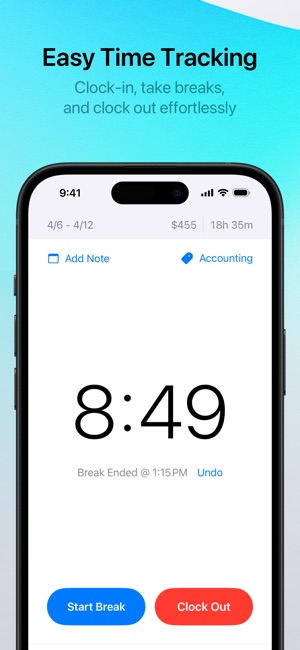


 Punch Time ClockTrent MorrisIntroducing Punch Time Clock, the essential time-tracking app for shift workers, freelancers, remote workers, small-business owners, students and salaried emplo★ 4.8 36.5k