
Screenshots


About SafeStitch
Turn scattered screenshots into one clean, shareable story with SafeStitch.
Whether you are saving a conversation, documenting an order, collecting a webpage, or preparing a visual guide, SafeStitch helps you combine, edit, protect, and export screenshots in just a few steps.
THREE FLEXIBLE WAYS TO STITCH
• Scrollshot — Merge overlapping scrolling screenshots into one continuous long image.
• Vertical — Stack screenshots from top to bottom in the order you choose.
• Horizontal — Place screenshots side by side for comparisons, timelines, and before-and-after views.
PROTECT PRIVATE DETAILS
Keep sensitive information out of the images you share. Use Auto Redact for faster privacy cleanup, or manually blur and conceal names, phone numbers, addresses, account details, order information, and anything else you want to keep private.
EDIT BEFORE YOU EXPORT
Make every result clear and presentation-ready:
• Adjust the stitched layout
• Crop unwanted areas
• Redact sensitive content
• Add markup and annotations
• Review everything in a full preview
EXPORT YOUR WAY
Save your finished work as a high-quality image or PDF. Choose the format that fits your needs, whether you are sharing with a friend, sending a support request, creating documentation, or keeping a personal record.
KEEP SCREENSHOTS ORGANIZED
SafeStitch keeps your recent records together, so completed images and PDFs are easier to find and revisit whenever you need them.
USE SAFESTITCH FOR
• Long conversations and message threads
• Webpages, articles, and tutorials
• Receipts, orders, and customer support records
• Project updates and work documentation
• Product comparisons and before-and-after images
• Travel plans, schedules, and reference material
• Clean screenshots for sharing or archiving
From stitching and cropping to privacy redaction and PDF export, SafeStitch gives you the tools to turn multiple screenshots into one clear, organized result.
Stitch it. Protect it. Save it—with SafeStitch.
Terms of Use :https://www.apple.com/legal/internet-services/itunes/dev/stdeula/
Privacy policy :https://sites.google.com/view/safestitch-privacy
AVALW Coverage
Not yet mentioned in AVALW articles.
Similar apps


 Phone by GoogleGoogle LLCReliable phone calls with spam protection, caller ID and more helpful features★ 4.4 52440k


 Google Play servicesGoogle LLCGoogle Play services - Google services for Android apps★ 4.3 44573k



 Call of Duty®: Modern Warfare® 4 (Windows)Activision Publishing Inc.War erupts on the Korean Peninsula as North Korea launches a full-scale invasion that threatens to destabilize the world in Call of Duty®: Modern Warfare® 4. A ★ 4.3 16579k


 gov.brServiços e Informações do BrasilGov.br is a means of user access to digital public services.★ 4.6 14047k


 MyTelkomsel – Buy InternetTelkomselBuy credit, internet quota, streaming, game voucher & get cashback with e-wallet★ 3.8 12353k


 myIM3: Data Plan & Buy PackageIndosat Ooredoo HutchisonCheck balance & quota, detect & block spam, exchange IMPoin only on myIM3★ 4.4 11302k


 Files by GoogleGoogle LLCClean up your phone, find files, play media, and share files offline★ 4.5 9097k


 CNH do BrasilServiços e Informações do BrasilDigital driver's license and vehicle registration certificate, first driver's license, traffic violation and vehicle information.★ 4.9 8390k
More by this developer


 Vintage Analog Camera:NosticaDaybreak LimitedCapture the moment. Keep the feeling. Nostica brings the character of film, disposable cameras, and early digital photography to your iPhone. Preview each camer★ 5.0 1


 Focus Buddy:StepkinDaybreak LimitedA small start. A little buddy. Starting can be the hardest part. Stepkin is an ADHD-friendly focus companion that helps you turn “I need to do this” into one sm-


 Couple Games: LovioDaybreak LimitedLovio turns ordinary moments into playful experiences made just for two. Whether you want to laugh together, start a meaningful conversation, break the routine,-
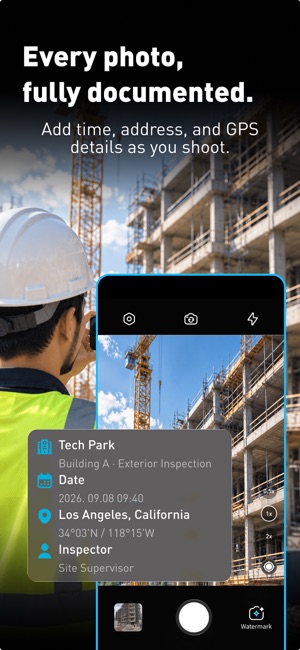


 Timestamp Camera : PhotoRecordDaybreak LimitedTurn everyday job site photos into clear, organized work records. Timestamp Camera: PhotoRecord helps you capture when and where work happened, keep related pho★ 5.0 1