
Screenshots




About Scroll - Auto Scroll Browser
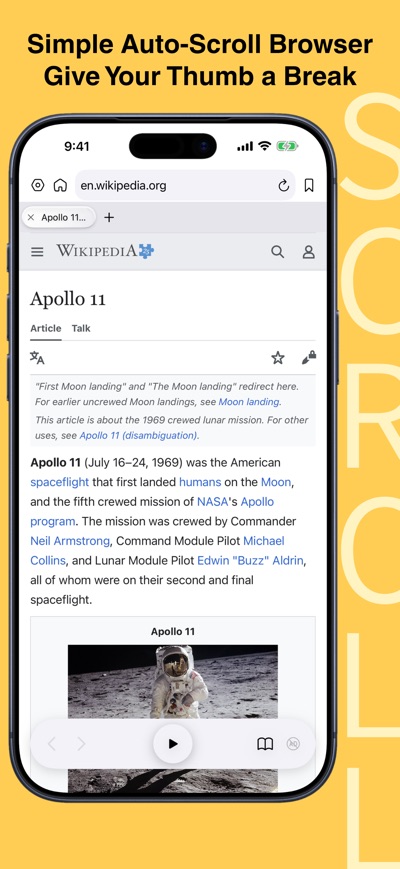
Scroll is a browser for iPhone and iPad designed to make long web pages easier to read — without constant swiping.
■AUTO-SCROLL AT YOUR PACE
Start or pause automatic scrolling with the central play button. Press and hold the button to view and adjust the scrolling speed without leaving the page.
■AUTO-SCROLL IN SAFARI WITH SCROLL PRO
Start auto-scrolling in Safari with the play button in the lower-right corner of sites you allow. Turn on tilt scrolling in Scroll or Safari to adjust speed by tilting your device. Scroll Pro also includes ad removal and image saving.
■SIMPLE TAB MANAGEMENT
Open, switch between, and close tabs from the tab bar. Open links in a new Scroll tab to keep your current page open.
■ESSENTIAL BROWSING TOOLS
Enter a website address or search the web directly from the address bar. Move backward and forward, return to your home page, and organize frequently visited websites with bookmarks and folders. Import bookmarks exported from Safari all at once or choose individual items. Duplicate detection lets you add only bookmarks that are not already in Scroll or repeated in the import file.
■SAVE IMAGES, BROWSE ANYTIME
With Scroll Pro, save images from a webpage all at once to Scroll’s built-in library. Previously saved images remain available for free, even offline. You can use auto-scroll while viewing them.
■CONTENT CONTROLS
Use supported content controls to hide distracting page elements and stay focused on what you want to read.
Privacy Policy:
https://cob-app.com/2026/07/18/privacy-policy-scroll/
Terms of Service:
https://www.apple.com/legal/internet-services/itunes/dev/stdeula/
CREDITS
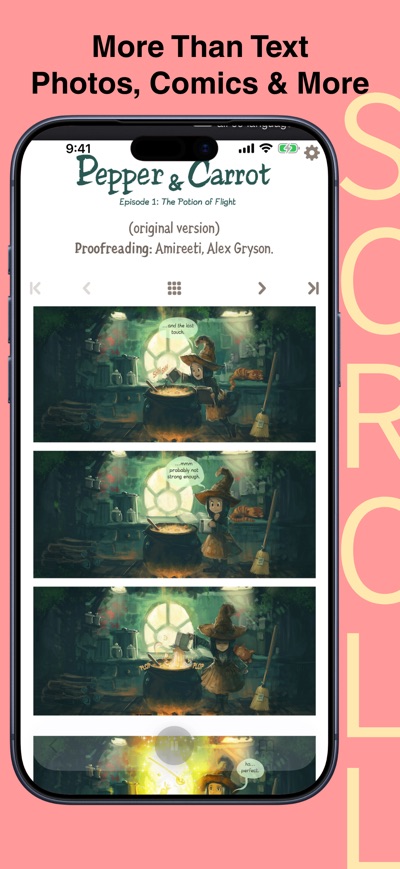
Some screenshots and previews display third-party web content for demonstration purposes only.
Pepper&Carrot:
Based on the webcomic Pepper&Carrot by David Revoy.
https://www.peppercarrot.com
Licensed under Creative Commons Attribution 4.0 International (CC BY 4.0).
https://creativecommons.org/licenses/by/4.0/
Wikipedia:
Article text from “Apollo 11” and “Coffee” by Wikipedia contributors.
https://en.wikipedia.org/wiki/Apollo_11
https://en.wikipedia.org/wiki/Coffee
Wikipedia text is available under Creative Commons Attribution-ShareAlike 4.0 International (CC BY-SA 4.0).
https://creativecommons.org/licenses/by-sa/4.0/
AVALW Coverage
Not yet mentioned in AVALW articles.
Similar apps


 Phone by GoogleGoogle LLCReliable phone calls with spam protection, caller ID and more helpful features★ 4.4 52440k


 Google Play servicesGoogle LLCGoogle Play services - Google services for Android apps★ 4.3 44573k



 Call of Duty®: Modern Warfare® 4 (Windows)Activision Publishing Inc.War erupts on the Korean Peninsula as North Korea launches a full-scale invasion that threatens to destabilize the world in Call of Duty®: Modern Warfare® 4. A ★ 4.3 16579k


 gov.brServiços e Informações do BrasilGov.br is a means of user access to digital public services.★ 4.6 14047k


 MyTelkomsel – Buy InternetTelkomselBuy credit, internet quota, streaming, game voucher & get cashback with e-wallet★ 3.8 12353k


 myIM3: Data Plan & Buy PackageIndosat Ooredoo HutchisonCheck balance & quota, detect & block spam, exchange IMPoin only on myIM3★ 4.4 11302k


 Files by GoogleGoogle LLCClean up your phone, find files, play media, and share files offline★ 4.5 9097k


 CNH do BrasilServiços e Informações do BrasilDigital driver's license and vehicle registration certificate, first driver's license, traffic violation and vehicle information.★ 4.9 8390k
More by this developer


 Sotte - Study CompanionKosuke YamanakaWhen your child asks, “How do I solve this?”, the answer alone usually isn’t enough. What matters is knowing where to look first, why the steps come in that ord-


 StepOn - Daily WeighingKosuke YamanakaMost weight apps assume motivation will always be there. It won’t. StepOn is the daily weigh-in app built for consistency. Log your weight and body fat in secon-


 Snap×SenseiKosuke YamanakaSnap×Sensei makes studying easier than ever — just snap a problem and let our AI teacher do the rest. No typing. No hassle. Get clear explanations, not just ans-


 Thirty or NothingKosuke YamanakaThirty or Nothing is a diary app that allows you to write only during a 30-minute window each day, starting from the time you set. With the motto “Carry the joy-