Screenshots
About SFTP Explorer
SFTP Explorer is a focused, modern file manager for working with remote servers over secure SFTP and SSH connections.
Requirements: .NET Desktop Runtime (automatically installed on first launch).
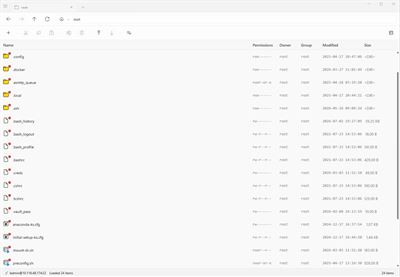
Browse remote files in a clean Windows 11 interface, move files with drag-and-drop, and manage more than one server in a tabbed workspace. Open remote documents for editing and let SFTP Explorer upload changes automatically when you save.
Built for everyday server work
- Secure SFTP transfers over SSH
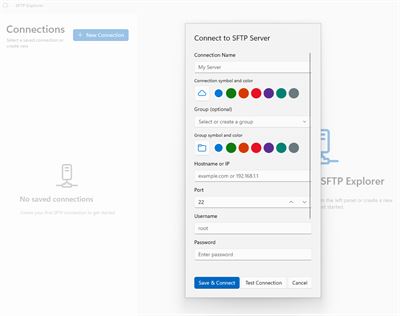
- Multiple saved connections with encrypted local password storage
- Tabbed sessions for working with several servers at once
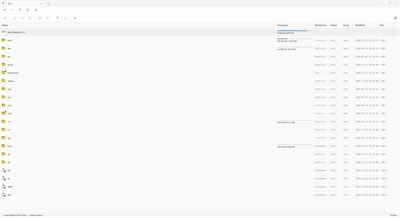
- Fast remote browsing with breadcrumbs, sorting, and file details
- Upload and download files and folders with progress feedback
- Drag-and-drop file operations
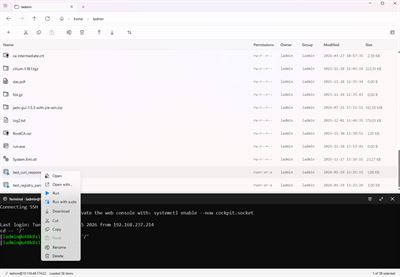
- Remote file actions: create, rename, copy, move, delete, and manage permissions
- Open and edit remote files with automatic synchronization
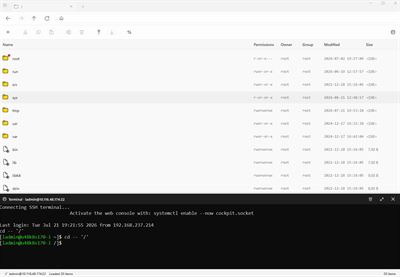
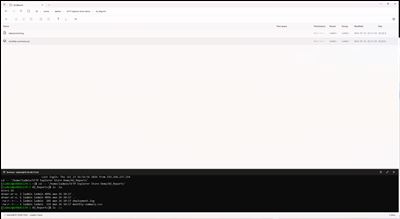
- Integrated SSH terminal in the same workspace
- Inline command prediction based on the current remote user's shell history
- Symlink-aware navigation and server-side file workflows
SFTP Explorer keeps connection credentials on your Windows device and uses them only to connect to the servers you choose. It does not require a third-party cloud account or route your files through an external service.
Designed for developers, system administrators, IT professionals, and anyone who needs a dependable graphical SFTP client on Windows 11.
This application is an open-source project, so, you can verified code, that will work with your critical data.
AVALW Coverage
Not yet mentioned in AVALW articles.
Similar apps



 ChatGPTOpenAIChatGPT is your everyday AI assistant for Windows. Use Chat to ask questions, explore ideas, write, learn, and work through everyday tasks. When you need to go ★ 4.8 11034k

 Remote Tools for Microsoft EdgeMicrosoft CorporationRemote Tools for Microsoft Edge enables developers to debug live web content running on remote Windows desktop, Xbox, and HoloLens devices. This app extends Win★ 4.7 1610k


 TestFlightAppleTestFlight makes it easy to test beta versions of apps and App Clips to provide valuable feedback to developers before they release their apps on the App Store.★ 4.7 791k


 Holy Quran Offline ReadingJedyAppsAl QURAN-القرأن الكريم app to read Quran offline just like an actual Quran book★ 4.4 207k


 Galaxy S9 Plus RingtonesZenTint CreationsDownload The 100 Best Galaxy S9+ Ringtones & Notifications For Free★ 4.6 135k


 Quran Pro - القران الكريمQuanticapps FZ LLERead and listen to the Holy Quran Offline. MP3 recitations & Tafsir★ 4.7 124k


 IGAMES PS2IGames BRThe best PS2 games from your childhood come to life in their mobile version!★ 4.4 56k


 Gamers GLTool with Game TunerTrilokia Inc.Tune your game graphics with our GFX optimizer for optimal gaming experience★ 4.5 45.1k