
Screenshots



About Swimmetry: Swim Times Tracker
Swimmetry turns swimming meet results from across the USA into clear insights for swimmers, parents and coaches. Search any athlete, see best times and progress, check how close they are to the next qualifying time, and get AI analysis, including the NCAA college programs that fit best.
Made for competitive swimmers
Follow your own swims, or your kids' and teammates', in one place. Age-group swimmers and parents can see exactly how many seconds separate them from the next cut. College-bound swimmers can explore which programs match their times. Coaches can compare athletes side by side.
Key Features:
- Search athletes by first and last name, then tap the heart to follow them in your Home feed
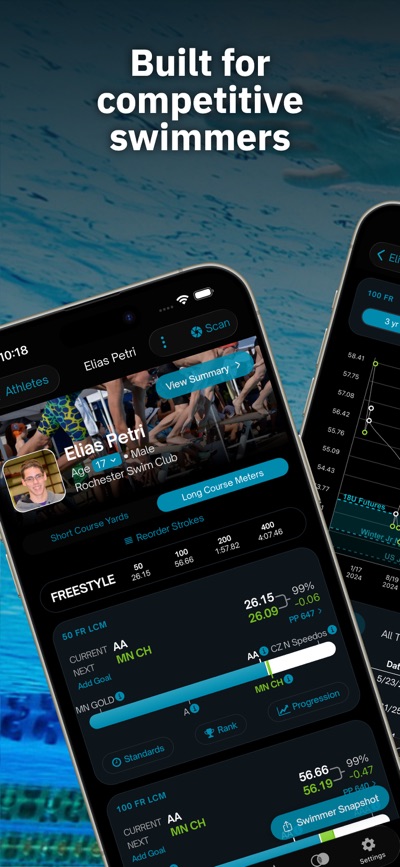
- See best times for every event, the qualifying level reached, the next level and the seconds still missing
- View time standards by event (NAG, state/LSC and qualifying levels such as Sectionals and Junior Nationals) with the gap from your best time, plus Power Points and IMX score
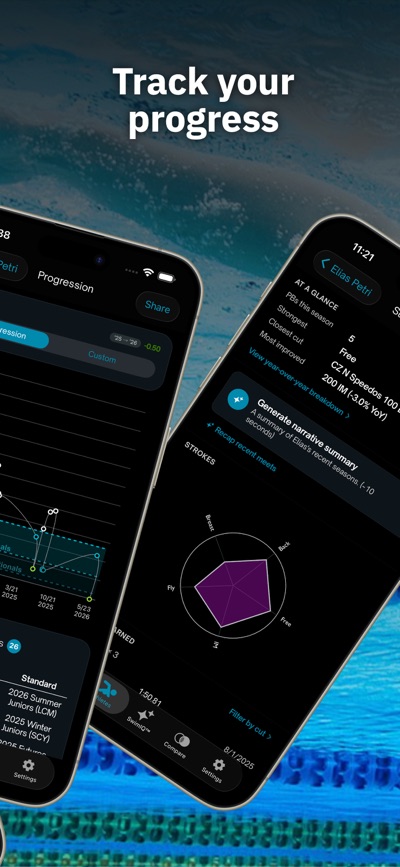
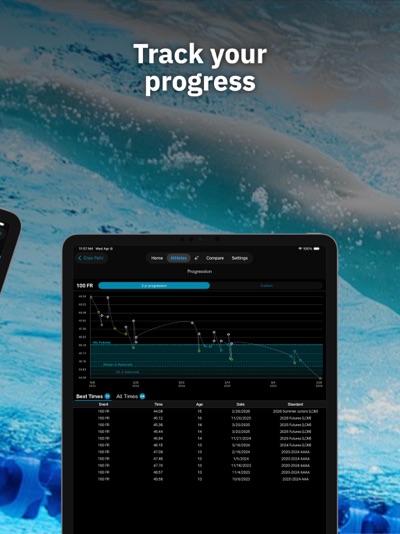
- Track progression over the last 3 years or any period, compare seasons year over year and see your strengths by stroke
- Check rankings by LSC, Zone or nationwide
- Compare two or more athletes with color-coded heat maps and overlaid progression graphs: lifetime best, season best, same age or year to year
- Switch between yards (SCY) and meters (LCM) and reorder strokes
- Add missing meets from a Hy-Tek file, a meet name or a screenshot, and add athletes manually
- Swim IQ: AI reports on recent highlights and past meets, plus a race-day plan with a goal time for each event
- College Fit: project times to any age in three scenarios (conservative, expected, aggressive) and rank 102 NCAA programs by conference fit and roster fit, with an AI narrative in swimmer or coach tone
- Swimmer Snapshot: export PDF reports with a stroke balance radar, standards achieved and progression charts, ready to share with coaches, college recruiters or family
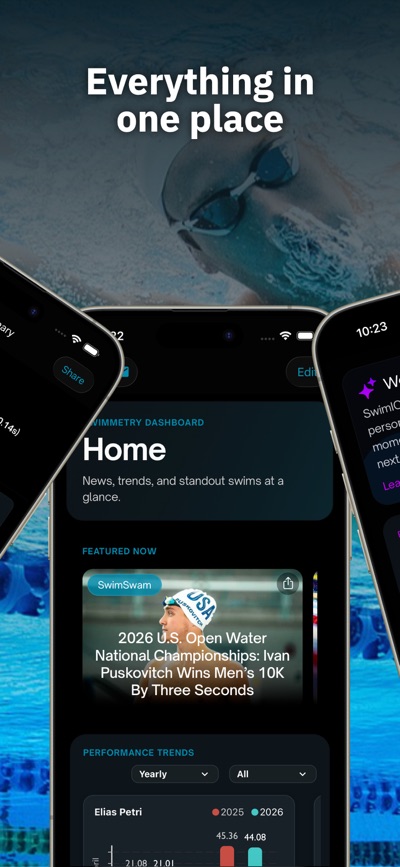
- Read swimming news from SwimSwam right on your Home screen
How to Get Started:
1. Create your account with your email and a verification code.
2. Search for an athlete by first and last name and tap the heart to follow them.
3. Open the athlete to see best times, qualifying standards and progress.
4. Compare athletes, or open Swim IQ for AI analysis and College Fit.
5. Missing a meet? Tap + Add to import it.
Subscription Details:
Swimmetry is free to start. PRO features, such as time standards, require a Swimmetry PRO subscription.
- Plans: monthly and yearly PRO subscription
- Payment is charged to your Apple ID account at confirmation of purchase
- The subscription renews automatically unless auto-renew is turned off at least 24 hours before the end of the current period
- Your account is charged for renewal within 24 hours before the end of the current period
- You can manage or cancel your subscription in your Apple ID Account Settings after purchase
- Your subscription is linked to your Swimmetry account and works on all your devices
Terms of Use: https://www.apple.com/legal/internet-services/itunes/dev/stdeula/
AVALW Coverage
Not yet mentioned in AVALW articles.
Similar apps


 Lyft+La-labsYour coach’s program in your pocket—Lyft+ keeps training simple and on track.★ 4.9 17963k


 ESPN: Live Sports & ScoresDisneyAll of ESPN. All in One Place. Introducing our brand-new streaming offering that gives you everything ESPN has to offer in one place. Get ESPN, ESPN2, ESPNU, SE★ 4.6 4169k
 ESPNDisneyWatch thousands of live events and shows from the ESPN networks plus get scores, on-demand news, highlights, and expert analysis. Subscribe to the ESPN+ streami★ 4.6 4169k


 Cricbuzz - Live Cricket ScoresCricbuzz.comThe world's No.1 cricket app, now featuring live streaming of IPL, World Cup etc★ 4.0 3177k


 FanDuel Sportsbook & CasinoFanDuel, Inc.Play every game and live every moment with FanDuel! Sportsbook: Bet on NFL, NBA, MLB, and more with real-time odds, live in-game markets, and same game parlays.★ 4.8 2303k


 365Scores: Live Sports Scores365Scores LTDLive Scores, News, Fixtures, Stats & Results for Soccer, Football, NBA and more★ 4.5 2211k


 ESPN Fantasy Sports & MoreDisneyWith the #1 fantasy sports app, fantasy sports are always in-season. Play ESPN Fantasy Football, Fantasy Men's Basketball, Fantasy Women's Basketball, Baseball ★ 4.8 2124k


 OneFootball Live Soccer scoresOnefootball GmbHLive scores, news & standings for Premier League and UEFA Champions League.★ 4.6 1630k
More by this developer


 Wisuki - Wind and WavesFitness & Sports apps SRLWisuki is a powerful wind, waves, weather and tide forecast app with advanced features that allows you to instantly find best spots based on your preferred cond★ 4.6 878


 Ski TracksFitness & Sports apps SRLPush your mountain performance further with Ski Tracks! Ski Tracks is the essential GPS companion for skiing, snowboarding, and winter mountain adventures. Reco★ 4.8 8.8k


 BodyState: Vitals TrackerFitness & Sports apps SRLMonitor Your Energy, Every Day with BodyState! BodyState gives you a daily energy score from 1 to 100, combining your most important fitness metrics into a sing★ 4.6 1.7k


 Ski Tracks Lite & GPS MapsFitness & Sports apps SRLPlan and track your mountain adventures with Ski Tracks Lite & GPS Maps! Ski Tracks Lite & GPS Maps combines precision GPS tracking with immersive 3D resort map★ 4.6 796