
Screenshots


About Tachimetro
Tachimetro is a quick-glance system monitor that lives in your menu bar. Look up and you instantly know how your Mac is working, no need to open Activity Monitor.
SEE MORE. USE LESS SPACE.
Every indicator earns its place. Tachimetro takes only the room it needs and adapts when the menu bar gets crowded, so it never feels like an app is sitting up there.
WHAT IT MONITORS
• CPU — overall load, updated live
• GPU — utilization on Macs that report it (hidden otherwise, never guessed)
• Memory — memory used, with the color following macOS memory pressure (optional, off by default)
• Network — download and upload, Wi‑Fi or Ethernet, switches automatically
• Disks — read and write activity plus free space for your internal and external drives
CHOOSE HOW YOU SEE IT
Each indicator can be shown as a small level bar, as a number, or both and you configure them independently. Pick a compactness level: Comfortable, Compact, or Ultra Compact icons only that light up with activity, like native status lights.
THREE LEVELS — Menu bar (immediate), Popover (values, history charts, per-disk space), Settings (what, order, units, disks, interface).
SMART DISKS — technical and virtual volumes stay out of your way; drives are grouped physically, detected when plugged in, removed cleanly when unplugged.
LIGHT BY DESIGN — about 20 MB of memory, a fraction of a percent of CPU; pauses on sleep/lock, resumes on wake.
PRIVATE — everything runs on your Mac. No account, no internet, no analytics, no data collection, ever.
NATIVE — SwiftUI + AppKit, Light and Dark Mode, VoiceOver, keyboard shortcuts, Launch at Login. Sandboxed.
AVALW Coverage
Not yet mentioned in AVALW articles.
Similar apps


 Phone by GoogleGoogle LLCReliable phone calls with spam protection, caller ID and more helpful features★ 4.4 52440k


 Google Play servicesGoogle LLCGoogle Play services - Google services for Android apps★ 4.3 44573k



 Call of Duty®: Modern Warfare® 4 (Windows)Activision Publishing Inc.War erupts on the Korean Peninsula as North Korea launches a full-scale invasion that threatens to destabilize the world in Call of Duty®: Modern Warfare® 4. A ★ 4.3 16579k


 gov.brServiços e Informações do BrasilGov.br is a means of user access to digital public services.★ 4.6 14047k


 MyTelkomsel – Buy InternetTelkomselBuy credit, internet quota, streaming, game voucher & get cashback with e-wallet★ 3.8 12353k


 myIM3: Data Plan & Buy PackageIndosat Ooredoo HutchisonCheck balance & quota, detect & block spam, exchange IMPoin only on myIM3★ 4.4 11302k


 Files by GoogleGoogle LLCClean up your phone, find files, play media, and share files offline★ 4.5 9097k


 CNH do BrasilServiços e Informações do BrasilDigital driver's license and vehicle registration certificate, first driver's license, traffic violation and vehicle information.★ 4.9 8390k
More by this developer


 Japan with RenzoVINCENZO RENZOPlan your dream trip to Japan with ease. Japan Travel Planner helps you organize every day of your journey, discover amazing destinations, and create a personal-


 EcoVesselVINCENZO RENZOEcoVessel shows the ships around you as they really move, and estimates how much CO₂ each one is producing right now. HOW IT WORKS Every commercial ship carries-


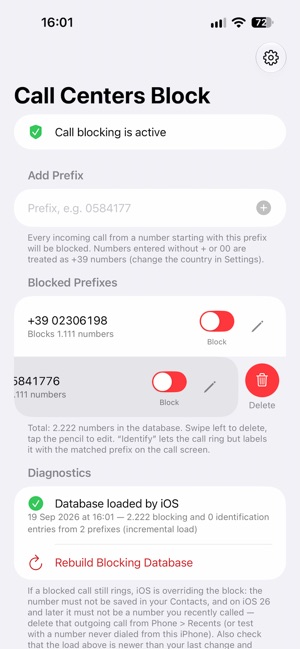
 CallCentersBlockVINCENZO RENZOCall Centers Block stops the calls you keep getting from the same number ranges. You enter a prefix, for example 0584177, and iOS blocks every incoming call who-


 MemoraVaultVINCENZO RENZOMemoraVault copies your photos and videos from the Photos app to a USB flash drive, external SSD or hard drive, in their original quality. It is a backup and ex-