
Screenshots


About Trace it ! Let's draw app
Want to draw like a pro? With Trace It! you can trace any image onto paper by looking through your phone's camera.
Pick an image, place a sheet of paper in front of your phone and follow the lines while looking at the screen: the image appears semi-transparent over the paper and your hand.
HOW IT WORKS
- Choose one of the included images, a photo from your library, or take a picture right away.
- Move, rotate and resize the image with your fingers.
- Adjust the opacity and the camera zoom.
- Lock the image so it doesn't move while you draw.
NEW
- AR mode: the image stays anchored to your paper even when you move the phone, no tripod needed.
- Line filter with adjustable detail and thickness, plus black & white and inverted filters.
- Grid to copy proportions with the grid method.
- Flip the image horizontally or vertically.
- Favorites and recent images in the gallery.
- Lightbox: use the screen as a light box and lock it while you trace on top of it.
- Share images to Trace It! from Photos, Safari or Files.
- Torch, reference points and iPad improvements.
FOR EVERYONE
Perfect for learning to draw, practicing calligraphy and lettering, making stencils, coloring pages, murals and crafts. Great for kids, students and artists of all ages.
Ads bothering you? Watch a short video and enjoy 30 minutes without ads, enough for a drawing.
AVALW Coverage
Not yet mentioned in AVALW articles.
Similar apps
 TikTokTikTok Pte. Ltd.TikTok is THE destination for mobile videos. On TikTok, short-form videos are exciting, spontaneous, and genuine. Whether you’re a sports fanatic, a pet enthusi★ 4.0 70099k


 TikTok - Videos, Shop & LIVETikTok Ltd.TikTok is the global discovery platform for videos, streaming on LIVE, shopping, and more. Our mission is to inspire creativity and bring joy. Over a billion pe★ 4.7 18383k


 NetflixNetflix, Inc.Netflix is the leading subscription service for watching TV episodes and movies.★ 4.6 16405k


 Google Play GamesGoogle LLCPlay games instantly, save progress, and earn achievements.★ 3.9 13150k


 Roku Remote (Official)ROKU INCThe official remote app for your Roku® device. Roku Remote (Official) turns your phone into a feature-packed remote control for Roku players and Roku TVs. Enjoy★ 4.7 6245k


 HBO Max: Stream Movies & TVWarnerMedia Global Digital Services, LLCThe most talked about shows and movies featuring the worlds of HBO, the DC Universe, Adult Swim, A24, and beyond. With HBO Max you'll get: • Access to thousands★ 4.9 5760k


 Prime VideoAmazon Mobile LLCWatch movies, TV shows, live programming, and sports★ 4.7 5709k


 WEBTOON: Manga, Comics, ManhwaNAVER WEBTOONThe largest manga, comics, and manhwa community with millions of fans!★ 4.6 4614k
More by this developer


 Alicante CruiseAlberto del RioAlicante Cruise Stop is your essential guide for making the most of your cruise stopover in Alicante. Specially designed for cruise passengers with only one day-


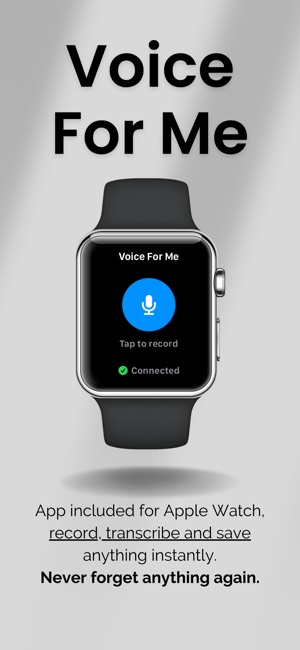
 Voice For Me ProAlberto del RioTired of keeping a mental sticky note for every little thing? Try Voice For Me Pro, the app that clears your head and keeps your life on track. Think of it as a-


 VisuAlberto del RioVISU – TESTS VISUALES DE NATURALEZA Explora, juega y aprende sobre la flora, fauna y hongos de la península ibérica con esta app educativa visual e interactiva.-


 SpotlogAlberto del RioSpotlog - Location Collection Tracker Discover, collect, and visualize any location-based experiences with Spotlog, the intelligent app that transforms your exp-