
Screenshots


About TV Garden: IPTV Player Xtream
TV Garden is a calm, friendly player for the IPTV playlists you already have. Add your own Xtream login or M3U playlist and your live channels, films and series grow into one tidy garden.
YOUR GARDEN AT A GLANCE
• Six big cards on the home screen: Live TV, Movies, Series, Watch time, Playlists and Settings
• Continue watching, recent channels and freshly added titles, right below
• One tap on the category name opens a searchable list of every category
LIVE TV
• Numbered channel lists that are easy to scan
• Recent channels and favourites always close at hand
• Your own bouquets: group the channels, films and series you love
FILMS AND SERIES
• Poster cards with year and progress
• Seasons and episodes on one page, with a Continue button that remembers where you stopped
A PLAYER THAT STAYS OUT OF THE WAY
• Controls float over the picture, with the channel list right below
• Audio and subtitle tracks, picture fit, speed and a sleep timer
• Caption style you can tune, gestures for volume and brightness, and a lock to avoid stray taps
WATCH TIME
• See how much you really watched today and over the last 7 days
• A weekly chart, your top titles and a Live / Movies / Series split
• Set an optional daily limit and get a gentle notice when you reach it, with an optional heads-up 10 minutes before. It never stops what you are watching
• Watch time is counted only while a stream really plays, and stays on your device
FOR THE WHOLE FAMILY
• A family gate with a PIN: put any category or section behind it
SHARE A PLAYLIST
• Share a playlist with someone you trust by QR code or link, and scan to add one in seconds
TV GARDEN PLUS
Free: one playlist, every section, favourites, the family gate and watch time.
Plus: unlimited playlists, your own bouquets and no ads.
Get Plus your way:
• Subscription: auto-renewing plans, billed for each period
• Lifetime: a single one-time purchase, Plus forever, no renewals
Subscriptions: payment is charged to your Apple Account when you confirm the purchase. A subscription renews automatically unless auto-renew is turned off at least 24 hours before the end of the current period, and your account is charged for renewal within 24 hours before the end of the period. You can manage or cancel your subscription in your App Store account settings after purchase. Any unused part of a free trial, if offered, is forfeited when you buy a subscription.
Lifetime: a one-time payment charged to your Apple Account when you confirm the purchase. It never renews and is never billed again.
Already bought Plus? Tap Restore Purchases in Settings.
IMPORTANT
TV Garden is a player only. It does not include, sell or provide any channels, films, series or playlists. You need your own playlist from a provider you are allowed to use. We do not endorse streaming content without the rights holder's permission.
Terms of Use (EULA): https://www.apple.com/legal/internet-services/itunes/dev/stdeula/
Privacy policy: https://sites.google.com/view/tvgaren/home
Support: support@tvgardeniptv.app
AVALW Coverage
Not yet mentioned in AVALW articles.
Similar apps


 Lyft+La-labsYour coach’s program in your pocket—Lyft+ keeps training simple and on track.★ 4.9 17963k


 ESPN: Live Sports & ScoresDisneyAll of ESPN. All in One Place. Introducing our brand-new streaming offering that gives you everything ESPN has to offer in one place. Get ESPN, ESPN2, ESPNU, SE★ 4.6 4169k


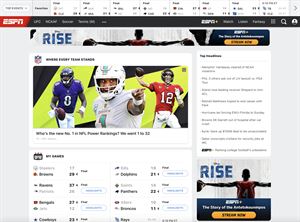
 ESPNDisneyWatch thousands of live events and shows from the ESPN networks plus get scores, on-demand news, highlights, and expert analysis. Subscribe to the ESPN+ streami★ 4.6 4169k


 Cricbuzz - Live Cricket ScoresCricbuzz.comThe world's No.1 cricket app, now featuring live streaming of IPL, World Cup etc★ 4.0 3177k


 FanDuel Sportsbook & CasinoFanDuel, Inc.Play every game and live every moment with FanDuel! Sportsbook: Bet on NFL, NBA, MLB, and more with real-time odds, live in-game markets, and same game parlays.★ 4.8 2303k


 365Scores: Live Sports Scores365Scores LTDLive Scores, News, Fixtures, Stats & Results for Soccer, Football, NBA and more★ 4.5 2211k


 ESPN Fantasy Sports & MoreDisneyWith the #1 fantasy sports app, fantasy sports are always in-season. Play ESPN Fantasy Football, Fantasy Men's Basketball, Fantasy Women's Basketball, Baseball ★ 4.8 2124k


 OneFootball Live Soccer scoresOnefootball GmbHLive scores, news & standings for Premier League and UEFA Champions League.★ 4.6 1630k


