
Screenshots


About Video Splitter Suite
Video Splitter Suite
Effortlessly split any video into perfectly timed segments using hours, minutes & seconds. Designed for Mac, this powerful utility supports all major formats, offers ultra-fast processing, remembers your folders, and gives you clean parts ready for sharing or editing.
Key Features:
Import videos in MP4, MOV, MKV, AVI, M4V, FLV, WebM and more — full format support.
Set your interval in Hours + Minutes + Seconds, then split the entire video into sequential segments with zero hassle.
The app remembers your last selected save folder so you don’t repeatedly browse.
Real-time circular progress indicator while splitting keeps you informed.
After splitting completes, jump right to your parts in Finder via the “Show in Finder” button.
Simple tabbed UI: Home (split workflow) • Read Me (how-to guide) • About (version, developer, contact).
Contact us directly and discover more apps from the developer with built-in buttons.
Whether you’re a content creator chopping long recordings, a teacher dividing lecture videos, or a social-media user preparing multiple clips — Video Splitter Suite makes it fast, precise and reliable.
How to use it:
Select a video file.
Enter how long each segment should be (hours, minutes, seconds).
Press “Start Splitting”.
Choose your save folder (or reuse last folder).
Watch the progress and then jump into Finder to view your split clips.
Why users love it:
No complex editing timeline — just pick interval & go.
Works with any video type supported by macOS & ffmpeg engine inside.
Time-efficient and user-friendly — perfect for Mac users who just want to split video quickly and accurately.
Download now and simplify your video splitting workflow once and for all.
AVALW Coverage
Not yet mentioned in AVALW articles.
Similar apps


 YouTubeGoogleGet the official YouTube app on iPhones and iPads. See what the world is watching -- from the hottest music videos to what’s popular in gaming, fashion, beauty,★ 4.7 49315k


 InstagramInstagram, Inc.Little moments lead to big friendships. Share yours on Instagram. — From Meta Connect with friends, find other fans, and see what people around you are up to an★ 4.7 29567k



 Affinity by CanvaCanvaONE APP TO CRAFT IT ALL, FOR NO COST AT ALL. Design. Edit. Lay it out. Affinity gives you vector, pixel, and layout tools, all in the same professional-grade ap★ 4.8 27291k


 Video Editor & Maker - InShotInShot Video EditorAI video editor with music! Edit video with effects, slideshow & slow motion★ 4.8 24760k


 MX PlayerAmazon Mobile LLCPowerful video player with advanced hardware acceleration and subtitle supports★ 4.2 14336k


 VivaVideo - Video Cut & EditorQuVideo Inc. Video Editor & Video Maker AppAI Video Editor: AI Templates, Text to Video, Extract Audio, Auto Caption.★ 4.3 12268k


 YouCut - Video Editor & MakerInShot Video EditorAI Video Editor with Music, Filter, Slideshow, Effect, Merge & Trim Video.★ 4.8 8635k


 Screen Recorder - XRecorderInShot Inc.Record games with audio. Smooth, HD screen capture & Built-in video editor.★ 4.7 7662k
More by this developer


 Tender Analyzer AINikhil AnshumanTender Analyzer AI turns a dense government tender into a clear decision in minutes. Upload any RFP, tender, or procurement pack and get the requirements, deadl-


 Relaxation - Stress RemoverNikhil AnshumanThis application helps you relax and reduce stress using proven techniques of breathing exercises and calming music. It guides you through breathing exercises w-

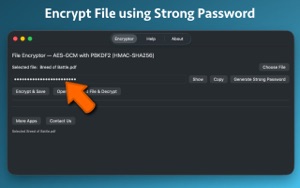

 Secure File Encryptor ProNikhil AnshumanProtect your private files with military-grade AES-256 encryption. Secure File Encryptor Pro lets you easily encrypt any file or folder on your Mac using your o-


 Batch File Renamer ProNikhil AnshumanTired of renaming files one by one? Batch File Renamer Pro lets you add entire folders and rename all files inside in seconds. Perfect for photographers, creati-